Here’s the short answer. Yes, two businesses can have the same address on Google. Google’s own help page says multiple businesses at one address can each have a Business Profile if they’re distinct businesses with different names and clearly visible differences in signage, and each one is eligible for a profile. What you can’t do is split one business into several profiles, list a virtual office, or make two profiles that look like the same business. That’s when Google treats a profile as a duplicate and hides it from Search and Maps.
I’m Javed Aslam, a local SEO consultant in Pakistan. I set up and fix Google Business Profiles for small businesses. A question that comes up a lot: “My shop and my partner’s clinic are in the same building. Will Google allow both?” Or: “I run two businesses from one office. Can both be on Maps?” This guide covers the rules for two businesses at the same address on Google, the safe way to set them up, and what to do if one gets flagged. Every rule here comes from Google’s own help pages, linked as we go.
What Google’s rules say about two businesses at one address
Google covers this in two places: its page on duplicate profiles and its main guidelines for representing your business. Here’s what they say, in plain words:
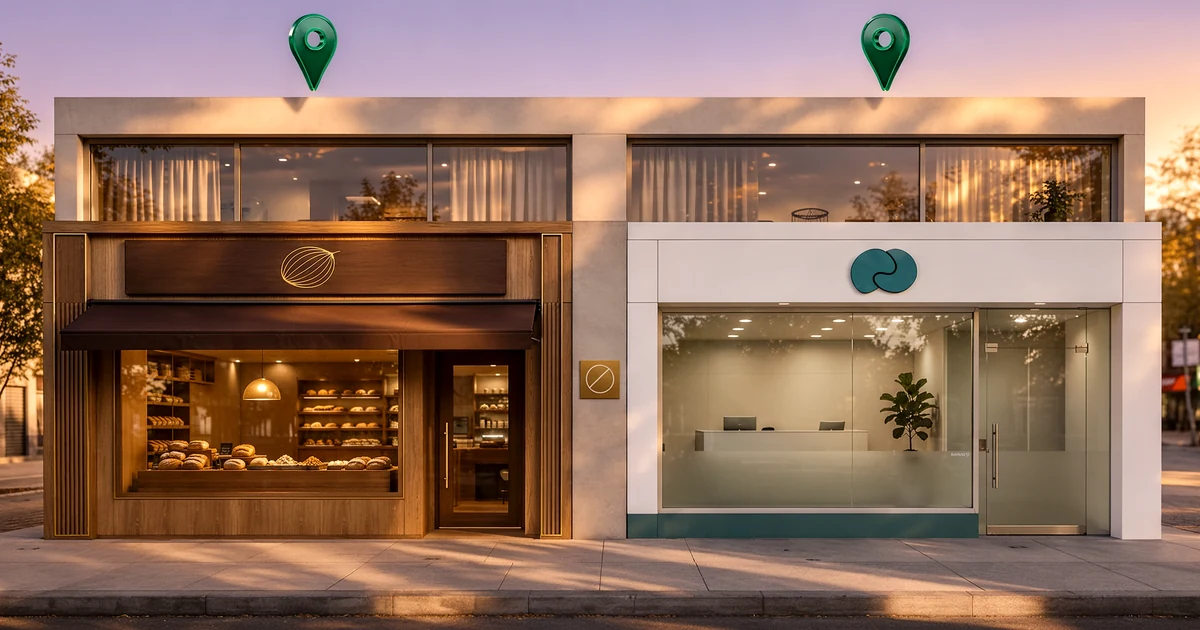
- Google’s Resolve duplicate profiles and ownership issues page says: “If there are multiple businesses at the same address, they can each have their own Business Profiles if they’re: Distinct businesses with different names and clearly visible differences in signage. Eligible for Google Business Profiles.”
- The same page says this includes “locations with multiple brands, rebranded businesses, departments within other businesses, or individual practitioners at a shared location.”
- It also says you can have only one Business Profile for each business, and “if a profile is considered a duplicate, it won’t show on Google Search or Maps.”
- Google’s guidelines for representing your business on Google say businesses showing their address “should maintain permanent fixed signage of their business name at the address.”
- The guidelines also say: “Do not create more than one page for each location of your business, either in a single account or multiple accounts.”
So the rule isn’t about the address. It’s about the business. One address can hold several profiles, as long as each profile is a real, separate business that customers can see and visit.
Common shared-address situations: allowed or not?
Most shared-address questions fit one of these cases. The “what to do” column follows Google’s guidelines for each one.
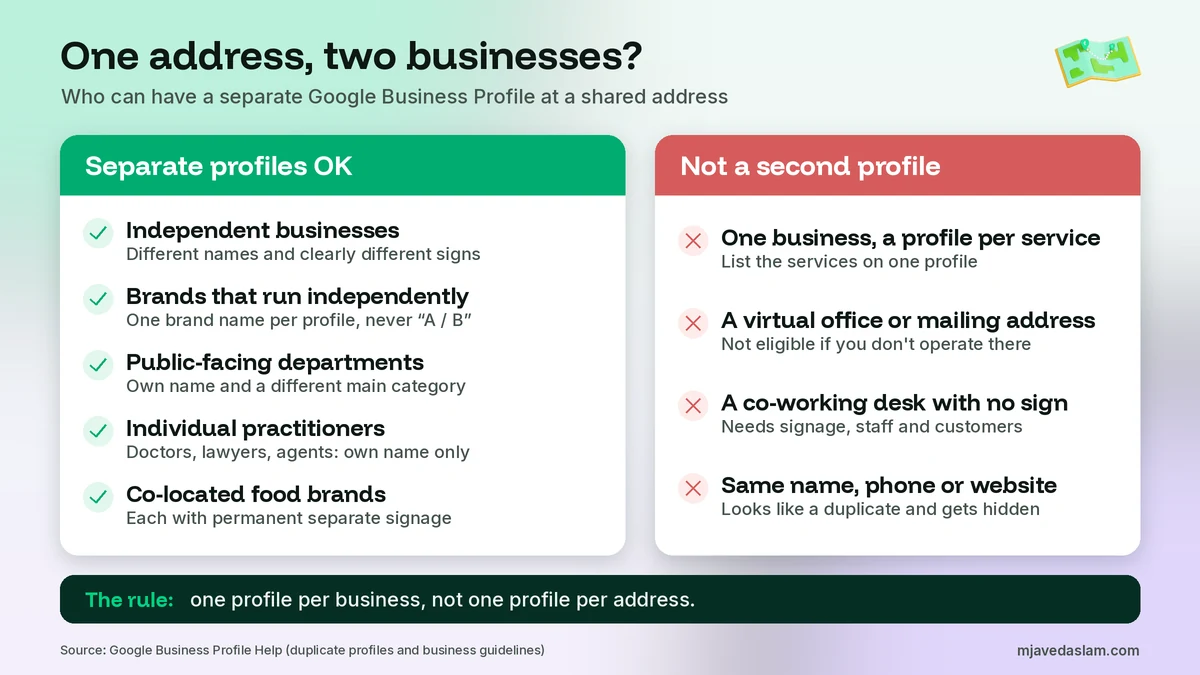
| Situation | Separate profiles? | What Google says to do |
|---|---|---|
| Two independent businesses in one building or shop (for example, a bakery and a dental clinic) | Yes | Each needs a different name, clearly different signage and must be eligible on its own. |
| Two brands at one location (for example, two franchise brands in one unit) | Yes, if they operate independently | Don’t combine names like “Brand A / Brand B”. Pick one name per profile, and use a separate profile for each brand only if they run independently. |
| A department inside a bigger business (for example, a pharmacy inside a supermarket) | Yes, if public-facing and distinct | The department’s name and main category must differ from the main business. Usually it has its own customer entrance. |
| Several doctors, lawyers or agents at one office | Yes | Each public-facing practitioner can have a profile with just their name. The organization gets its own separate profile. |
| One business offering different services | No | Don’t create a profile per service. List the services on the one profile. |
| A virtual office or rented mailing address | No | A mailing address where you don’t operate isn’t eligible. |
| An office at a co-working space | Only with conditions | Allowed only with clear signage, customers received during business hours and your own staff there during those hours. |
| Co-located food brands in one kitchen | Yes, with conditions | Each needs permanent separate signage. Delivery-only brands must hide the address and set a service area. |
A few of these deserve a closer look. For multiple practitioners, Google says the organization should create a profile for the location, separate from the practitioner’s profile, and the practitioner’s profile title should include only the practitioner’s name. If a practitioner is the only one at a branded location, Google suggests one shared profile named like “[brand]: [practitioner name]”. For businesses that work at customers’ locations and don’t serve people at the address, read my service-area business guide, because those profiles should hide the address anyway.
Why Google flags profiles at the same address
When two profiles share an address, Google has to decide if they’re two businesses or one business listed twice. Its duplicate page lists three common reasons a profile is treated as a duplicate:
- Existing verified profile. A verified profile already exists for the same business.
- Same address. Multiple profiles have the same address.
- Different services. Multiple profiles exist for the same business that offer different services.
Notice that “same address” is on the list. That doesn’t mean sharing an address is banned. It means a shared address makes Google look harder. If the two profiles have similar names, the same phone number, the same website or the same category, they look like one business. Then one of them can stop showing. If your profile has vanished and you’re not sure why, my guide on why a Google Business Profile is not showing walks through every cause, and this guide on how to fix a duplicate Google Business Profile covers real duplicates.
How to set up two businesses at the same address safely
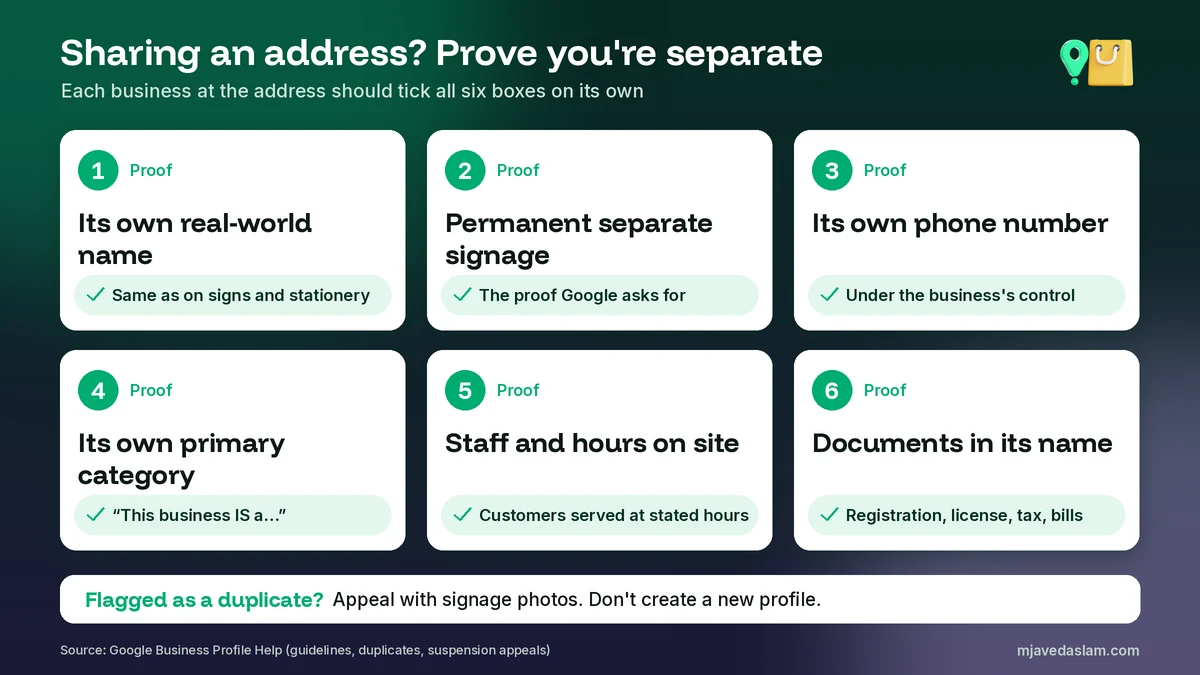
If you have two real businesses at one address, these steps make the difference obvious to Google and to customers. Do them for each business before you create or verify the second profile.
1. Use each business’s real-world name
Google says to represent your business as it’s consistently shown in the real world, across signage, stationery and other branding. Don’t add the other business’s name, and don’t stuff keywords into either name. My guide on Google Business Profile name guidelines covers what’s allowed.
2. Put up permanent, separate signage
This is the proof Google asks for most. Each business needs its own fixed sign with its own name at the address. A paper notice or a shared board with both names in one line won’t show that they’re two businesses. If you ever need to appeal a duplicate status, Google says you’ll be asked for evidence of permanent signage that clearly shows both businesses.
3. Give each business its own phone number
Google’s guidelines say to provide a phone number that connects to your individual business location, and the number must be under the direct control of the business. One shared number makes two profiles look like one. If you need to update a number, here’s how to change your Google Business Profile phone number.
4. Choose a different primary category for each
For departments, Google says the main category must be different from the main business. For any two businesses, the guidelines also say not to use categories that belong to a business physically contained within yours, or one that contains yours. So a hotel shouldn’t add “Restaurant” for the restaurant inside it. Pick the category that completes “This business IS a…”. My guide to choosing a Google Business Profile primary category explains how.
5. Enter the address the same way, with a suite number if you have one
Both businesses use the real street address. If you have a unit, suite or floor, Google says to put the physical address in Address Line 1 and the suite number in Address Line 2. Don’t invent a suite number to look different. Google says to create your profile for your actual, real-world location. If your pin sits in the wrong place, see how to fix a wrong Google Maps pin.
6. Keep separate hours, staff and a website or page
Google says to give your regular customer-facing hours, and a website that represents your individual business location. Each business should have someone who can serve customers during its own hours. A separate website, or at least a separate page for each business, helps show they’re not the same thing.
7. Verify each profile on its own
Each business verifies its own profile. Google’s verification help page says that on a live video call you may be asked to show outside signs, nearby businesses or a street sign, your products or branded equipment, and proof that you manage the business, like access to employee-only areas. That’s why separate signage and branded items matter. See my guides on Google Business Profile video verification and postcard verification.
8. Keep documents in each business’s name
If something goes wrong, Google’s suspended or disabled profiles page lists evidence that can help an appeal: official business registration, a business license, tax certificates, and utility bills for the business such as electricity, phone, water or internet. It adds that the business name and address on each document should match the profile.
If one profile was marked duplicate or suspended
Don’t panic, and don’t create a new profile. Google says plainly, “Do not create a new Business Profile for the same business.” Here’s what to do instead:
- Marked as a duplicate by mistake: Google’s duplicate profiles page says that if profiles for 2 distinct and eligible businesses were incorrectly merged, you can contact support to appeal the duplicate status. Both businesses must be eligible and distinct. If both serve customers at the same location, have photos of the permanent signage ready. You can reach the team through my guide on how to contact Google Business Profile support.
- Suspended or disabled: Use the Google Business Profile appeals tool described on the Fix suspended or disabled profiles page. Attach your evidence. Google notes that appeals can only be submitted once, so add everything before you submit.
- Waiting on a decision: Google’s appeal page says appeal reviews and decisions can take up to 5 business days, and not to submit multiple appeals for the same issue before you get a decision.
- Someone else already owns a profile for your business: request access instead of creating a new one. Google’s ownership request page explains how. The current owner has 3 days to respond. My guide on how to claim a Google Business Profile walks through the steps.
- A competitor has a fake listing at your address: you can report it. Here’s how to report a fake Google Business Profile.
Mistakes that get shared-address profiles in trouble
These are the patterns Google’s rules warn against. Avoid every one:
- Combining two names in one profile. Google gives “KFC / Taco Bell” as not acceptable. Pick one brand name per profile.
- A profile for each service. A salon doesn’t get one profile for haircuts and another for nails. Google says to list the services on one profile.
- Using the other business’s category. If your business contains another business you don’t own and run, Google says to use only categories that represent your business.
- Sharing one phone, website or sign. These make two profiles look like one business.
- Listing a virtual office or mailbox. Google says a rented mailing address where you don’t operate isn’t eligible, and P.O. boxes at remote locations aren’t acceptable.
- Creating a new profile after a suspension. Google says not to. Appeal instead.
- Making a new profile when you move. If one of the businesses relocates, Google says to update the existing profile with the new address, not create a new one. See how to fix edits that are not approved if the change gets stuck.
Does sharing an address hurt your local ranking?
Google doesn’t say that sharing an address lowers your ranking. Its local ranking help page says local results are mainly based on relevance, distance and popularity. Two businesses at the same address have the same distance from a searcher, so the difference comes from relevance and popularity: complete info, the right category, reviews and so on. The real risk isn’t a ranking penalty. It’s being filtered as a duplicate, which removes the profile from Search and Maps. If the two businesses are in different fields, like a bakery and a clinic, they don’t compete for the same searches anyway. To improve each one, see my guide on how to rank in the Google Map Pack.
A note for businesses in Pakistan
Shared addresses are very common here. Clinics share floors in medical plazas, shops share units in markets, and family members often run two businesses from one building. The same Google rules apply. Make sure each business has its own board outside, its own mobile or landline number, and documents in its own name, like a registration, tax certificate or utility bill. Write the address the way it appears on those documents, with the plaza name, floor and shop number in Address Line 2 if needed. If one business is really a home-based service that visits customers, hide the address and set a service area instead.
FAQ
Can two businesses have the same address on Google Maps?
Yes. Google says multiple businesses at the same address can each have their own Business Profile if they’re distinct businesses with different names and clearly visible differences in signage, and if each one is eligible for a profile. Profiles that look like the same business at the same address can be treated as duplicates and hidden.
Can I have two Google Business Profiles at the same address if I own both businesses?
Yes, if they’re really two separate businesses. Each needs its own real-world name, its own permanent signage and its own customer-facing operation. If it’s one business that offers different services, Google says not to create separate profiles. List the services on one profile instead.
Why was my Google Business Profile marked as a duplicate?
Google lists three common reasons: a verified profile already exists for the same business, multiple profiles have the same address, or multiple profiles exist for the same business offering different services. A profile marked as a duplicate won’t show on Google Search or Maps.
How do I prove two businesses at one address are separate?
If you appeal a duplicate status, Google says both businesses must be eligible and distinct, and if both serve customers at the same location you’ll be asked for evidence of permanent signage that clearly shows both businesses. Documents in each business name, like a registration, license, tax certificate or utility bill, also help in a suspension appeal.
Can two businesses share one phone number on Google Business Profile?
Google’s guidelines say to provide a phone number that connects to your individual business location, and that the number must be under the direct control of the business. A shared number makes two profiles look like one business, so give each business its own number.
Can I list my business at a virtual office or co-working space?
Not at a virtual office. Google says a rented mailing address where you don’t operate isn’t eligible. A co-working space is allowed only if your office there has clear signage, receives customers during business hours and is staffed by your own team during those hours.
Next step
Two businesses can share an address on Google without trouble, as long as each one is clearly its own business. If you’d like help setting up both profiles, or fixing one that was flagged as a duplicate, see my Google Business Profile service page. If you manage several branches, my multi-location Google Business Profile guide may help too. Or get in touch with both business names and your city.