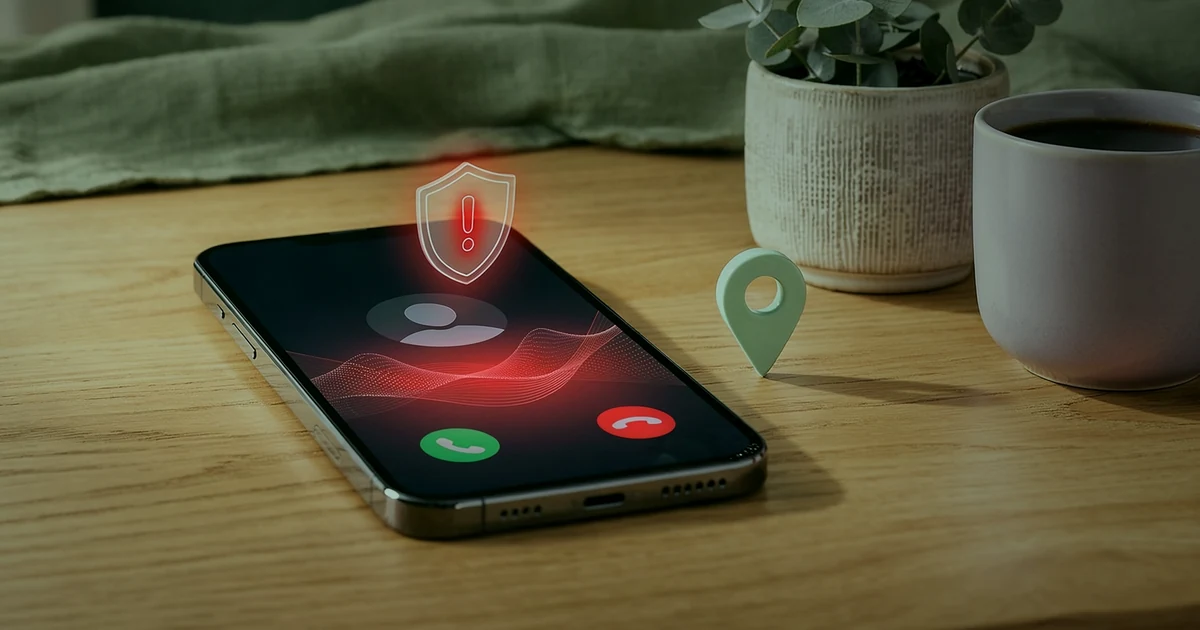
Here’s the short answer. Yes, Google sometimes calls businesses, but not the way most callers claim. Real calls from Google are usually automated. They say they’re from Google, then confirm your hours or book something for a customer. Google says it will never ask for payment, card details, passwords or a one-time code, and it never charges to keep, verify or reinstate your profile. So most Google Business Profile scam calls are easy to spot: the caller threatens to remove your listing, says “press 1 for a Google specialist”, asks you to read out a code, or wants a fee. When that happens, hang up without pressing anything and check your profile yourself.
I manage Google Business Profiles for clinics, shops and service businesses in Pakistan and abroad. These calls are common, and some owners end up paying for a “verification” that Google gives for free. Below I cover what real Google calls sound like, the scam scripts, a real-vs-fake table, the code trick behind account takeovers, and how to report and stop the calls.
Does Google really call you about your business listing?
Yes, but only for a few narrow reasons. Google’s help page on automated calls and texts to your business says Google might occasionally call or text the phone number on your Business Profile for two things:
- To confirm your business details. For example, your opening hours or whether you offer a service. Google says this is a standard process and does not affect your account standing. Any updates from these calls are reviewed and marked “Pending”, which can take up to 5 business days.
- To help a customer. When people use Search or Maps, Google might call your business on their behalf to book an appointment, check a restaurant wait time, or confirm the price and availability of a product or service. These customer features are only available in some regions and languages.
Google’s page on fraudulent calls and texts adds that automated calls come from a set of designated numbers, and sometimes from a manual operator. You’ll hear that the call is from Google and why. One example Google gives is: “Hi! I’m calling from Google Maps to update your business hours. This is an automated service, so this call is recorded to help improve Google services.”
The same page says you might get calls from Google operators about Google Ads, Google Play or other Google accounts. Even then, Google says it will never ask for payment information over the phone or guarantee you a special spot in its products. You won’t be asked to sign up for a service, pay money, or give personal info.
What about WhatsApp and text messages?
In certain countries, Google may send WhatsApp or text messages to collect or confirm Business Profile information. Google says to reply only to its verified official accounts. On WhatsApp, that means a blue verification checkmark and the name “Google Maps” or “Google Maps” followed by your country name. On RCS chat, the verified sender name is “Google”. If a message comes from an unverified account or a name that doesn’t match, Google says not to respond, click links, or share anything.
Why does “Google” keep calling my business?
Weekly Google Business Profile scam calls don’t mean something is wrong with your profile. Your number is public on Google, your website and directories, so robocall operations can dial it along with thousands of others and wait for someone to press a button. Saying “Google” just gets your attention.
A U.S. case shows how this works. In 2018 the Federal Trade Commission sued a Florida telemarketing operation called Pointbreak Media. According to the FTC complaint, its robocalls warned owners that Google would mark their business “permanently closed” unless they acted, then asked them to “press one” to speak with a “Google specialist”. It charged $300 to $700 for a Google “claiming and verification” service that Google provides for free. The complaint also says the company had no affiliation with Google, and that people who pressed the “remove me” option kept getting calls, sometimes several times a day.
The court’s final order in 2019 found that consumers paid the Pointbreak defendants at least $3,367,666.30. That company is gone, but similar scripts are still in use.
The scam scripts I hear most often
The words change, but the goal doesn’t: scare you, then get money, a code or access. These lines should end the call:
- “Your Google listing will be removed or marked closed today.” The FTC complaint states that Google does not label a business as permanently closed or remove it from search results simply because the owner hasn’t claimed and verified it.
- “Press 1 to speak to a Google specialist.” Google says to hang up and not press any buttons, even if the voice tells you to, because pressing buttons might lead to more suspicious calls.
- “We need a small fee to verify, renew or reactivate your profile.” Google says Business Profile is free, and that it will never try to convince you to pay to maintain your profile, including verification or reinstatement.
- “We just sent you a code. Please read it back to confirm you’re the owner.” This is an account takeover attempt. More on this below.
- “We’re Google partners. We can get you to number one on Maps.” Google says its operators will never guarantee you a special spot. Its third-party policy lists guaranteeing top placement as a false claim.
- “Pay us or we’ll keep posting bad reviews.” That’s review extortion, and Google has a separate form for it. I explain it in my guide on how to remove a Google review.
Real Google call vs scam call: how to tell the difference
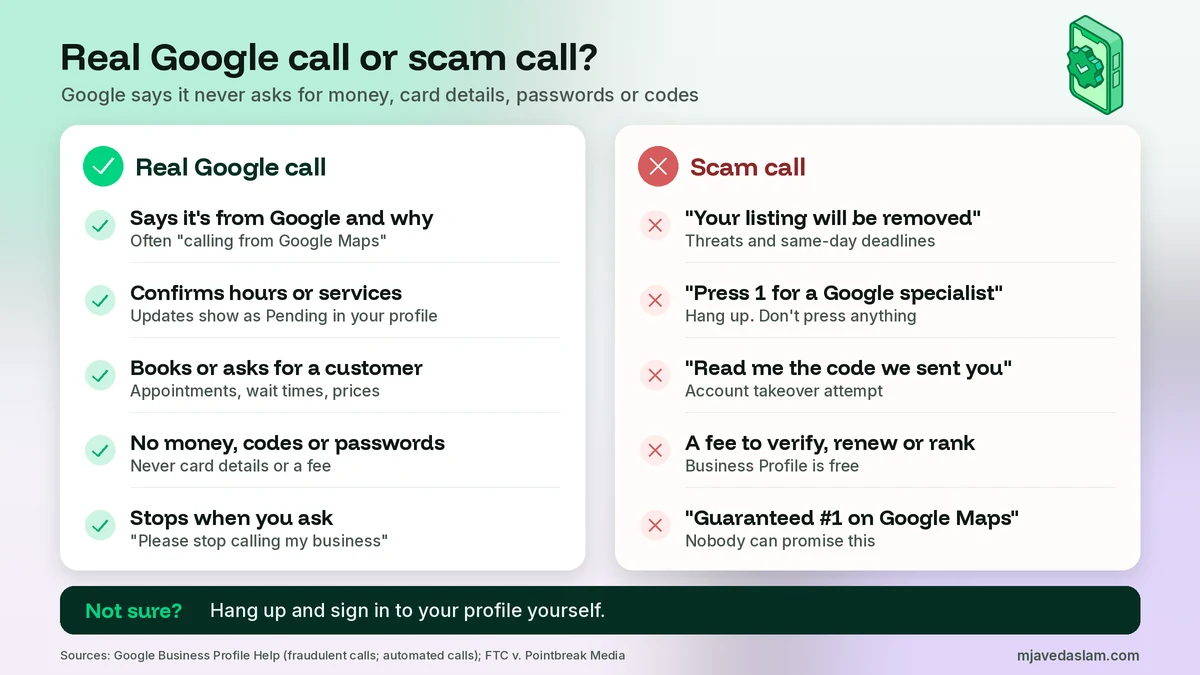
I give this table to whoever answers the phone at every business I work with. It’s the fastest way to sort Google Business Profile scam calls from real ones. If anything in the right column comes up, the call is over.
| What you notice | Real Google call | Scam call |
|---|---|---|
| Who they say they are | Says it’s from Google (often Google Maps) and why it’s calling | “Google partner”, “listing department”, “Google verification team”, or vague |
| Why they called | Confirm hours or services, book or ask for a customer | Your listing is “unverified”, “at risk” or “about to be removed” |
| Money | Never asks for payment or card details | Fee to verify, renew, reactivate or rank |
| Codes and passwords | Never asks for passwords, OTP, PIN or verification codes | “Read me the code we just sent you” |
| Pressure | Calm. You can say “Please stop calling my business” | Urgent deadlines and threats |
| Promises | No ranking promises at all | Guaranteed first page or top spot on Maps |
| Buttons | Doesn’t push you into a phone menu to buy something | “Press 1 for a specialist” |
| WhatsApp or text | Blue checkmark, sender “Google Maps” (or with your country) or “Google” on RCS | Unverified number, links, requests for personal info |
| What happens next | Updates show as “Pending” in your profile | Invoices, contracts, access requests or new owners on your profile |
Not sure? Hang up and sign in to your profile yourself. If there’s a real problem, like a suspension, you’ll see it there.
Never read out a code: how scam calls lead to account takeover
This is the part I want every owner to remember. The most dangerous Google Business Profile scam calls don’t ask for money. They ask for a code. Google’s page on protecting your Business Profile says, in plain words, that Google will never ask for a One Time Password (OTP) or Personal Identification Number (PIN).
Here’s why the code matters. Google can send a verification code to your business phone by call or text. Its verification help page says to keep that code secure, that Google will never ask for your verification code, and not to share it with anyone, even with people who manage your profile. Sign-in and recovery codes for your Google Account work the same way. If someone else started the process, the code arrives on your phone, and they only need you to read it out.
So the call often goes like this. Your phone gets a text with a code. A minute later, someone calls and says, “This is Google. We sent you a code to confirm you’re the owner. Please read it to me.” If you do, they may be able to verify a profile with your details, sign in to an account, or start changing things. Then the real problems begin: new owners or managers, a changed phone number or website, or the owner locked out.
Codes aren’t the only way in. Watch for these too:
- Access request emails. Google says not to approve requests to become an owner or manager unless you know the person. My guide to adding a manager to your Google Business Profile explains the roles.
- Ownership requests. A stranger can request ownership. You’ll get an email, and the current owner has 3 days to respond. Deny anything you don’t recognize. Here’s how real Google Business Profile ownership transfers should work.
- Remote access apps. Some callers ask you to install an app so they can “fix” your listing. Never do this for someone who called you.
If you’re verifying a profile yourself right now, the only codes you should enter are ones you requested in your own account, typed into your own screen. My guides on postcard verification and video verification cover the real methods.
What to do when a suspicious “Google” call comes in
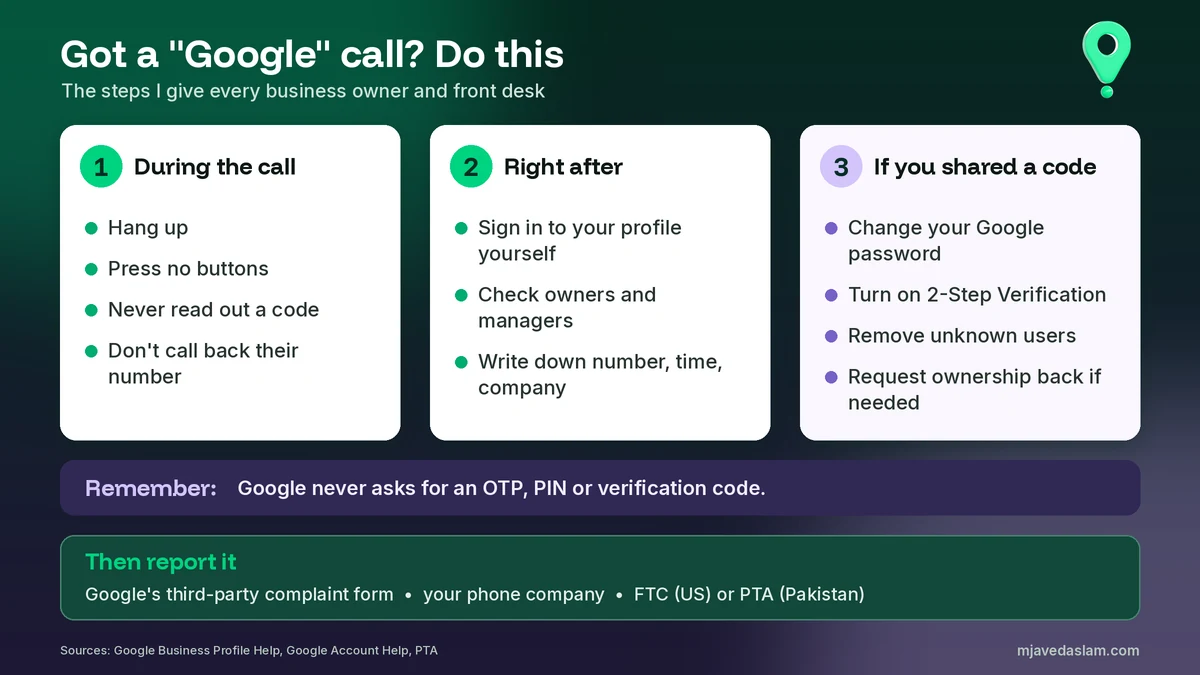
- Hang up. You don’t have to be polite to a robocall. Don’t press any buttons and don’t say yes to anything.
- Don’t call back a number they give you. If you want to check something, find the contact route yourself.
- Sign in to your profile yourself. Go to business.google.com or search for your business name while signed in. Look for warnings, and check that your name, phone, website and hours are right.
- Check People and access. Make sure you know every owner and manager. Google recommends giving access only to people who really need it and removing ex-employees.
- Write it down. Note the date, time, the number that called, the company name they used and what they asked for. You’ll need this to report it.
If you already paid or shared a code
Don’t panic, but don’t wait. Work in this order:
- Secure your Google Account. Follow Google’s steps to secure a hacked or compromised Google Account: review recent security events, check for devices you don’t recognize, and change your password. If you can’t sign in, use Google’s account recovery page.
- Turn on 2-Step Verification. Google recommends it for the account that owns your profile. Here’s how to turn on 2-Step Verification.
- Remove unknown users. In your profile, open People and access and remove anyone you didn’t add. Then check that the phone number, website and address haven’t changed.
- Get ownership back if needed. If someone else is now the owner, use Google’s request ownership process from your own account.
- Call your bank if you paid. Ask them to stop or dispute the payment and to watch your account. Save every invoice, email and receipt.
- Report it using the steps in the next section.
How to report Google Business Profile scam calls
Report to Google first. Google asks you to use its third-party complaint webform to help track calls that pretend to be from Google. Include the caller’s company and contact info, any emails or documents they sent after the call, and any other details.
Then report locally:
- In the U.S.: Google points you to the FTC. Report fraud at ReportFraud.ftc.gov, register your number at donotcall.gov or call 1-888-382-1222, and forward scam texts to 7726 (SPAM). You can also complain to the Federal Communications Commission.
- Everywhere: ask your phone company to block the numbers, and use your messaging app’s report and block options for texts and WhatsApp.
- In Pakistan: see the Pakistan note below.
Google admits many of these callers use untraceable numbers and other cloaking tactics, so reports help over time but won’t stop every call. Blocking numbers and training staff do more day to day.
How to stop the calls (real and fake)
Stopping real automated calls from Google
Some owners don’t want Google’s automated calls at all. That’s fine. Google gives two ways to opt out on its automated calls page:
- On the call: say “Please stop calling my business” or “Please remove my business from your list.”
- In settings: open your Business Profile, select More, then Business Profile settings, then Advanced settings. Under “Google automated calls and text messages”, turn off Bookings and inquiries from customers, Keep your profile up to date, or Post to your profile on your behalf. Your profile must be verified to opt out this way.
- For texts: reply STOP to opt out, or DELETE to delete all messages with that number.
Google says you may still get occasional manual calls to confirm your business information after opting out. If Google called to map your phone menu, it gives a separate opt-out: leave a voicemail at +1-650-206-5555 with your business name and number.
Stopping scam calls
- Block each number on your phone and ask your carrier about spam blocking.
- Never press the “remove me from the list” option. In the FTC case, people who pressed it kept getting calls.
- Give your front desk a one-line script: “We manage our Google profile ourselves. Please don’t call again.” Then hang up.
- Use a phone only you control for the Google Account that owns your profile, so sign-in codes don’t go to whoever answers the shop phone.
Paid help vs scams: what’s allowed
Many agencies, including mine, charge for managing profiles. That’s allowed, but Google’s third-party policies draw clear lines. A legitimate agency must tell you that Business Profile is a service provided at no extra cost if it charges a management fee. It must let you keep ownership of your profile at all times. Google’s examples of banned behavior include pretending to be Google through robocalls, guaranteeing top placement, presenting free Google products as paid ones, threatening that you’ll lose your profile, keeping a profile hostage for money, and phishing.
Google Ads and Local Services Ads are real paid products, shown as sponsored results. See my guide to Local Services Ads vs Google Ads. But nobody can sell you a guaranteed organic position. I explain how local ranking really works in how to rank in the Google Map Pack.
A note for businesses in Pakistan
In Pakistan, these scams can arrive on WhatsApp or as calls in Urdu or English. The caller says they’re from “Google office” and your listing will be blocked, or offers “verification” or top ranking for a fee paid by bank transfer or mobile wallet. Some ask for the code that just arrived on your phone. The rules don’t change here: Google doesn’t charge for the profile, and it never asks for a code.
On WhatsApp, remember Google’s rule from above: blue checkmark and the name “Google Maps”. A normal +92 number with Google’s logo as its picture is not Google. To report:
- The Pakistan Telecommunication Authority says to report a scam number to your operator (Jazz, Zong, Telenor, Ufone or PTCL) first. If they don’t respond, report it to PTA on 0800-55055 or through its online complaint portal. PTA says it can block the number and the device IMEI.
- If money was taken from your account, PTA says to contact your bank and the police immediately.
- For cybercrime, the government notified the National Cyber Crime Investigation Agency (NCCIA) in May 2024 to investigate offences under the Prevention of Electronic Crimes Act, taking over from the FIA’s Cybercrime Wing, as Dawn reported.
FAQ
Does Google call businesses about their Business Profile?
Sometimes, yes. Google may use automated calls, texts or WhatsApp messages to confirm details like your opening hours, or call on behalf of a customer to book an appointment or check prices. A real call says it’s from Google and why. Google says it will never ask for payment, credit card information, account passwords or a one-time code.
Is Google Business Profile free?
Yes. Google says it doesn’t charge for Business Profile, and it will never try to convince you to pay to maintain your profile, including to get it verified or reinstated. Agencies may charge for managing it, but Google’s third-party policy says they must tell you the profile itself is provided at no extra cost.
Will Google remove or close my listing if I don’t verify or pay?
No. The FTC’s case against one robocall operation states that Google does not label a business as permanently closed or remove it from search results simply because the owner has not claimed and verified it. Real problems, like a suspension, show up when you sign in to your own profile.
I pressed 1 on a robocall. What should I do?
Hang up if you’re still on the line, and don’t share anything. Pressing a button tells the callers your number is answered, so Google warns it might lead to more suspicious calls. Ask your phone company to block the number, and report the call to Google using its third-party complaint webform.
I gave a caller a verification code. Is my profile at risk?
It may be. Sign in to your Google Account right away, change your password, turn on 2-Step Verification and review recent security activity. Then open your Business Profile, check People and access, and remove anyone you don’t know. If someone took ownership, use Google’s request ownership process to get it back.
How do I stop real automated calls from Google?
On the call, say “Please stop calling my business.” Or open your verified Business Profile, select More, then Business Profile settings, then Advanced settings, and under Google automated calls and text messages turn off the features you don’t want. Google says you may still get occasional manual calls to confirm your business information.
Next step
If you’re getting calls you can’t place, or you think someone already got into your profile, I can check your owners and managers, lock down the Google Account and clean up any changes with you. See my Google Business Profile service page, or get in touch with your business name and city. And keep the one rule from this guide in mind: Google won’t charge you for your profile, and it won’t ask you for a code. Anyone who does is not Google.