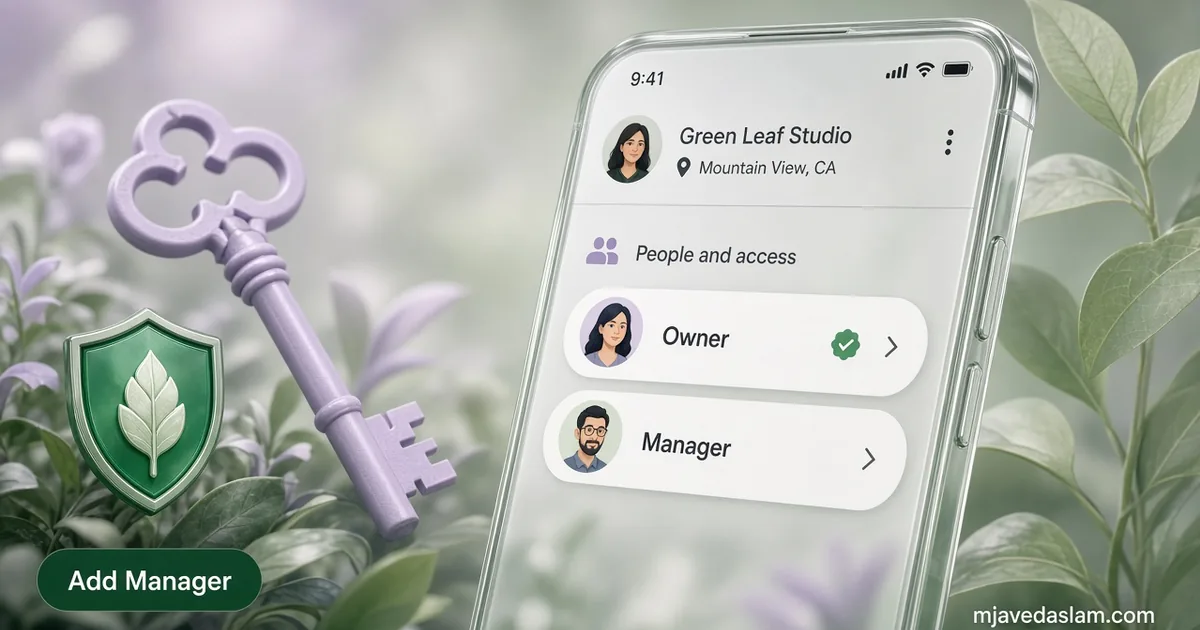
If you need to know how to add a manager to Google Business Profile, do this: sign in as an owner, open the listing, go to More → Business Profile settings → People and access, select Add, enter their Google Account email, choose Manager (or Owner), then Invite. They accept from email. Never share your Google password — Google’s own help says each person should use their own account.
I set this up for US small businesses every week: a shop owner keeps primary ownership, a front-desk lead answers reviews, and an agency (like me) gets Manager access for posts and edits. Done right, you stay in control. Done wrong — handing Primary owner to a freelancer — and you can lose the listing when that relationship ends.
This guide covers Owner vs Manager, the exact invite steps, the 7-day limits Google documents, how to remove someone, and a safe agency handoff checklist. It pairs with claiming a profile on how to claim Google Business Profile and my Google Business Profile service page.
Owner vs Manager: which role should you invite?
Google documents two roles on a Business Profile:
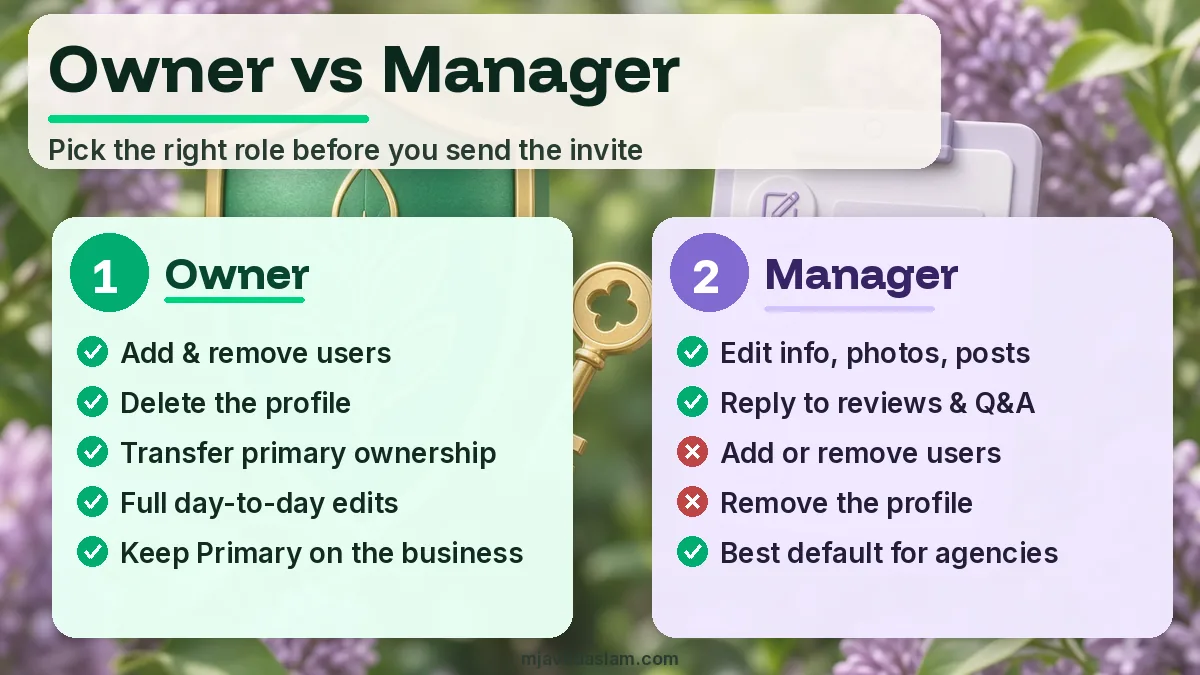
- Owner — Full control. Can add or remove users, manage profile info, and delete the profile. A listing can have multiple owners, but only one primary owner.
- Manager — Can handle day-to-day work (edit info, respond to reviews, manage posts). Managers cannot add or remove users and cannot remove the profile.
Per Google’s owners & managers help: you can’t add Google Groups as owners or managers. Invite a real person with a Google Account (Gmail or any email that has signed up for Google).
| Task | Owner | Manager |
|---|---|---|
| Edit name, hours, phone, website, services, photos, posts | Yes | Yes |
| Reply to reviews and Q&A | Yes | Yes |
| Add or remove other users | Yes | No |
| Remove / delete the profile | Yes | No |
| Transfer primary ownership | Primary owner only | No |
Default for staff and agencies: invite as Manager. Keep Primary owner on a Google Account the business will keep for years (company Gmail or the founder’s account you won’t abandon).
How to add a manager to Google Business Profile (step-by-step)
You must already own or co-own the listing. If you still need to claim or verify it first, finish claiming your Google Business Profile before inviting anyone.
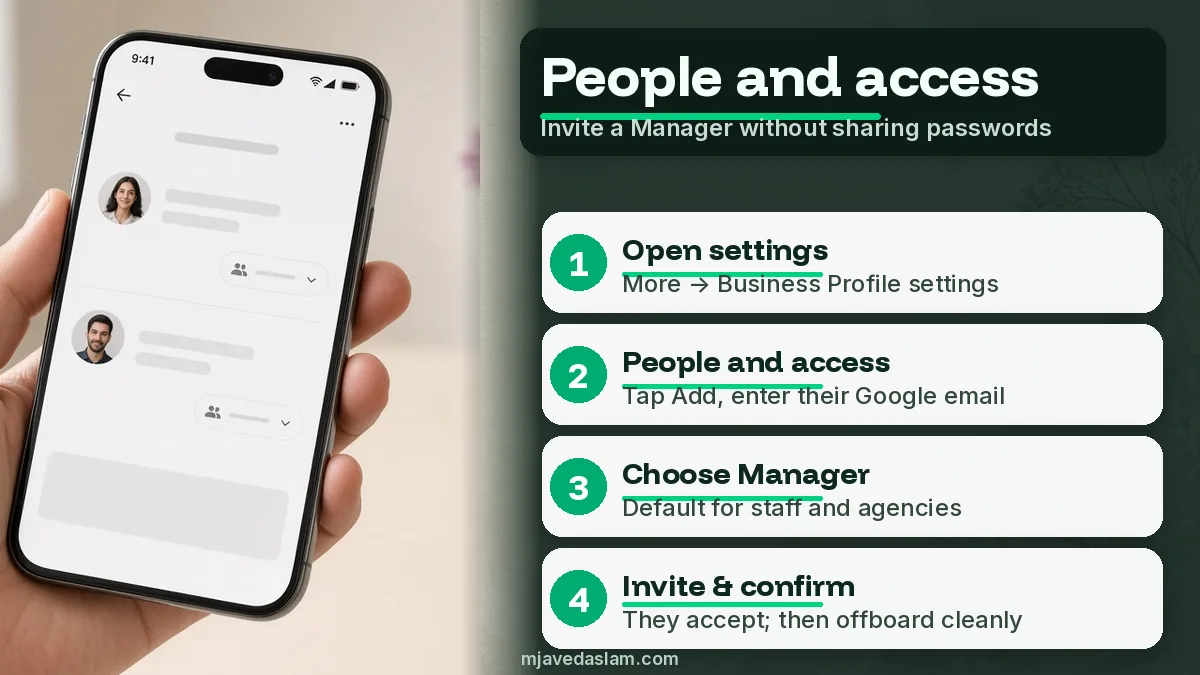
- Go to your Business Profile (from Search, Maps, or business.google.com) while signed into an owner account.
- Select More (often three dots) → Business Profile settings → People and access.
- At the top left, select Add.
- Enter the person’s email address exactly (must be tied to a Google Account).
- Under Access, select Manager (or Owner only if you truly need co-ownership).
- Select Invite.
Google says invited users can accept and become users right away. You’ll get an email when they accept. Pending invites appear on the same People and access page — cancel there if you typed the wrong address.
If you don’t see People and access, you’re probably signed in as a Manager (managers can’t add users) or you’re not on the verified profile yet.
What the invitee must do
- Check inbox (and spam) for mail from Google Business Profile / Google — often from an address like googlemybusiness-noreply@google.com.
- Accept while signed into the same Google Account as the invited email.
- Open the profile from business.google.com or Maps and confirm they can edit.
Everyday edits usually work after accept. Sensitive admin actions are limited for new users — see the next section.
The 7-day limits new owners and managers hit
Google states that when you become a profile owner or manager, you wait 7 days before some features work. During that window you’ll get an error if you try to:
- Delete or undelete a profile
- Remove other owners or managers
- Transfer primary ownership
If a new user deletes their Google Account within those first 7 days, Google says they’re removed from the profile and must be added again if they return. Plan agency onboarding around this — don’t schedule a same-day primary-owner transfer for a brand-new invite.
How to remove a manager (or owner) safely
- Sign in as an owner.
- More → Business Profile settings → People and access.
- Select the user → Remove person.
Only owners can remove other owners and managers. Managers can remove themselves (Stop managing). The primary owner cannot remove themselves until they transfer primary ownership to someone else — Google documents that in transfer primary ownership.
When you remove someone, they get an email and lose edit access. Their past review replies, posts, and comments stay on the profile. That’s normal — you’re removing access, not rewriting history.
Agency and staff handoff checklist (no password sharing)
Use this when you hire help for local SEO or GBP cleanup:
- ☐ Business keeps Primary owner on a long-term company Google Account.
- ☐ Agency / VA invited as Manager (not Primary owner).
- ☐ Second trusted owner (spouse/partner/ops lead) added so you’re never stuck with one account.
- ☐ Written note of who has access and why (update when someone leaves).
- ☐ Offboarding day: remove the person from People and access before you end the contract.
- ☐ Never email passwords; never “just use my Gmail.”
If a previous agency still holds primary ownership, request ownership or negotiate a transfer — don’t create a duplicate listing. Duplicates and suspension fights need a careful playbook of their own — for now, start from a clean claim and keep ownership on a company account (see how to claim Google Business Profile).
Common mistakes
- Sharing the owner password with a contractor — breaks accountability and Google’s recommended model.
- Making the agency Primary owner — easy short-term, painful when you switch vendors.
- Inviting a Google Group — not supported.
- Wrong email (personal vs work) — cancel the pending invite and resend.
- Expecting Managers to add more staff — only owners can invite.
- Ignoring the 7-day lock on remove/transfer right after a handoff.
Changing someone’s role (Manager ↔ Owner)
Needs change. A bookkeeper who only replied to reviews might later need to invite seasonal staff — that requires Owner. Or a co-owner who left day-to-day work should drop to Manager so they can’t remove people by accident.
- Sign in as an owner → People and access.
- Select the user → next to Access, choose Edit.
- Pick the new role → Save.
Only owners can change roles. Transferring Primary owner is a separate, deliberate step: select the user → Edit → Primary owner → Save. Read Google’s transfer help before you do it during a sale or partner buyout. After any primary transfer, keep at least one business-controlled owner account active so you’re never locked out.
Stores with multiple locations: each Business Profile has its own People and access list. Adding a manager on Location A does nothing for Location B. When you scale, keep a simple spreadsheet of profile → owners → managers and review it quarterly — the same discipline you use for name, address, and phone consistency across your local SEO listings.
Mobile vs desktop: where user management works
Google’s People and access flow is most reliable on desktop in the Business Profile manager. On phones you can often open the profile and see settings, but owners still hit missing menus when Google is A/B testing the mobile UI. If you don’t see People and access on your phone, switch to a laptop before you assume you lack owner rights.
After someone accepts, have them reply to one test review or draft one unpublished post so you know their role works. Then lock your offboarding rule: the day a contractor leaves, you remove them — same day as collecting passwords for other tools. GBP access is separate from your website host, Google Ads, and Analytics; audit each product on its own.
If you’re cleaning a messy profile after a bad vendor, pair access cleanup with a category and description pass so the people who remain aren’t managing a half-broken listing — then collect reviews with a clean QR flow from Google review QR code.
FAQ: Adding managers on Google Business Profile
How do I add a manager to Google Business Profile?
As an owner: More → Business Profile settings → People and access → Add → enter their Google Account email → choose Manager → Invite. They must accept the email invite.
What’s the difference between Owner and Manager?
Owners can add/remove users and delete the profile. Managers can edit info, posts, photos, and reviews but can’t manage users or remove the profile. Only one primary owner exists per profile.
Can a manager add another manager?
No. Google states only owners can add or remove users. Promote someone to Owner first if they need to invite others — or send invites yourself.
How do I remove a manager from Google Business Profile?
Owners open People and access, select the user, and choose Remove person. Managers can only remove themselves. Past posts and review replies remain on the listing.
Why can’t I transfer ownership or remove someone?
New owners and managers must wait 7 days before deleting/undeleting a profile, removing other users, or transferring primary ownership. Also confirm you’re signed in as an owner, not a manager.
Should I give my SEO agency Owner or Manager access?
Usually Manager. Keep Primary owner on the business. Add a second owner you trust. Remove agency access the day the contract ends.
Next step
Open People and access today. Confirm Primary owner is a business-controlled account, invite helpers as Managers, and remove anyone who shouldn’t still have a key. If you want a clean GBP setup — categories, access, reviews, and local visibility — start from Google Business Profile help or the contact form when you’re ready.