Google Ads Search vs Display for small business is a first-campaign decision: Search captures people already typing what you sell; Display (and YouTube placements on the broader Display Network) reaches people while they browse other sites and apps. For most local service businesses, Search comes first — then Display only with a clear remarketing or awareness job and a budget you can afford to learn on.
This comparison is not keyword match types, Quality Score math, negative keyword lists, conversion tagging, or “how much do ads cost” ranges. Those live in separate guides so this page stays a decision guide: which network to turn on first, and when Display earns a seat.
Full-stack ads help when you want it done with you: Google Ads.
Google Ads Search vs Display for small business (quick answer)
- Start with Search when you need calls, form fills, or bookings from high-intent queries (“emergency plumber near me,” “roof repair [city]”).
- Add Display later for remarketing to site visitors, brand awareness in a tight geo, or creative tests — not as a substitute for Search when people are already shopping.
- Search Network ads appear on Google Search (and eligible Search partners). Display Network ads appear across websites, apps, and Gmail/YouTube surfaces that participate — see Google’s Search Network and Display Network Help.
- Budget: give Search enough to cover your core money terms daily before siphoning spend into broad Display prospecting.
- Measure: Search → calls/conversions; Display → view-through and assisted paths only if you can attribute them honestly.
- Skip “Search + Display in one campaign by default” without a reason — separate campaigns make optimization clearer for small accounts.
What the Search Network is (and why SMBs like it)
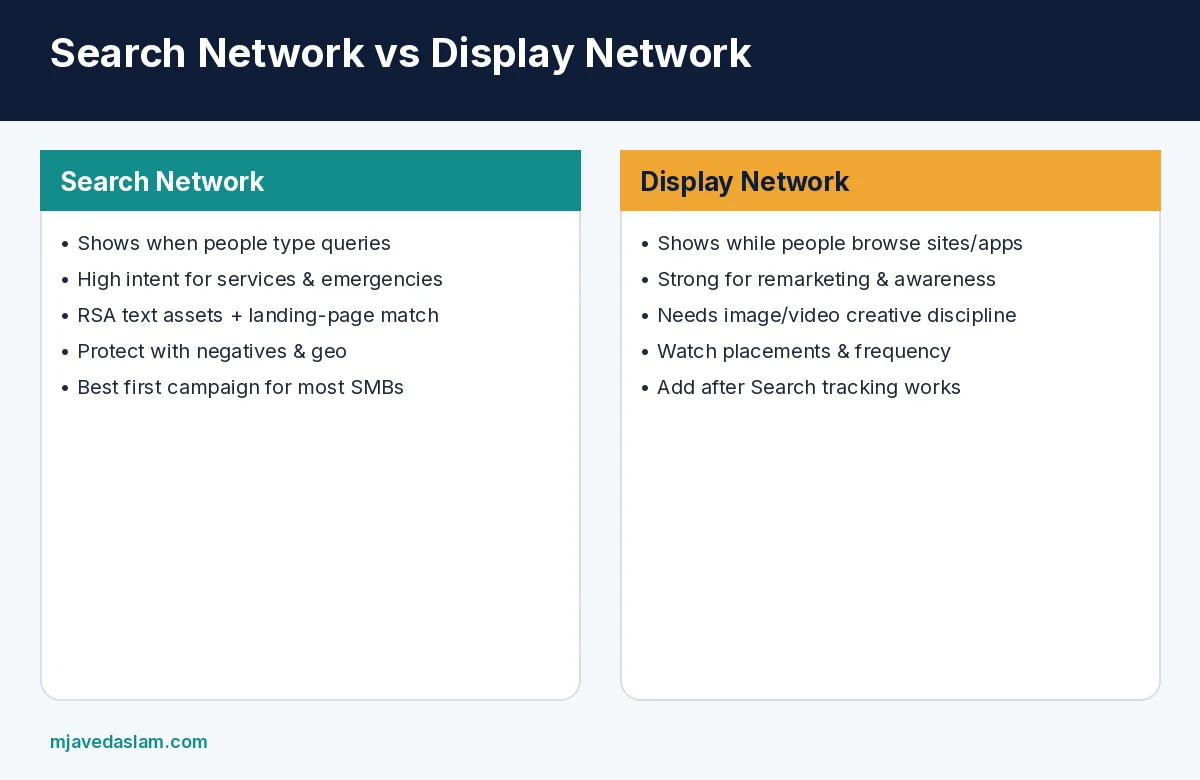
Google’s Search Network is where text-style ads can show when someone searches on Google and on eligible Search partner sites. Intent is the advantage: the person already typed a problem or service. For a plumber, HVAC tech, dentist, or auto shop, that usually means a higher chance of a call than a random banner on a news site.
- Build around a short list of money keywords and strong match types.
- Protect budget with a negative keywords habit from week one.
- Write responsive search ads that answer the query — practice notes in Google’s RSA best-practices Help.
- Send traffic to a specific service page, not a vague homepage.
- Track conversions properly — WordPress conversion tracking — before scaling spend.
Quality Score and expected CTR still matter for auctions; treat them as diagnostics, not a vanity score — Quality Score explained. Realistic cost bands depend on niche and city — how much Google Ads cost.
What the Display Network is (and what it is not)
The Google Display Network lets ads show across a large collection of websites, apps, and Google properties that participate. Google’s Help describes Display as useful for reaching people while they browse — awareness, consideration, and remarketing — rather than only capturing typed search queries.
- Good fits: remarketing to people who visited /book or a service page but did not convert; seasonal awareness in a defined radius; supporting a brand launch when Search volume is thin.
- Weak fits for week-one SMB spend: broad “interest” prospecting with no audience discipline, hoping banners replace Search leads.
- Creative matters more than on Search: clear offer, readable logo-free layout you own, mobile-safe sizes, honest claims.
- Frequency and placements can waste money fast — review where ads actually ran weekly.
Side-by-side: which to run first
| Question | Lean Search | Lean Display |
|---|---|---|
| Customer already searching? | Yes — high-intent terms exist | No — need to introduce the brand |
| Primary KPI | Calls, forms, bookings | Reach, remarketing conversions, assisted paths |
| Creative load | RSA headlines/descriptions | Images, logos, short video variants |
| Week-one SMB default | Usually yes | Usually after Search is tracked |
| Risk if misused | Broad match without negatives | Spray-and-pray placements |
Performance Max and Demand Gen products blur lines by mixing surfaces. For a first small-business account, I still prefer a clean Search campaign you can explain, then a separate remarketing Display campaign — so you know which channel paid for the lead.
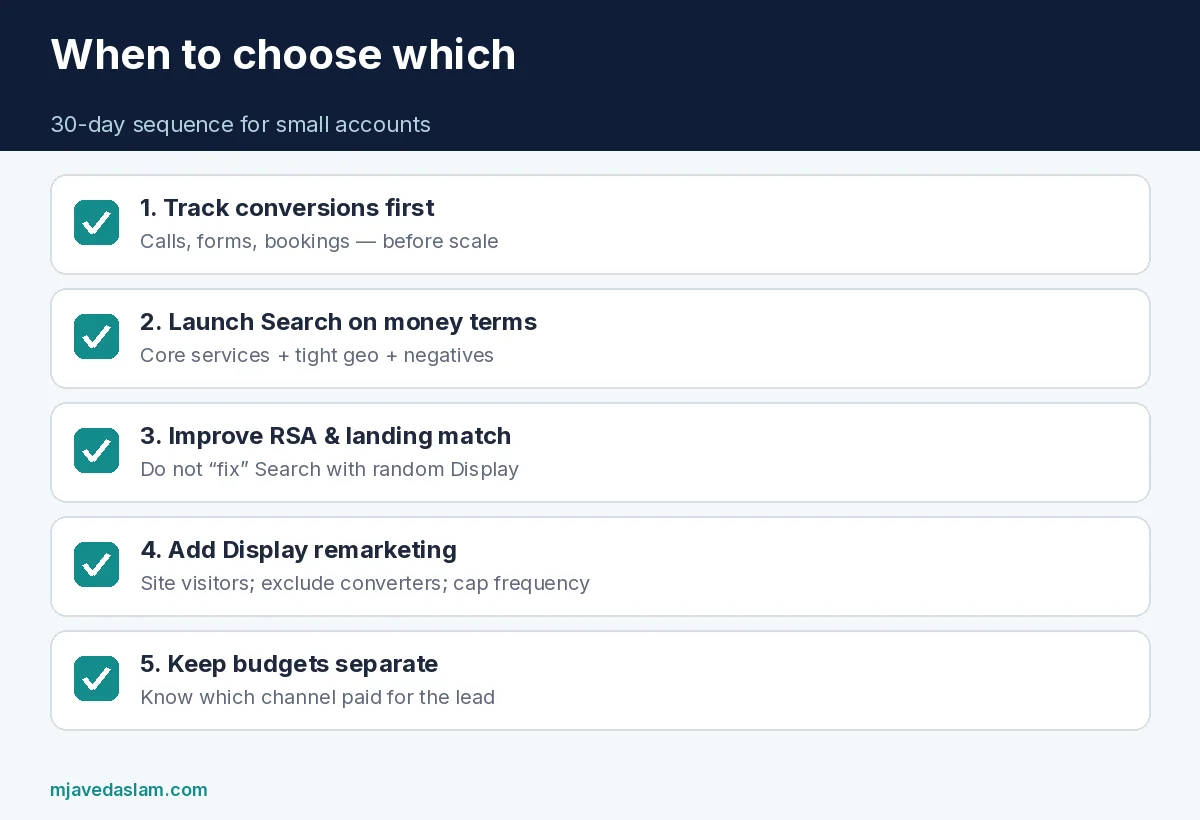
A practical 30-day sequence
- Days 1–3: Conversion tracking live; landing pages load on mobile; call tracking if phone is the real sale.
- Days 4–14: Search campaign on core services + geo. Daily search-term review; add negatives; pause junk.
- Days 15–21: Improve RSA assets and landing-page message match. Do not “fix” Search by dumping leftover budget into random Display.
- Days 22–30: If Search produces tracked leads, launch a small Display remarketing list (site visitors 30 days, exclude converters). Cap frequency.
- Ongoing: Keep Search as the demand-capture engine; treat Display as a support channel with its own budget line.
Mistakes that make Display look “broken” (or Search look expensive)
- Mixing Search and Display in one campaign so you cannot tell which drove the call.
- Turning on Display “everywhere” with open targeting and no brand safety / placement exclusions.
- Judging Display only on last-click while giving Search credit for every branded close.
- Sending Display traffic to a homepage with no offer.
- Skipping negatives on Search, then blaming CPC.
- Chasing cheap Display CPM instead of qualified leads.
When organic local presence is weak, fix the profile and site in parallel — local SEO, Google Business Profile — so paid clicks land on a business Google already trusts.
Internal linking tip: from every Search landing page, link to the exact service proof (reviews, before/after, warranty). From Display remarketing creatives, deep-link the same page the visitor already saw — do not surprise them with a different offer.
If your sales cycle is consultative (roofing estimates, dental treatment plans), expect Search to start the conversation and offline close to finish it. Set call length or qualified-lead definitions so “cheap Display clicks” are not mistaken for pipeline.
Search partners, Display placements, and “set and forget”
On Search campaigns, Google may include Search partners unless you restrict them. Partners can add volume; they can also add junk queries. Review search terms and partner performance monthly — if partner traffic converts poorly for your trade, tighten the setting and keep budget on Google Search itself.
On Display, open the placements report. Exclude mobile apps that chew budget, parked domains, and irrelevant categories. Remarketing lists should exclude recent converters so you are not paying to re-pitch someone who already booked. If you cannot staff creative refreshes, keep the Display budget small; stale banners train people to ignore you.
Neither network replaces a clear offer, a phone number that rings, and a page that loads on a job-site phone. Ads amplify what you already operationally deliver — they do not invent trust.
When you compare Google Ads Search vs Display for small business accounts side by side after thirty days, look at cost per qualified lead — not click price alone. A $2 Display click that never becomes a booked job is more expensive than an $18 Search click that becomes a $900 ticket.
FAQ: Google Ads Search vs Display for small business
Should a small business use Display ads?
Yes — when you have a clear job (usually remarketing or tight-geo awareness) and Search is already tracked. Display is rarely the best first dollar for emergency local services.
Is the Search Network only google.com?
No. Google’s Search Network includes Google Search and eligible Search partner sites. Check campaign settings for Search partners if you want tighter control.
Can Display convert as well as Search?
Sometimes, especially remarketing. Cold Display prospecting usually converts lower than high-intent Search for local services — plan budgets accordingly.
What about YouTube and Performance Max?
They can include video and multi-surface delivery. Learn Search fundamentals first so you can read reports when automated products mix inventory.
Search or Display for brand awareness?
Display (and video) are built for browsing reach. Search still helps branded and category queries when people actively look you up.
How do I choose a starting budget?
Fund enough Search clicks to learn in 2–4 weeks on your top services, then carve a smaller remarketing Display line — see cost context in the cost guide linked above. No universal “$X/day” fits every city.