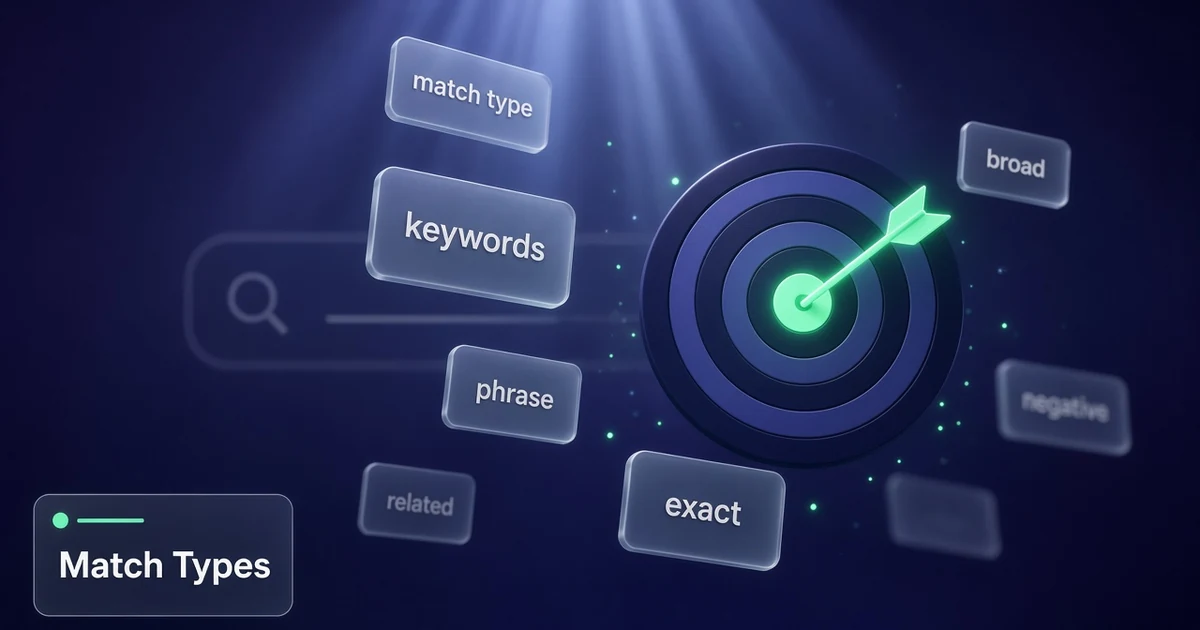
Still writing keywords like it’s 2015 exact-match theater? Google’s matching is meaning-based now, and broad + Smart Bidding is the default path for many accounts. This article is google ads keyword match types explained for small budgets in 2026 — broad, phrase, exact, how negatives differ, and a practical setup that doesn’t waste spend.
Distinct from a pure negative-keyword laundry list or Quality Score deep dive: here the job is choosing (and combining) match types on purpose. Pair with negative keywords for small business and Quality Score when you optimize.
Google Ads keyword match types explained (2026)
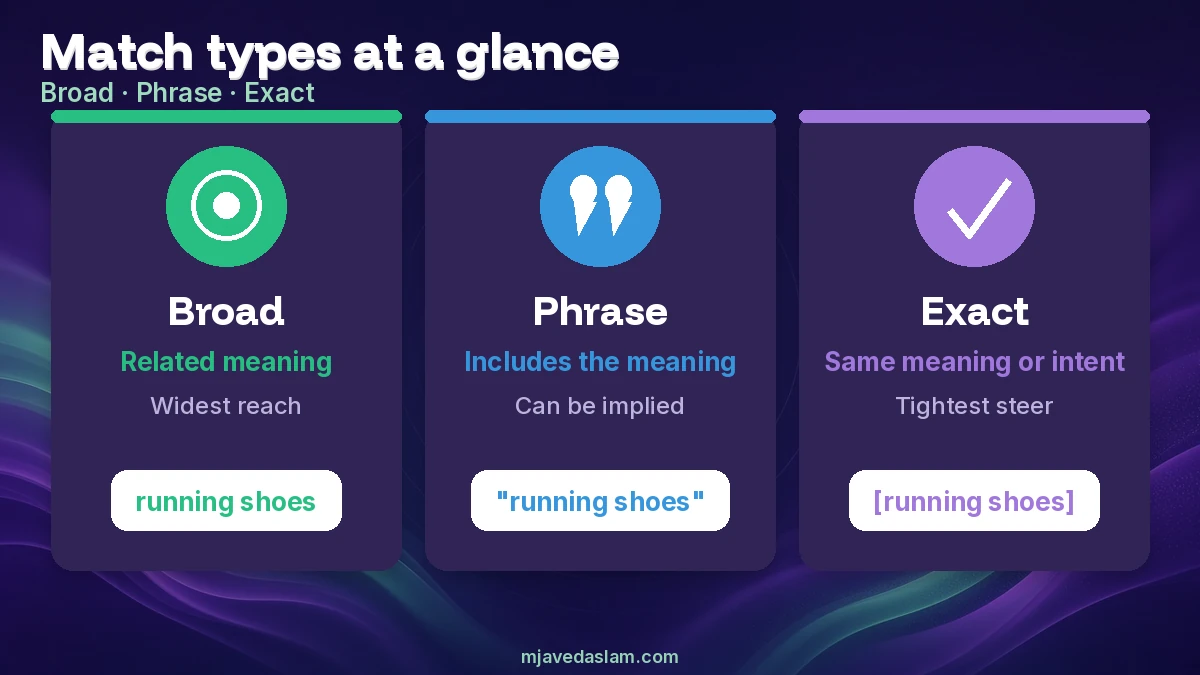
Search campaigns use three positive matching options:
- Broad match (default) — Ads may show on searches related to your keyword, including queries that don’t contain the keyword’s direct meaning. Most comprehensive reach.
- Phrase match — Ads may show on searches that include the meaning of your keyword (meaning can be implied; queries can be more specific). Syntax:
"tennis shoes". - Exact match — Ads may show on searches with the same meaning or same intent as the keyword. Tightest steering, fewer queries. Syntax:
[red shoe].
Google recommends using Smart Bidding with all match types, and notes Smart Bidding works especially well with broad match because bids can reflect auction-time context for each query.
What changed (and what still fools SMBs)
- Exact and phrase are no longer “character-for-character only” — close variants and same-intent matching apply on the positive side.
- Broad is not “set and forget chaos” if conversion tracking and Smart Bidding are healthy — but it is chaos without negatives and clean goals.
- Stacking near-duplicate keywords across match types often wastes time; Google notes very similar keywords can compete with each other.
- Match type symbols in the UI matter when you add keywords; bulk sheets still use quotes and brackets.
If conversion tracking is broken, fix that before opening the broad match firehose — WordPress conversion tracking.
A small-budget setup that usually works
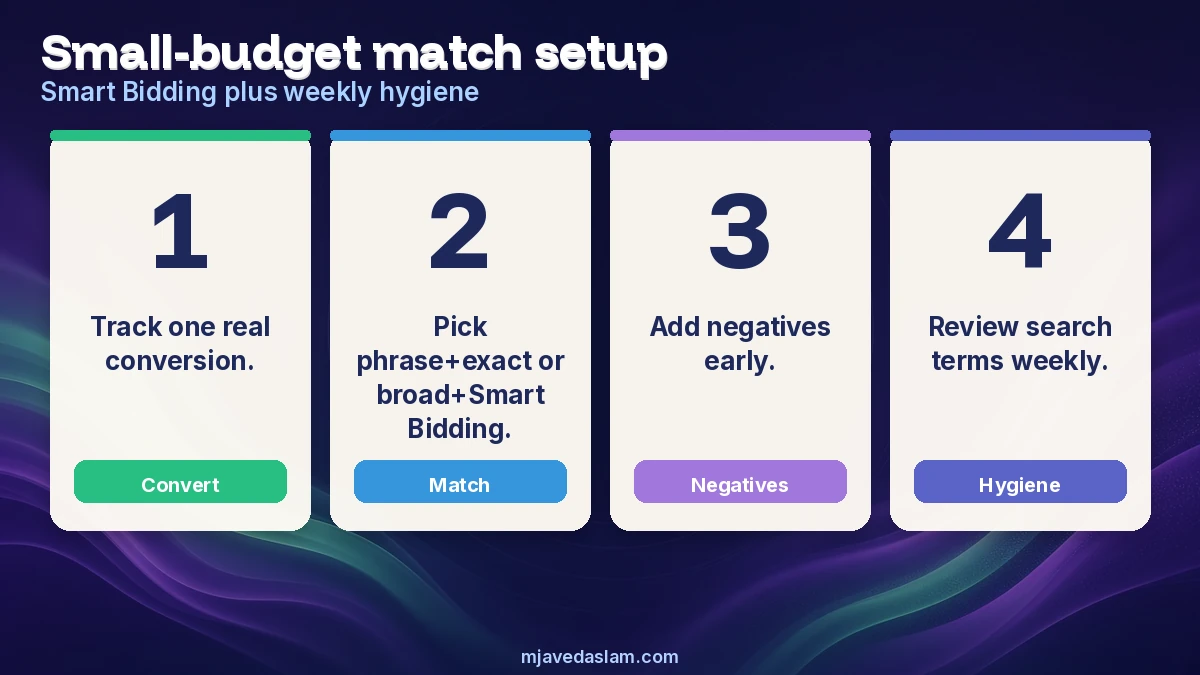
- Define one conversion that equals money or a qualified lead (call, form, purchase) — not vanity clicks.
- Start with phrase + exact on your money terms if you’re new and volume is tiny; or start broad + Smart Bidding if tracking is solid and you can review search terms weekly.
- Add negatives early for jobs you don’t do (DIY, jobs, free, competitor brands you won’t serve, wrong cities).
- Review search terms weekly; promote winners; negative clear losers.
- Don’t clone every keyword three times (broad + phrase + exact) “just because” — pick a structure and stick to it for a month.
When to prefer each match type
Broad match
Use when Smart Bidding + conversion data exist and you want discovery. Expect more query variety; police it with negatives and audience/brand exclusions where appropriate. Best paired with enough conversion volume for the bid strategy to learn.
Phrase match
Use as a middle lane: more reach than exact, more intent guardrails than broad. Good for service keywords like "emergency plumber [city]" concepts where meaning matters but you still want related phrasings.
Exact match
Use for high-intent money terms and brand defense. You’ll steer more tightly and see fewer searches — fine when CPA must stay predictable.
Negative match types (they behave differently)
Negative keyword match types are not the same as positive ones. Important differences from Google’s negative-keywords Help:
- Negatives don’t automatically cover close variants the way you might expect from positive matching — add synonyms / singular-plural forms when you need them excluded.
- Negatives do account for casing and misspellings automatically.
- Negative broad, negative phrase, and negative exact control how strictly a query must contain your negative terms (order and extra words matter differently than on positive keywords).
Example mindset: excluding flowers as negative broad won’t necessarily block every near-variant you imagine — read the Help tables before assuming a single negative cleans an entire theme.
SMB examples (home services)
- Roofer who doesn’t do commercial: negative themes for commercial / HOA / bonding if those queries waste spend.
- Dentist who doesn’t do emergency nights: watch queries for “24 hour” and decide consciously.
- HVAC brand term: exact/phrase on brand; broad more carefully on generic “AC repair” with geo and negatives.
Vertical SEO still supports Quality Score landing-page experience — local SEO for roofers, HVAC, plumbers, dentists.
Account structure tip: keep brand and non-brand in separate campaigns so match-type experiments don’t hide branded efficiency. Inside non-brand, group by intent (emergency, install, maintenance) rather than by match type alone — ads and landing pages stay coherent, which helps relevance.
Search terms report is your reality check. Match type labels on keywords tell you eligibility rules; the actual queries show what Google matched. If broad is dumping “jobs” and “salary” queries onto a service campaign, negatives and query-level cuts matter more than arguing about brackets.
Budget pacing: broad can spend faster because more auctions qualify. Cap daily budgets intentionally while learning, and don’t raise budgets until CPA or lead quality looks acceptable for a full week — not a lucky day.
Finally, Performance Max and other AI campaign types use different query/asset controls than classic Search keyword match types. This article is about Search keyword matching options; don’t paste exact-match folklore into PMax and expect the same levers.
Syntax reminder when editing in bulk sheets: phrase uses quotation marks; exact uses square brackets; broad has no symbols. In the Google Ads UI, match type is often a dropdown — don’t assume a pasted keyword kept the match type you intended after an import.
Shared negative lists help multi-campaign accounts. Put perennial losers (free, DIY, wiki, pictures, jobs) on a list attached to all Search campaigns, then keep campaign-specific negatives for services you don’t offer. That keeps match-type experiments from reopening the same waste every time you launch a new ad group.
If you’re in a regulated niche (healthcare, legal, finance), tighter match types plus policy-safe ad copy reduce surprise queries that create compliance risk. Broad discovery is powerful; it is not mandatory on day one.
Re-read Google’s “About keyword matching options” after major Ads UI changes — examples and recommendations evolve. This article reflects Help guidance verified in October 2026; always confirm current syntax and Smart Bidding pairing tips in Ads Help before large migrations.
Geo and language settings still matter more than clever brackets: a perfect exact-match keyword in the wrong country wastes budget just as fast as loose broad match.
Auction insights and impression share still help diagnose whether match-type tightening lost volume or competitors simply outbid you on the same intent.
Document your match-type policy in a one-page SOP so freelancers don’t undo a month of search-term cleanup.
FAQ: Google Ads match types
What are the three Google Ads keyword match types?
Broad, phrase, and exact — controlling how searches relate to your keyword’s meaning and intent.
Is broad match safe for small budgets?
It can be, with conversion tracking, Smart Bidding, and weekly search-term hygiene. Without those, start tighter (phrase/exact) and expand.
Do I need the same keyword in broad, phrase, and exact?
Not by default. Pick a structure; duplicates often overlap and waste management time.
How do negative match types differ?
They don’t mirror positive close-variant behavior the same way — add forms you truly want blocked; casing/misspellings are handled.
Does match type affect Quality Score?
Quality Score is about expected CTR, ad relevance, and landing page experience for the keyword. Match type changes which queries can trigger the ad — which indirectly changes the traffic mix you evaluate.
Should I use Smart Bidding with exact match only?
Google says use Smart Bidding with all match types; broad + Smart Bidding is emphasized for reach when data supports it.
Need hands-on Ads help? See Google Ads services.