A practical Google Ads negative keywords list for small business stops you paying for clicks from people who want jobs, freebies, DIY guides or wholesale pricing you don’t offer. Negatives don’t make ads “rank higher” — they carve out waste so the budget you already have reaches better-fit searches.
I’ll give you a free starter list you can paste into a shared negative keyword list, show how to apply it in Google Ads (including the Shared library path), explain how negative match types differ from positive keywords, and show how to grow the list from the search terms report every week. This is the hygiene step I want done before anyone scales spend on a client Google Ads account.
Quick answer: what negatives do
According to Google’s About negative keywords help, negative keywords let you exclude search terms from campaigns so you focus on queries that matter. If someone searches a phrase that contains your negative, Google can keep your ad from showing for that search (rules depend on match type and campaign type).
Use negatives when:
- Search terms are related to your keywords but mean a different product or intent (example: “free,” “salary,” “DIY,” “wholesale” when you sell finished local services).
- You’re wasting spend on research-only or hiring queries.
- Two of your own campaigns overlap and steal each other’s traffic — campaign-level negatives can separate them.
Don’t negative your money terms. If you sell “emergency plumber,” don’t broad-negative “emergency” without checking the search terms report first.
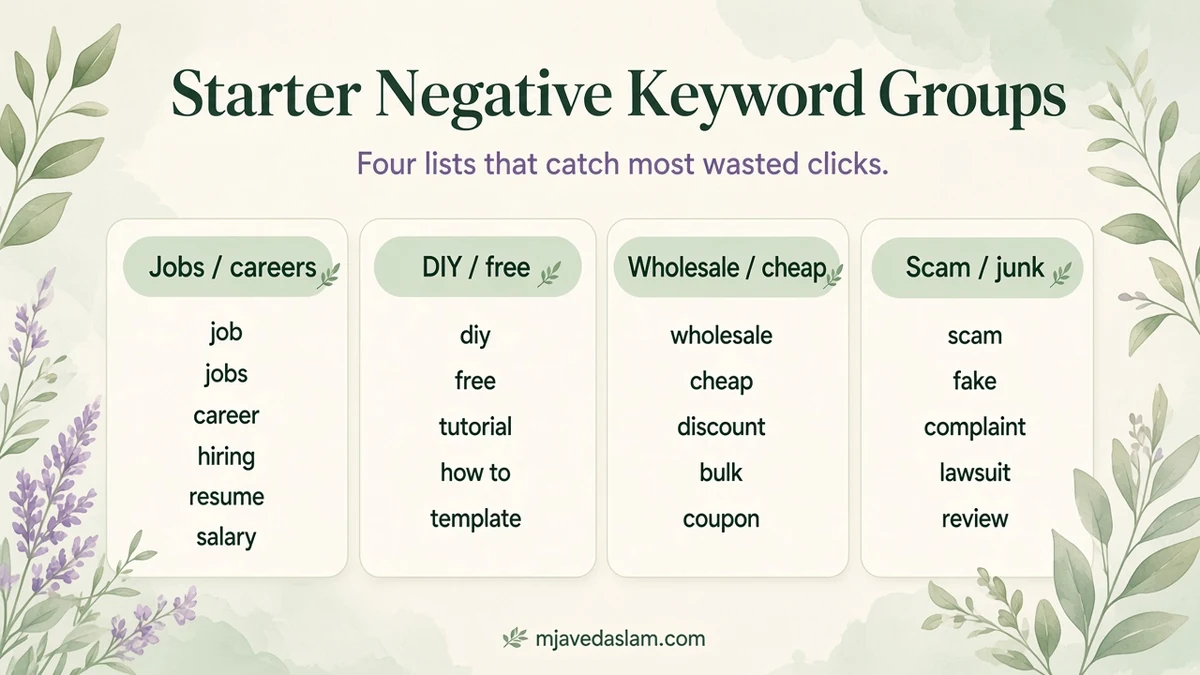
Free starter negative keyword list (small business / local services)
Paste these into a shared list named something like SMB Universal Negatives. Review before you save — delete any term that is a real service you sell (for example keep “free estimate” traffic if that’s how you win jobs; negative “free” alone can be too blunt depending on match type).
Jobs / careers intent
- job
- jobs
- hiring
- career
- careers
- salary
- wage
- internship
- resume
- indeed
DIY / education / freebie intent
- diy
- how to
- tutorial
- course
- training
- certification
- free
- freeware
- template
- sample
Wrong commercial intent
- wholesale
- bulk
- distributor
- manufacturer
- used
- craigslist
- cheap
- cheapest
Complaint / legal / irrelevant
- complaint
- scam
- lawsuit
- class action
Image / meme noise (when irrelevant)
- meme
- gif
- wallpaper
- lyrics
That’s a starter, not scripture. A bakery should not negative “recipe” if content ads drive store visits — a plumber usually should. Always skim your own search terms before you go wide.
Negative match types (they don’t behave like positive keywords)
Google documents that negative keyword matching works differently from positive keywords and does not automatically include close variants the same way. Symbols matter on Search:
- Negative broad — keyword text without symbols (behavior is still “negative,” not the same as positive broad).
- Negative phrase — wrap in quotes:
"used cars" - Negative exact — brackets:
[used cars]
From the search terms report, Google notes negatives you add are exact match by default unless you change symbols. That’s safer for beginners — you block that exact query without accidentally wiping a family of good searches.
For Display and Video, Google states negatives are less precise, all treated as broad, and there’s a maximum number considered (Google’s add-negatives help cites up to 1,000 negative keywords considered for Display/Video). Prefer content exclusions / site category options there when the goal is brand safety.
How to add negatives in Google Ads (campaign, ad group, or list)
UI labels move; follow Google’s current Add negative keywords to campaigns article if a menu name differs. Typical path:
- In Google Ads, open Campaigns → Audiences, keywords, and content → Search keywords.
- Open the Negative search keywords tab → click the plus button.
- Choose ad group, campaign, or Use negative keyword list.
- Enter one negative per line (with match-type symbols if needed).
- Optional: save into a new or existing negative keyword list while adding.
- Save / Done.
Shared library path (best for small businesses with more than one campaign):
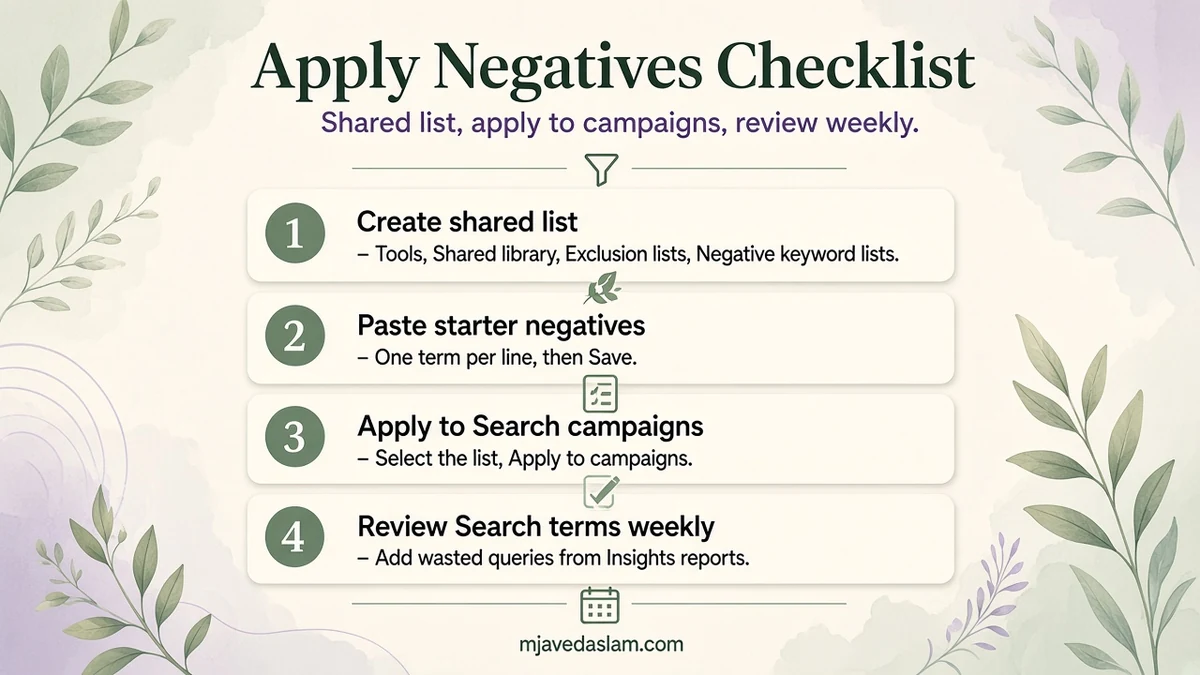
- Tools → Shared library → Exclusion lists → Negative keyword lists.
- Create a list, paste terms one per line, Save.
- Select the list → Apply to campaigns → check campaigns → Done.
Google’s limits (subject to change): up to 20 negative keyword lists per account, up to about 5,000 negatives per list, and you can apply a list to many campaigns at once (Google’s help notes applying to up to 1,000 campaigns in one action). Manager accounts can build lists centrally — see Use negative keyword lists across your accounts.
Grow the list from the search terms report (weekly habit)
The starter list is day-one protection. The real list comes from your data. Google’s guide on getting negative keyword ideas from the search terms report is the process:
- Campaigns → Insights and reports → Search terms.
- Sort by cost or clicks.
- Check boxes on terms you’d never want again.
- Add as negative keyword → choose ad group, campaign or a negative keyword list.
Do this weekly for new accounts, then every two weeks once waste settles. Watch for “almost right” terms — those often need phrase or exact negatives, not a reckless broad negative.
Mistakes that quietly kill good traffic
- Negativing a word that appears inside your best converting queries.
- Duplicating the same negative in every ad group instead of one shared list (harder to maintain).
- Ignoring Performance Max / AI-influenced search inventory — still review search themes/terms Google shows and use brand exclusions / account negatives where the product allows. Negatives don’t work identically across every campaign type; check the campaign type’s docs when something doesn’t stick.
- Never revisiting the list after a new service launch (yesterday’s negative can become tomorrow’s offer).
Negatives pair with solid keyword match strategy and landing pages. If the account structure is a mess, cleaning queries won’t fix a weak offer — that’s wider Google Ads work, and often local SEO should carry brand and map demand so paid search isn’t doing every job alone. Related reading as this cluster grows: keyword match types and Quality Score explained.
A simple weekly routine (15 minutes)
Block a recurring calendar reminder. Open search terms sorted by cost. Add obvious waste to the shared list. Spot-check that none of those queries contain a service you launched this month. Glance at impression share and conversion volume so you notice if a negative went too far. Fifteen honest minutes beats a heroic cleanup after the credit card statement arrives.
If you run seasonal offers — tax season, storm season, back-to-school — clone a second list for that window instead of permanently blocking terms you’ll want again next year. Shared lists make that swap easy: apply the seasonal list for six weeks, then remove it from the campaign when the season ends.
FAQ: Google Ads negative keywords for small businesses
What is a Google Ads negative keyword list?
A reusable set of excluded terms you store in Shared library and apply to one or many campaigns so you don’t retype the same exclusions everywhere.
How many negative keyword lists can I have?
Google’s help currently cites up to 20 lists per account and up to about 5,000 negatives per list (limits can change).
Should beginners use broad, phrase or exact negatives?
Start conservative. Exact (from the search terms report default) and careful phrase negatives are safer than aggressive broad negatives that may block valuable queries.
Do negative keywords work the same on Display and Video?
No. Google says they’re less precise there, treated as broad, and only a limited number are considered. Use content exclusions for brand safety.
How often should I update negatives?
Weekly on new or changing accounts; at least monthly on stable ones. Always after launching a new service or geo.
Will a big negative list lower my CPA automatically?
It can reduce wasted spend when the terms were truly irrelevant. It won’t fix bad ads, weak landing pages or an offer nobody wants.
Next step
Create one shared list today, paste the starter terms you agree with, apply it to every Search campaign, then schedule a 15-minute search terms review next week. That’s enough process for most small businesses.
If you want the account audited end-to-end — structure, negatives, tracking and landing pages — start from the Google Ads service page.