Quality Score shows up in Google Ads reports and sparks a lot of myths. Here’s google ads quality score explained in plain language for small businesses: it’s a 1–10 keyword-level diagnostic, not a KPI to chase and not an input into the auction. The auction still cares about real-time quality signals — and the same three themes Quality Score summarizes.
Google’s Help is explicit: use Quality Score to spot weak expected CTR, ad relevance, or landing page experience versus other advertisers on the same searches (last 90 days). Fix the weak component. Don’t average scores across the account or rewrite your whole strategy just to “get a 10.”
Google Ads Quality Score explained (the three components)
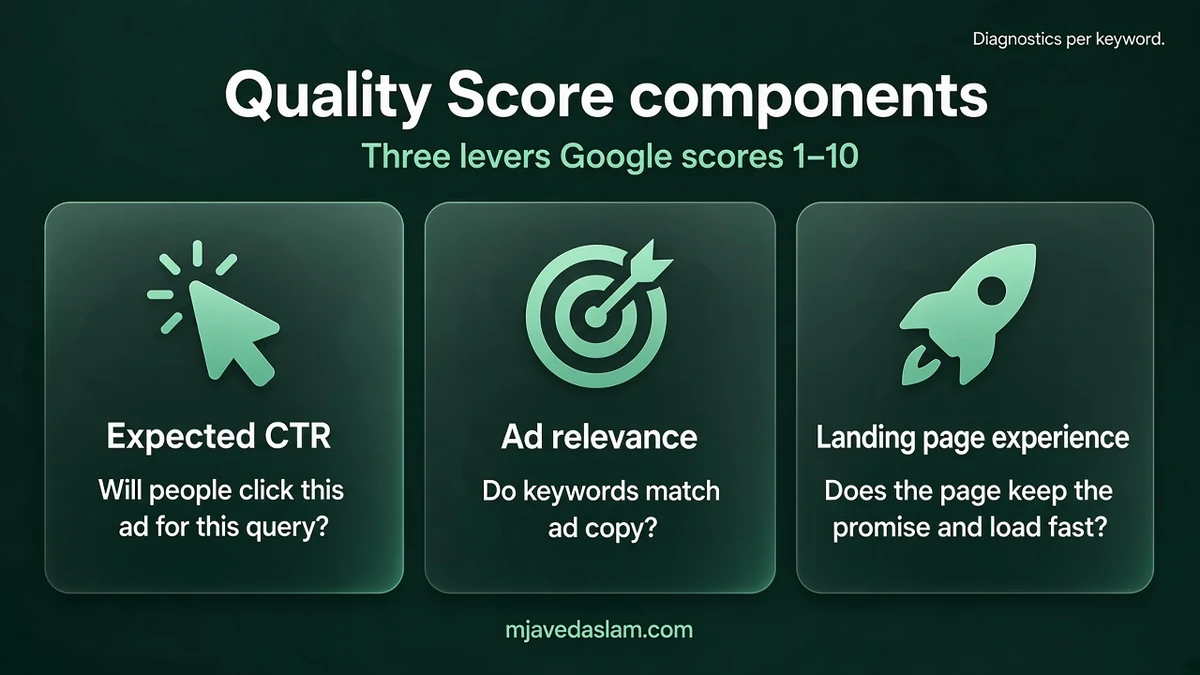
Quality Score combines:
- Expected clickthrough rate (CTR) — likelihood your ad will be clicked when shown.
- Ad relevance — how closely the ad matches the intent behind the search.
- Landing page experience — how relevant and useful the page is after the click.
Each component is labeled Above average, Average, or Below average compared with other advertisers whose ads showed for the exact same search over the last 90 days. A low component is a nudge to improve ads, keywords, or pages — not a scarlet letter.
Important clarifications from Google:
- Quality Score is not a key performance indicator and shouldn’t be optimized or aggregated like conversions.
- Quality Score itself is not an input in the ad auction; it’s a diagnostic of how ads for certain keywords affect user experience.
- Real-time evaluations of relevance, expected CTR, and landing page experience do matter in auctions — improve those realities, not the vanity number.
How to find Quality Score in your account
In Search campaigns, add Quality Score columns at the keyword level (exact column names can vary by UI version). Look at the three component columns too — a “7” with Below-average landing page experience tells a different story than a “7” with weak expected CTR.
New keywords may inherit signals from related ads and landing pages until Google has more data. Broad match keywords can show a Quality Score when a corresponding exact-match keyword in the same ad group has recent impressions, per Google’s calculation notes.
What actually moves each component (SMB playbook)
1) Ad relevance — tighten themes
- Match ad language to how people search (not internal jargon).
- Split bloated ad groups so one RSA theme covers a coherent keyword set.
- Group by product/service themes (Google’s rings example: engagement rings vs wedding bands).
- Moving the same ads/keywords to another campaign doesn’t magically change quality.
2) Expected CTR — clearer offers and CTAs
- Make the offer specific and believable for your audience.
- Align ad details with keyword intent (emergency vs booking vs price research).
- Highlight a real differentiator (hours, same-week slots, licensed trade) — only if true.
- Test CTAs that match the landing page (“Get a quote,” “Book online,” “Call today”).
- Remember: a more specific ad can lower CTR but raise conversion rate — optimize to business goals.
3) Landing page experience — match the promise
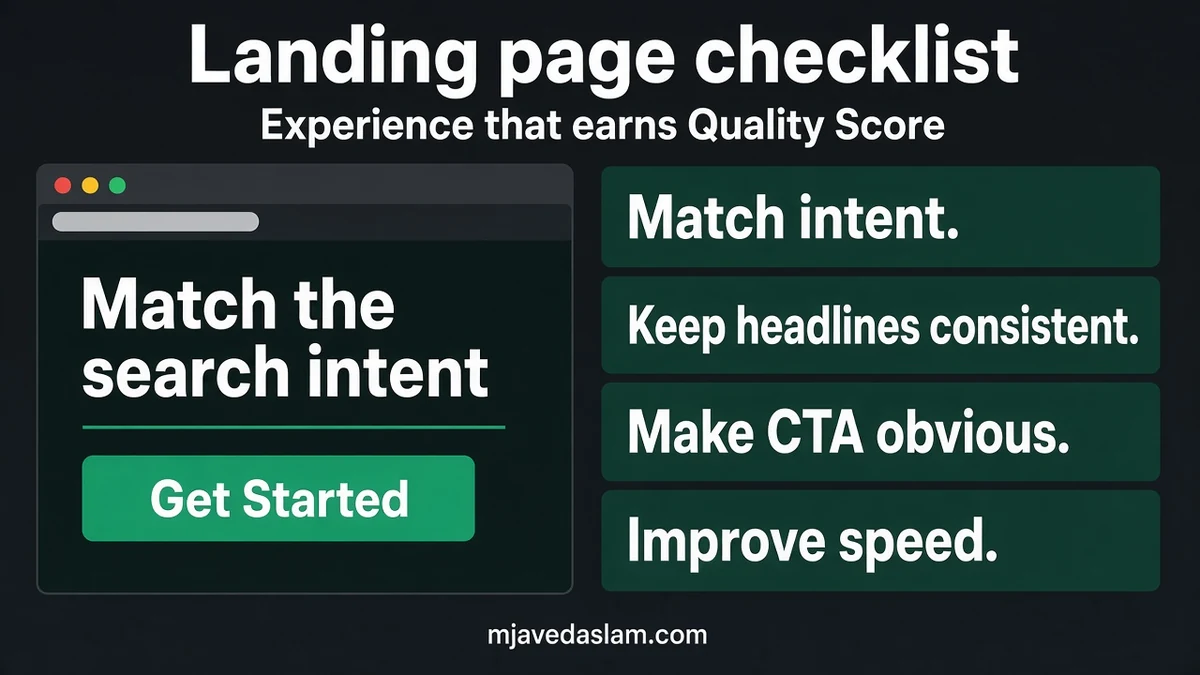
- Send “flannel shirts” searches to flannel inventory — not a generic homepage.
- Keep messaging consistent from ad → headline → first screen.
- Make the page mobile-friendly and reasonably fast.
- Use conversion rate as your own proxy for usefulness (Google notes it doesn’t set the landing-page status, but it’s how you judge ROI).
- You don’t need the exact search phrase word-for-word on the page — relevance and usefulness matter more than stuffing.
Quality Score vs Ad Rank (keep them separate)
People collapse these terms. Roughly:
- Quality Score — historical diagnostic on a 1–10 scale for keywords.
- Ad Rank — what decides whether you show and where; it considers bid and real-time quality (and other auction factors Google documents).
Improving the underlying user experience can help both diagnosis and auction competitiveness. Obsessing over the integer while sending traffic to a slow, mismatched page does neither. If your account is new, expect scores to move as Google gathers comparisons — give changes time and traffic before declaring failure.
Also watch Search Partners and mismatched match types: if junk queries inflate impressions with low CTR, expected CTR components can look worse than your core exact themes deserve. Negatives and tighter structure are often the fastest “score” fix because they clean the comparison set you’re living in.
Myths small businesses should ignore
- “Bid higher to raise Quality Score.” Google says ad position doesn’t boost expected CTR ratings — they’re normalized for position and visibility factors. Bid to performance, not to inflate a score.
- “A 10 means cheap clicks forever.” Competition, bids, and real-time quality still drive auctions. Treat QS as a health check.
- “Keyword density on the landing page is the secret.” Help emphasizes matching expectations and usefulness, not mechanical repetition.
- “Pause everything below a 7.” Diagnose the weak component first; some converting keywords sit at middling scores and still make money.
Device matters for ads quality calculations — make sure mobile users can find info and navigate easily. Relevance to user intent is the heart of quality; gaming the score is the wrong project.
A practical weekly workflow
- Filter keywords with impressions and Below-average components.
- Fix one theme at a time: rewrite RSAs, split ad groups, or retarget landing URLs.
- Add negatives so irrelevant searches stop polluting CTR — see negative keywords for small businesses.
- Confirm conversion tracking works before judging landing pages — conversion tracking in WordPress.
- Re-check components after enough traffic; don’t panic after 20 impressions.
Landing pages for local advertisers should also match your Maps reality (NAP, hours, services). Pair Ads fixes with local SEO and a clean Business Profile so paid and organic don’t contradict each other.
Landing page checklist for service businesses
- H1 mirrors the ad’s service + city/area when that’s the query.
- Visible phone / form above the fold on mobile.
- Proof near the CTA (license, years, review snippets you own rights to show).
- Fast enough that a 4G phone isn’t stuck on a hero video.
- No bait-and-switch from “$49 special” ad to a page that hides price entirely without explanation.
- Thank-you page or call tracking wired so you know which keywords pay.
If you’re building pages in WordPress, keep one clear intent per URL. Thin doorway pages that only exist to repeat keywords usually fail both users and quality reviews.
When budget is tight, prioritize keywords that already convert or sit on high-intent themes. Raising Quality Score on a vanity keyword that never leads to calls is busywork. Connect Search terms reports to your CRM or call log so “Above average” components still have to earn their keep in revenue.
FAQ: Google Ads Quality Score
What is Google Ads Quality Score?
A 1–10 keyword-level diagnostic comparing your ad quality to other advertisers, based on expected CTR, ad relevance, and landing page experience.
Is Quality Score used in the auction?
Google says Quality Score itself is not an auction input. Real-time quality evaluations related to those components do matter in auctions.
What are the three Quality Score components?
Expected CTR, ad relevance, and landing page experience — each rated Above average, Average, or Below average versus peers on the same searches (90 days).
How do I improve a low landing page experience?
Match the page to search intent, keep ad→page messaging consistent, improve mobile usability and load speed, and measure conversions.
Does a higher bid raise Quality Score?
You don’t need to bid for higher positions to increase Quality Score; expected CTR is normalized for position.
Should I optimize my account average Quality Score?
No. Google advises not to treat Quality Score as a KPI or aggregate it like performance metrics. Fix weak components on important keywords.
Want help tying Ads structure to pages that convert? See Google Ads services and all services.