Copy-paste “Thanks for your feedback!” on every five-star and a defensive essay on every one-star trains customers to ignore you. This page gives practical google review response templates for small businesses — positive and negative — plus when to take the conversation offline and when to flag a review instead of arguing.
You must verify the Business Profile before you can reply. Google reviews replies against content policies (often within minutes, sometimes longer). Distinct from how to request reviews with a QR/link — this is the reply playbook after reviews land.
Google review response templates (rules that keep you safe)
- Be professional and polite — clear, helpful, policy-safe.
- Keep it short — long essays lose readers.
- Make replies count — personalize beyond identical thank-yous when you can add a useful detail.
- Be conversational, not promotional — avoid turning replies into coupon spam.
- Protect privacy — never post private customer details or attack the reviewer.
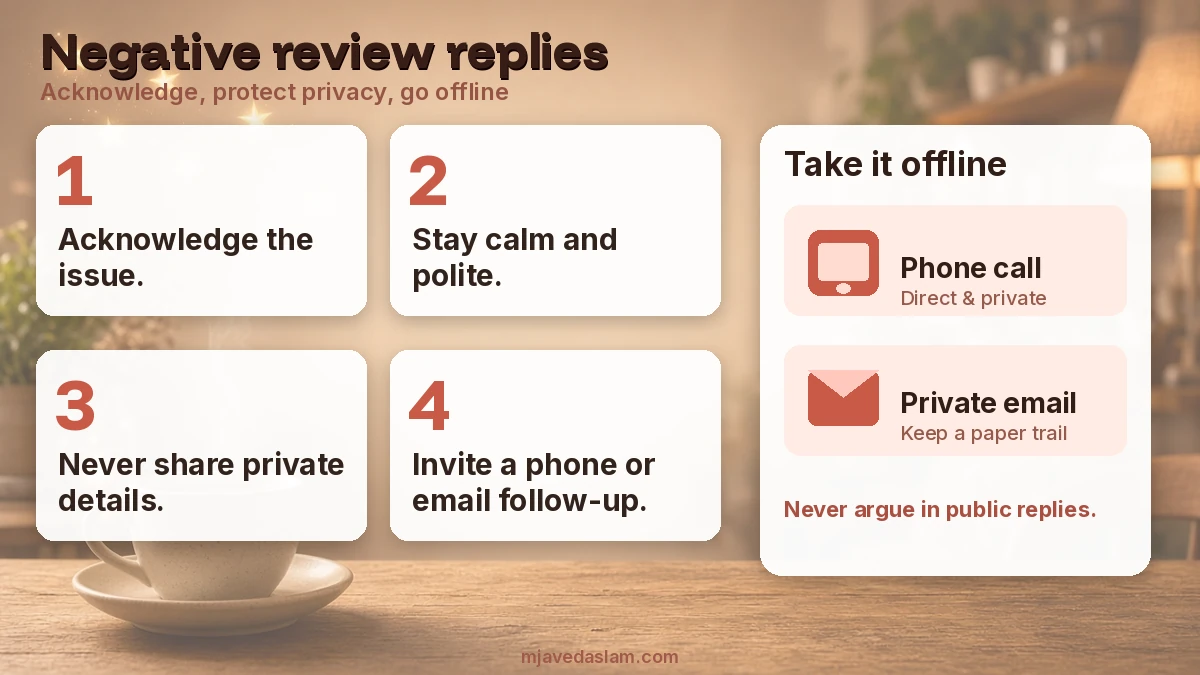
- For complex issues — invite a phone/email follow-up instead of litigating in public.
Offering incentives for posting, changing, or removing reviews is prohibited fake engagement. Ask for honest reviews; don’t buy stars.
Positive Google review response templates
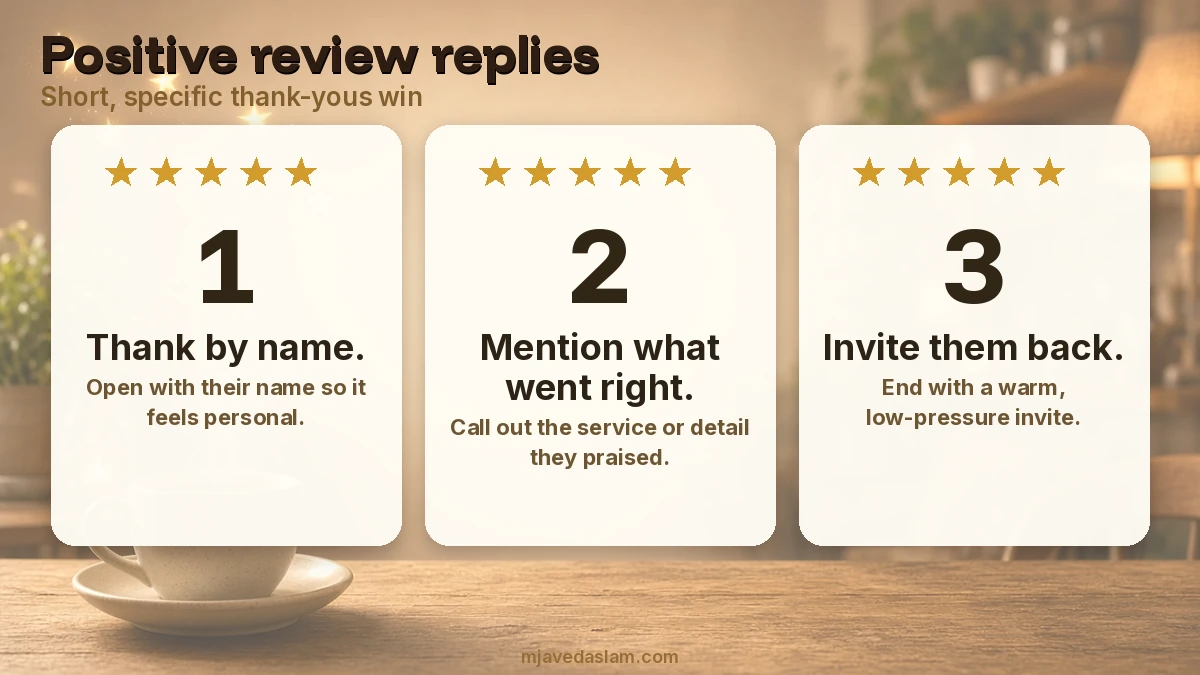
Swap bracketed bits for real details. Keep brand voice consistent.
5-star — general
“Thank you, [Name] — glad [service/product] hit the mark. We appreciate you choosing [Business]. If you need us again, we’re here.”
5-star — named a team member
“Thanks, [Name]! I’ll share your kind words with [Staff]. We’re glad [specific detail they mentioned] went smoothly.”
5-star — local / first-time customer
“Welcome, [Name] — thrilled your first visit went well. Thanks for trusting us with [job]. See you next time.”
4-star — mostly happy with a small note
“Thank you, [Name]. We’re glad [what went right]. Noted your note about [minor issue] — we’re working on that. Appreciate the honest feedback.”
Negative Google review response templates
Acknowledge, stay calm, protect privacy, offer a path offline. Don’t accuse the reviewer of lying in public — even when you disagree.
1–2 star — service issue
“[Name], I’m sorry your experience with us fell short. We take this seriously. Please email [contact] or call [phone] so we can review what happened and make it right where we can.”
Wait / scheduling frustration
“Thanks for flagging this, [Name]. Delays aren’t the standard we want. Reach us at [contact] with your appointment details and we’ll look into it.”
Product / quality complaint
“[Name], sorry [product/job] didn’t meet expectations. Please contact [contact] with order/job details so we can check and discuss options.”
When facts are disputed (keep it calm)
“[Name], thank you for sharing your perspective. Our records differ on a few points — please contact [contact] so we can review privately and clarify.”
Out of your control (weather, supplier, third party)
“[Name], we understand the frustration. [Brief honest limitation]. Please reach [contact] if you’d like help with next steps.”
When to flag instead of (or after) replying
Don’t report a review only because you dislike it. Flag when it likely violates Google’s prohibited content policies (spam, fake engagement patterns, prohibited content categories, etc.). Use Report on the review or the Reviews Management Tool. Evaluation can take several days.
Extortion (“pay or I’ll leave a bad review”) has a separate reporting path in Google’s help for those incidents — follow that flow rather than negotiating publicly.
Duplicates, fake-looking rings, and profile health issues are separate from reply wording — see duplicate profile fixes and Business Profile help.
How to reply in the Business Profile UI
- Open your Business Profile (verified).
- Select Read reviews.
- Next to the review, select Reply, write, submit.
- Google reviews the reply against policies; approved replies post publicly under the customer review (business name, not your personal name).
- Edit or delete your reply later via Edit / Delete under that reply.
Customers can still edit their review after you reply; the review date updates to the latest edit.
A weekly review-reply routine for SMBs
- Check new reviews 2–3× per week (daily in busy seasons).
- Reply to negatives within one business day when possible.
- Personalize at least the reviews that name staff or specifics.
- Log offline follow-ups so promises in replies actually happen.
- Never offer discounts “to remove this review.”
Pair replies with accurate categories, photos, and description so the profile looks coherent — primary category, photos guidelines, description. Vertical checklists: plumbers, HVAC, dentists.
Healthcare, legal, and financial businesses must be extra careful: never confirm that someone was a patient/client or disclose case details in a public reply. A safe pattern is gratitude or apology plus a generic invitation to contact the practice — without confirming the relationship in writing on Google.
Templates are starting points. Train whoever manages the inbox so replies don’t accidentally promise refunds the owner won’t honor. If multiple managers reply, use a shared snippet library and a “escalate before posting” rule for one-star reviews that mention injury, discrimination, or legal threats.
Track themes monthly (wait times, pricing clarity, follow-up). Public replies handle optics; internal fixes handle the next review. A polished template on top of an unchanged broken process eventually looks hollow.
Tone check before you hit Reply: read the draft as if you were a stranger deciding whether to call you. Sarcasm, ALL CAPS, and “as we already explained” land poorly. If you’re angry, draft offline, cool down, then post a shorter version.
Multi-location brands should reply from the correct location’s profile. A downtown location apologizing for a suburban store’s parking mess confuses Maps users. Managers need location-scoped access and a shared template doc with city-specific phone numbers.
Star ratings without text still deserve a brief thank-you when volume is low. When you get dozens of five-stars a week, batch a light personalization (first name + one noun from their city or service) rather than skipping the queue for weeks.
Third-party reviews that surface on some profiles follow different reporting rules in some regions. Stick to Google’s current Help for third-party review reporting in your country rather than assuming every star is a native Google review.
Finally, connect replies to operations: if three negatives mention “nobody answered the phone,” fix the phone tree before polishing the template. Reputation work that ignores process debt is theater.
If your category or country doesn’t show reviews yet, focus on accurate NAP, photos, and categories until reviews are available — reply workflows can’t start before Google surfaces the Reviews surface for that profile type.
Keep a private log of promised make-goods so replies match what ops can deliver.
Bookmark Google’s Manage customer reviews and Tips to get more reviews Help pages so staff follow current UI steps when Google renames buttons.
FAQ: Google review responses
Should I reply to every Google review?
Prioritize negatives and detailed positives. Identical one-line thanks on every five-star is better than silence, but personalized replies on meaningful reviews build more trust.
Can I ask a customer to remove a negative review?
Don’t offer incentives to remove or change reviews — that’s prohibited. You may resolve the issue offline; customers decide whether to update their own review.
How long until my reply shows?
Google says replies usually take up to about 10 minutes to review, but sometimes up to 30 days. If rejected, edit to meet policies.
Should I argue facts in a public reply?
State briefly that you’d like to review details privately, then move to phone/email. Public fights rarely persuade future customers.
What if the review is fake or abusive?
Flag policy-violating content. Disagreement alone isn’t a removal reason.
Do review replies help local ranking?
Google highlights responsiveness as a best practice for reputation. Treat replies as trust and service recovery — not a guaranteed Map Pack lever.
Need ongoing local reputation help? Start at local SEO.