Most owners rush the “About” field — then wonder why clicks go to a competitor. Learning how to write a Google Business Profile description that wins clicks means writing for humans first, staying inside Google’s rules, and putting your strongest proof in the opening lines customers actually expand.
Google’s Help is clear: the description shows in the “From the business” section. Use it for what you offer, what makes you special, how long you’ve been open, and anything else customers need. Cap it at 750 characters. Skip URLs, HTML, and salesy price/promo language. Below is the structure I use with local businesses — with before/after examples you can adapt.
How to write a Google Business Profile description (quick rules)
- Lead with the offer + who you serve in the first ~1–2 sentences (what people skim first).
- Add proof: years in business, service area, languages, specialties — not “#1” claims.
- Stay under 750 characters; count in a plain text editor before paste.
- No URLs or HTML — put the website and booking links in the website / appointment fields instead.
- No promo/price focus — Google asks you to focus on business details, not “50% off this week.”
- Save, then spot-check Search and Maps after ~10 minutes (Google notes some edits can take longer).
If the profile isn’t claimed or verified yet, finish that first: how to claim a Google Business Profile. Categories and hours matter as much as copy — see primary category choices next.
Where the description appears — and how to edit it
Google documents the edit path in “Manage your Business Profile description”:
- Go to your Business Profile.
- Click Edit profile.
- Next to Description, click Edit.
- Enter the text → Save.
Tip from Help: changes usually show in about 10 minutes; in some cases updates can take up to 30 days. Don’t panic-edit every hour — write once carefully, then leave it alone while Google processes.
You can also edit other business details from Search or the Maps app under Edit profile. Keep the description aligned with your real-world name, categories, and services so nothing feels contradictory.
Character limit and what Google forbids
From Google’s edit-profile guidance:
- Maximum 750 characters in the description field.
- Do not include URLs or HTML code.
- Focus on business details, not promotions, prices, or sales.
The representation guidelines add more: be honest and useful; don’t dump low-quality or distracting content (gimmicky characters, gibberish); don’t center special promotions or price slogans; no links of any type. Contact details belong in phone/website fields — not stuffed into the About blurb.
If an edit is rejected, check Google’s content-rejection help and rewrite for clarity rather than trying to sneak keywords past the review.
A simple formula that converts (without keyword stuffing)
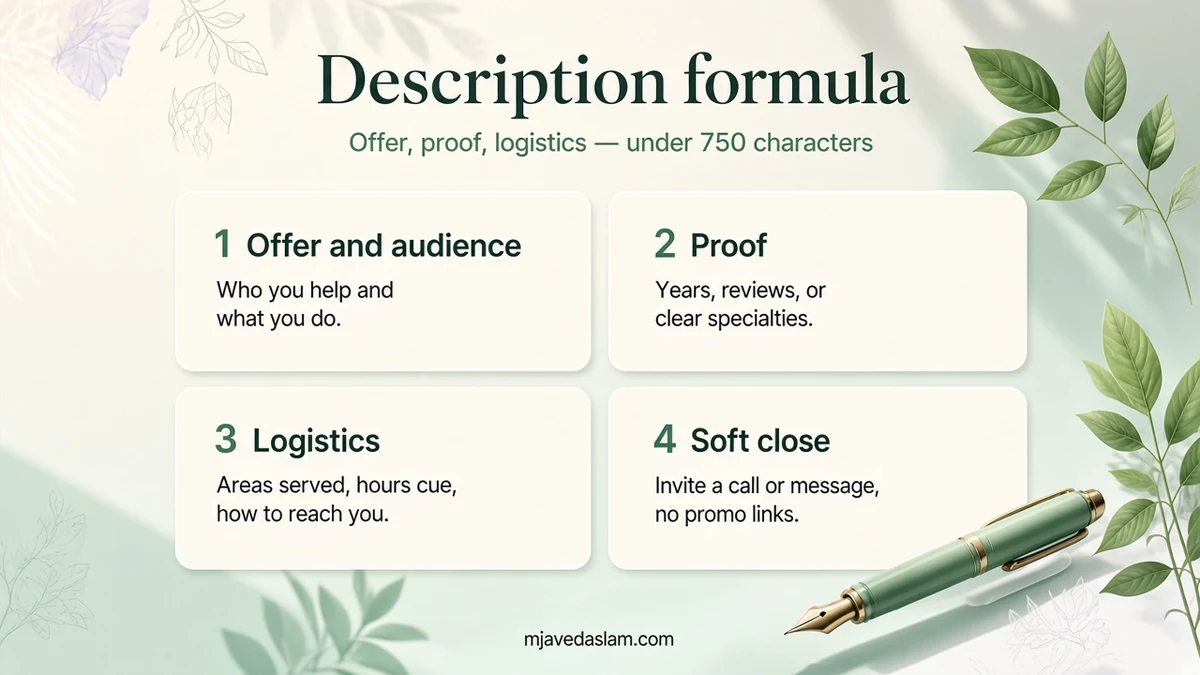
Use this four-block outline. Aim for ~450–700 characters so you have room to revise:
- Who + what (1 sentence): “[Business type] serving [city/area] with [core services].”
- Differentiators (1–2 sentences): years open, licensed specialties, same-day options, languages, in-home vs shop.
- Practical logistics (1 sentence): appointment vs walk-in, emergency hours if true, neighborhoods you cover (for SABs, stay honest).
- Soft close (optional half sentence): “Call or message through this profile to book.” — no coupon codes.
Keyword tip: use natural phrases customers search (“emergency plumber in [city]”) once if true. Do not repeat the city ten times or paste a keyword list. Stuffing looks spammy and fights Google’s quality guidelines.
Before / after examples (policy-safe)
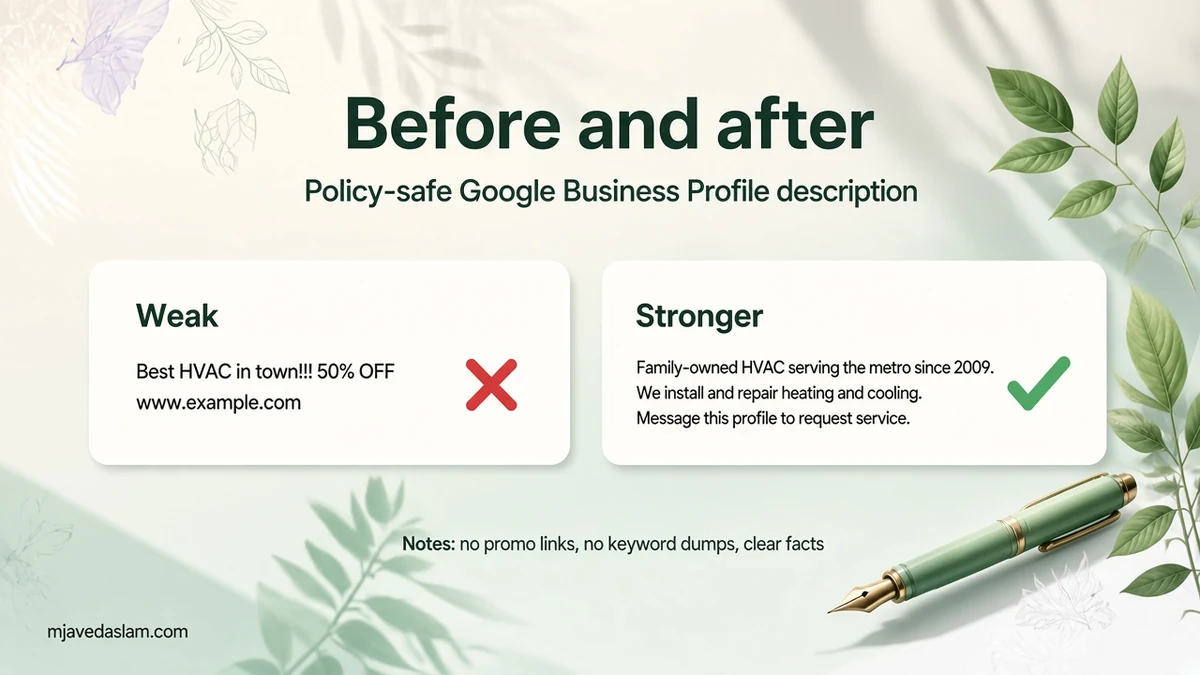
Weak (promo + link + fluff):
“Best HVAC in town!!! 50% OFF today only www.example.com Book now #1 rated call us!!!”
Stronger (facts + clarity):
“Family-owned HVAC company serving homeowners across the metro area since 2009. We install and repair residential heating and cooling systems, with evening appointments for busy households. Our technicians focus on clear diagnostics before recommending parts or replacements. Message this profile to request a service visit.”
Weak (keyword dump):
“Plumber plumber near me emergency plumber drain cleaning water heater plumber…”
Stronger:
“Licensed plumbing team helping homeowners and small businesses with leak repair, drain clearing, and water heater replacement. We serve the north and east suburbs and bring stocked vans for common residential jobs. Ask about same-day slots when available.”
Google’s own ice-cream-shop example on Help emphasizes location, offerings, and a friendly tone — without prices or URLs. Match that spirit for your trade.
AI-suggested descriptions: use carefully
Google offers an AI “Suggest description” flow in some regions and languages (18+; subject to generative-AI policies). Help says it can draft from your profile and other sources — and that you must review for accuracy. Update profile details first so suggestions aren’t wrong. Thumbs-up / thumbs-down feedback is available under the suggestion box.
My rule: treat AI as a first draft. Fix invented years, wrong neighborhoods, and marketing fluff before Save. You’re responsible for what publishes on your profile.
Description vs other profile fields
- Business name: real-world name only — no taglines or “best” claims in the name field.
- Categories: primary category drives relevance; don’t overstuff secondary categories.
- Services / products / menu: structured lists beat cramming every SKU into the description.
- Posts: time-bound offers belong in posts (when available), not the About text.
- Q&A: answer common objections there so the description stays scannable.
Service-area businesses should keep address display rules honest — details in service-area Business Profile setup. If you somehow ended up with two listings, fix that before polishing copy: fix a duplicate Google Business Profile.
Checklist before you hit Save
- Under 750 characters; no URLs or HTML.
- First lines answer “what do you do / for whom?”
- Claims match signage, website, and licenses.
- No price blasts, coupon codes, or “guaranteed #1” language.
- Spelling and punctuation look like a real business wrote them.
- Website, phone, hours, and categories are already correct elsewhere on the profile.
For broader profile work beyond the About field, start at Google Business Profile help. Vertical checklists like local SEO for plumbers and local SEO for HVAC companies show how description copy fits next to reviews and service pages.
One more practical tip: keep a plain-text master copy of your description in a notes app. When Google’s AI or a staff member rewrites the field, you can restore the approved version quickly. Revisit the text after major changes — new services, a move, or a rebrand — so Search and Maps still match what customers experience. When you revise, change one idea at a time so you can tell which wording actually improves calls.
FAQ: Google Business Profile description
What is the Google Business Profile description character limit?
Google’s Help states you must not exceed 750 characters in the description field.
Can I put my website URL in the description?
No. Google says do not include URLs or HTML. Use the website field (and appointment links where available) instead.
Can I mention prices or a sale in the description?
Google asks you to focus on business details rather than promotions, prices, or sales. Put time-limited offers in posts or on your site when those tools fit.
How long until my new description shows?
Help notes changes usually appear in about 10 minutes; in some cases they can take up to 30 days. Check both Search and Maps after saving.
Should I keyword-stuff my city name?
No. One natural mention of your offer and area is enough. Stuffing looks low-quality and can conflict with content guidelines.
Is Google’s AI description safe to publish as-is?
Not without review. Help says the AI writes creative text and you should check accuracy — especially years, services, and locations.
Need a second pair of eyes on your listing and site? See Google Business Profile services or local SEO for how I help small businesses clean up profiles that already get impressions but not calls.