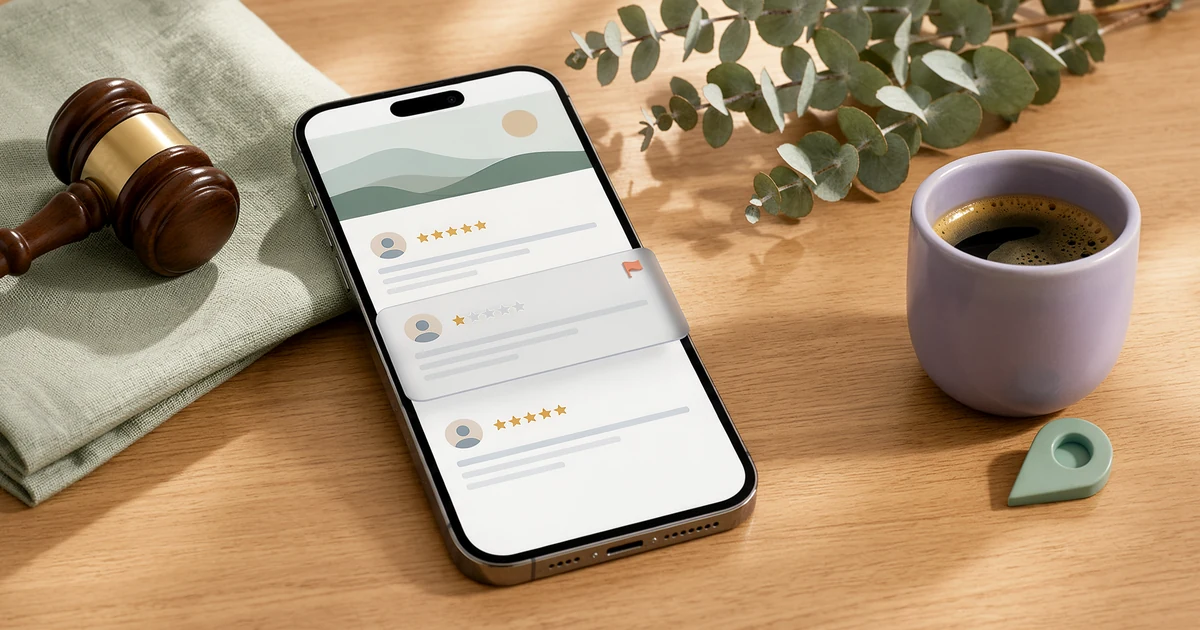
Here’s the short answer. As a business owner, you can’t delete a Google review yourself. To remove a Google review, you report it from your Business Profile or the Reviews Management Tool, and Google removes it only if it breaks Google’s content policies. Fake reviews, competitor attacks, conflict-of-interest reviews, spam, hate speech, harassment and personal information all qualify. A harsh but honest review of a real experience usually does not. If Google says there’s no violation, you get one appeal. Extortion has its own form. Defamation and other legal issues go through Google’s legal removal request. For everything else, the best tool is a calm public reply.
I manage Google Business Profiles for local businesses in Pakistan and abroad. “Can you remove this review?” is one of the first questions new clients ask me. My honest answer is always the same: I can’t delete anything, but I can make sure the right report goes to the right place, with the right evidence, once. In this guide I’ll show you what Google actually removes, the exact steps to flag and appeal, when the extortion and legal routes apply, and what to do when a review is going to stay.
Can a business owner remove a Google review?
Not directly. Google’s help page on reporting inappropriate reviews says you can report any review, but only reviews that violate Google policies are eligible for removal. It also says, very plainly, that you shouldn’t report a review just because you disagree with it or dislike it, and that Google doesn’t get involved in conflicts between businesses and customers.
So there are really only four ways to remove a Google review from your profile:
- Google finds that it breaks its content policy, usually after you flag it.
- Google upholds your one-time appeal.
- Google restricts it after a valid legal request, such as defamation, in a specific country.
- The reviewer edits or deletes it. Google’s Maps help page on editing or deleting reviews says a review shows on Google Maps until the person who wrote it takes it down.
Anyone who promises a guaranteed removal is selling something Google doesn’t offer. I’ll come back to that below.
Which Google reviews can be removed?
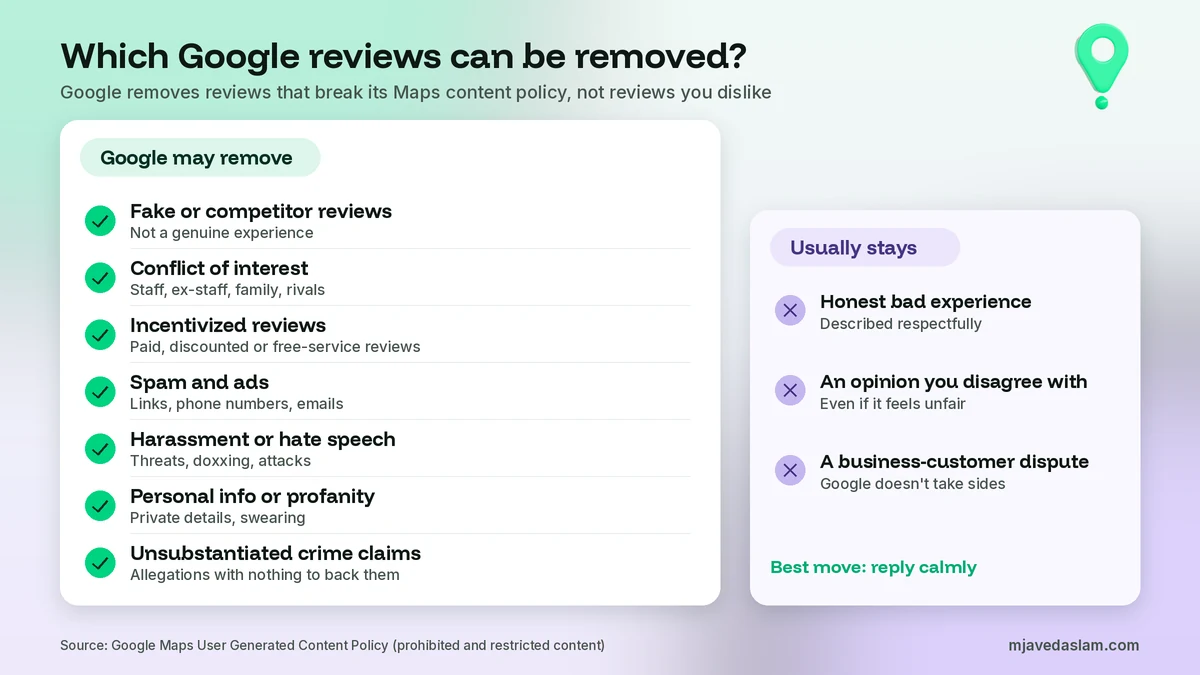
Before you flag anything, read the review against Google’s prohibited and restricted content policy for Maps. This is the rulebook Google’s reviewers use. In plain English, these are the types I see most often on business profiles:
- Fake or competitor reviews. Content that doesn’t reflect a genuine experience, or that a competitor posted to hurt your reputation.
- Conflict of interest. Reviews from current or former employees, contractors, family members or industry competitors. This applies to bad reviews from an ex-employee and to glowing reviews from your cousin.
- Incentivized reviews. Content posted because someone was offered payment, a discount, or free goods or services.
- Unusual review patterns. A sudden wave of reviews that looks like an attempt to manipulate the rating.
- Spam, ads and off-topic content. Promotional text, or reviews that include email addresses, phone numbers, social media links or links to other websites.
- Harassment and threats. Including doxxing and threats that would make a reasonable person fear for their safety.
- Hate speech. Content that attacks people based on race, religion, caste, gender or another protected characteristic.
- Offensive content. Google lists “unsubstantiated allegations of unethical behavior or criminal wrongdoing” here. A review that calls your staff thieves with no detail may fall into this group.
- Personal information. Private details about a living, identifiable person posted without consent.
- Obscenity and profanity. Swearing used to offend or to emphasize criticism.
- Impersonation. A review posted by someone pretending to be another person or organization.
Now the part business owners don’t like. The same policy says Google allows content that describes negative experiences in a respectful manner. A one-star review that says “waited 40 minutes and the food was cold” is allowed, even if you think it’s unfair. Flagging it won’t work, and repeated reports only waste your one appeal.
How to remove a Google review: flag it from your Business Profile
This is the fastest way to remove a Google review that clearly breaks a rule. Sign in with the Google account that manages the profile. If someone else owns the listing, ask them to give you access first. My guide on adding a manager to a Google Business Profile shows how to do that without sharing passwords.
- Go to your Business Profile on Google Search or Maps.
- Select Read reviews.
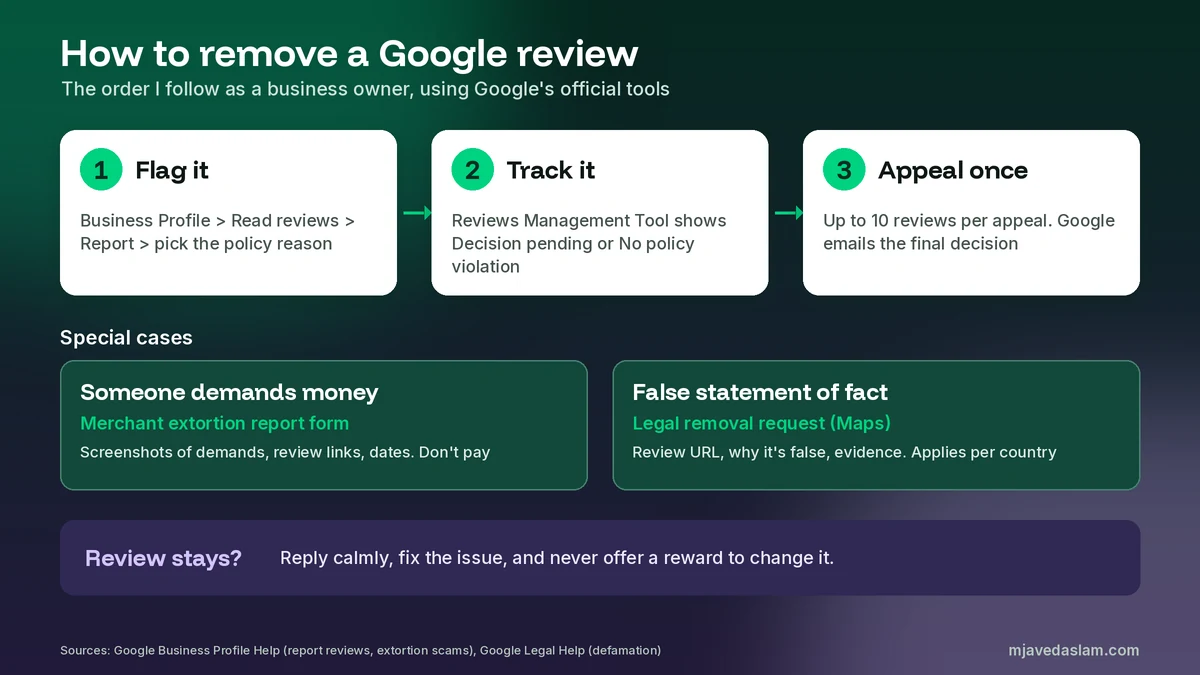
- Next to the review you want to flag, select Report.
- Choose the reason that matches the policy, for example “Spam” or “Profanity”.
- Select Send report.
Pick the reason carefully. If the review mentions a competitor’s phone number, “Spam” fits better than “Offensive”. If it’s from your former employee, say it’s a conflict of interest. Google says review evaluation typically takes several days, so don’t report the same review again the next morning.
If you prefer the phone, you can do the same thing in Google Maps. My guide to the Google Business Profile app in Google Maps shows where reviews sit on mobile.
Use the Reviews Management Tool to report and track
The Reviews Management Tool is Google’s official place to report reviews and check what happened to each report. I use it for every client, because it keeps a record. Here’s how Google describes the steps:
- Open the Reviews Management Tool.
- If the email shown is the one linked to your Business Profile, select Confirm. If not, select Switch account.
- Select your business.
- Choose Report a new review for removal and select Continue.
- Next to the review, select Report. In the new tab, choose the reason and select Submit.
Come back to the tool to check the status. Google uses three statuses:
- Decision pending: the review is flagged but hasn’t been evaluated yet.
- Report reviewed – no policy violation: Google checked it and found nothing that breaks the rules. You can appeal once.
- Escalated – check your email for updates: your appeal has been escalated, and the final decision comes by email.
If the review simply disappears from your profile, it was removed. If it doesn’t appear in the first place, that’s a different problem. My guide to Google reviews not showing covers filtered, delayed and missing reviews.
How to appeal when Google says “no policy violation”
Google gives you one appeal per flagged review, so it’s your last normal chance to remove a Google review. Use it only when you can point to a specific rule. Here are Google’s steps:
- Open the Reviews Management Tool and confirm your account.
- Select your business.
- Choose Check the status of a review I reported previously and appeal options, then Continue.
- At the bottom, select Appeal eligible reviews.
- Select the reviews you want to appeal. You can select up to 10.
- Select Continue, then Submit an appeal, fill out the form in the new tab and submit it.
Google emails you the result. If the review violates its policies, it’s removed. If not, it stays live.
In the appeal form, I write short and factual. I name the policy, quote the exact words that break it, and add proof if I have it. For example: “This reviewer is our former employee, who left on 3 March. Google’s policy lists former employment as a conflict of interest.” That works far better than “this review is unfair and hurting our business.”
If someone demands money to remove reviews
Some businesses get a sudden burst of one-star and two-star reviews, then a WhatsApp or email message asking for money to make them go away. Google calls this an extortion scam and treats it as a serious policy violation. Its help page on reporting negative review extortion scams is clear: don’t engage with or pay these people, and don’t try to settle it yourself by offering money or services.
Instead, go to the merchant extortion report form linked from that page and include:
- Your contact details and your role at the business.
- The business name, full address and a link to your Business Profile.
- Direct links to each suspicious review.
- Screenshots of every demand, showing the date, time and the sender’s phone number, email or social profile.
- When the negative reviews started and when the first demand arrived.
Google says this channel is only for cases where you were directly asked for money or favors in exchange for removing reviews. For spam or off-topic reviews, use the normal report flow above.
Remove a Google review for defamation or other legal reasons
Some reviews don’t break a content rule but may break the law, for example a false statement of fact that damages your business. Google’s Report Content for Legal Reasons page handles these. It asks you to try flagging the content in the product first. Then you choose the Google product (Maps, for reviews), choose the reason, and give the specific URL of the review, not your profile’s main link.
Google’s defamation overview explains what a strong request looks like:
- The exact URL of the review. To get it, open the review in Google Maps and use its Share option to copy the link.
- A clear explanation of how the content is about you or your business.
- Why the statement is false, and how it harms your reputation.
- A valid email address, because Google may write back with questions.
- Reliable evidence. Google says it can’t call witnesses or take sworn evidence like a court can, so a court ruling in your favor carries weight.
Two things to know before you file. First, Google weighs the public interest. Its own example is that reviews of professional services by past clients are likely to be of legitimate interest to future clients. Second, if Google approves the request, it restricts access in the country where the content is considered defamatory, not everywhere. Don’t send the same URL twice, because Google says duplicate submissions cause delays.
I’m not a lawyer, and defamation law is different in every country. If a review accuses you of a crime or threatens your licence, speak to a lawyer where you operate before you file anything.
Report the reviewer’s profile, not just the review
When one account leaves several bad reviews across your locations, or keeps posting abuse, report the user too. Google’s steps are in the Maps app on your phone: tap Business at the bottom right, then Reviews, tap the reviewer’s name, then More and Report, and choose a reason such as “Legal issue” or “Privacy concerns”. Google then checks that user’s activity and contributions for policy violations.
If the problem is a fake business listing rather than a fake review, that’s a different report. I cover it in my guide on how to report a fake Google Business Profile.
Ask the customer, the right way
Only the reviewer can edit or delete their own review, from Your contributions in Google Maps. Sometimes a real customer was angry on a bad day, and you fixed the problem afterwards. It’s fine to contact them, solve the issue, and let them decide whether to update the review.
The line you must not cross: Google’s policy says merchants may not offer incentives such as payment, discounts, or free goods or services in exchange for the revision or removal of a negative review. In Pakistan I often see “we’ll give you a free service if you change it to five stars.” That breaks the rule, and the edited review can be removed as incentivized content. Fix the problem, ask once, and leave it there. That’s the only honest way to remove a Google review that doesn’t break any rule.
When the review stays: reply instead
Most negative reviews will stay up, because most of them describe a real experience. A good reply is then your best move. Google’s page on managing customer reviews says replies are checked against its content policies and usually take up to 10 minutes, though sometimes up to 30 days. Your reply shows publicly under the review as the business, and the customer is notified. Customers can still change their review after reading your reply.
Keep it short. Thank them, own what went wrong, give one fact if needed, and offer a way to talk offline. Don’t argue in public and don’t share the customer’s private details. If you want wording you can copy, I’ve written a set of Google review response templates for positive and negative reviews.
Then dilute the bad review with fresh, genuine ones. Ask every happy customer the same way, with no rewards. A printed Google review QR code at the counter makes that easy.
Which removal route fits your review?
| Situation | Best route | What to include |
|---|---|---|
| Spam, ads, phone numbers or links | Flag from the profile or the Reviews Management Tool | Choose “Spam” |
| Ex-employee, family member or competitor | Flag, then appeal once if needed | Name the conflict of interest and add proof in the appeal |
| Hate speech, threats, profanity or personal information | Flag with the matching reason | Quote the exact words |
| A burst of bad reviews plus a demand for money | Merchant extortion report form | Screenshots of demands, review links, dates |
| False statement of fact that harms your business | Legal removal request (Maps) | Review URL, why it’s false, evidence or court order |
| Honest negative review | Reply publicly and fix the issue | A calm, short reply. No incentives |
What not to do
- Don’t pay for “guaranteed removal”. No paid service can remove a Google review for you. Google removes reviews only for policy or legal reasons.
- Don’t flood the profile with fake five-star reviews. Google removes reviews that show unusual patterns, and it can restrict your profile for fake engagement.
- Don’t report the same review again and again. One clear report and one appeal are what Google offers.
- Don’t create a new profile to escape bad reviews. That creates a duplicate listing and can lead to bigger problems. If you already have one, here’s how to fix a duplicate Google Business Profile.
- Don’t threaten the reviewer. It can become a second bad review, or worse.
A note for businesses in Pakistan
The same Google rules apply in Pakistan as everywhere else. The patterns I see here are a little different, though. Rival shops on the same street leave each other one-star reviews. Former staff post angry reviews after leaving. Some “review experts” on Facebook and WhatsApp promise to remove reviews for a fee. For the first two, flag the review as a conflict of interest and keep your proof ready for the appeal. For the third, don’t pay. If anyone threatens more bad reviews unless you pay, that’s exactly what Google’s extortion form is for. And always reply politely in the language the customer used, whether that’s English, Urdu or Roman Urdu.
FAQ
Can a business owner delete a Google review?
No. There’s no delete button for owners. You can report a review, and Google removes it only if it breaks Google’s content policies or, through a separate legal request, local law. The person who wrote the review can edit or delete it at any time.
How long does it take Google to remove a reported review?
Google says review evaluation typically takes several days. You can check the status in the Reviews Management Tool. If the result is no policy violation, you can send a one-time appeal, and Google emails you the final decision.
What kind of Google reviews can be removed?
Reviews that break Google’s Maps content policy, such as fake reviews, reviews from competitors or people with a conflict of interest, reviews posted for an incentive, spam, off-topic or promotional content, harassment, hate speech, personal information, profanity, and unsubstantiated allegations of criminal wrongdoing. A negative review of a real experience usually stays.
Can I remove a Google review for defamation?
You can submit a legal removal request through Google’s legal help form. Explain exactly which statement is false, why, and how it harms your business, and add evidence such as a court order if you have one. If Google approves it, access is restricted only in the country where the content is considered unlawful.
What should I do if someone demands money to remove bad reviews?
Don’t pay and don’t negotiate. Collect screenshots of every message with dates and the sender’s details, copy the links to the suspicious reviews, and report it through Google’s merchant extortion report form. That form is only for real extortion cases.
Is it allowed to ask a customer to remove a negative review?
You can contact the customer, fix the problem, and leave the choice to them. Google prohibits offering payment, discounts, free goods or services in exchange for removing or changing a negative review, so never attach a reward to the request.
Next step
If a review on your profile looks fake, abusive or part of a scam, I can check it against Google’s policy, file the report and the appeal with you, and help you reply to the ones that will stay. See my Google Business Profile service page, or get in touch with your business name and city. When you try to remove a Google review, the winning approach is simple: one accurate report, one solid appeal, and a calm reply for everything else.