Here’s the short answer. Local SEO for locksmiths is the work that gets an honest locksmith into the Google map pack when someone nearby searches “locksmith near me”, “locked out of house” or “car key replacement”. It comes down to five jobs: a verified Google Business Profile that follows Google’s rules to the letter, one clear website page for each service and main area, steady genuine reviews, a calm routine for reporting the fake listings around you, and a phone that is answered when the call comes. In many cities locksmith results are full of spam, so the companies that win long term are usually the ones that stay clean and keep reporting, not the ones that copy the spammers.
I do local SEO and Google Business Profile work for small service businesses. Locksmiths are a special case, and this guide is the checklist I use for them. It follows the same pattern as my guides for plumbers and pest control companies, but with much more attention on trust, verification and spam.
Why local SEO for locksmiths is different
Three things set this trade apart:
- The searches are urgent. Someone locked out at night does not compare ten websites. They call one of the first names on the map.
- The map is crowded with fake listings. In many cities, lead-generation companies create profiles with made-up names and addresses where no locksmith works. The call goes to a call centre that sells the job on.
- Google treats the trade as high risk. In the United States and Canada, locksmiths must pass an extra screening called Advanced Verification before they can run Google Ads or Local Services Ads.
The good news is that the rules that hurt spammers help you. A real business with a real base has nothing to hide when Google checks.
How Google ranks locksmiths in the map pack
Google’s local ranking tips say local results are mainly based on relevance, distance and prominence. The same page says there is no way to request or pay for a better local ranking. For a locksmith that means:
- Relevance: how well your profile matches the search. A complete profile, the right category and a clear list of services all help.
- Distance: how far you are from the person searching. You cannot change it honestly, so don’t fake it with extra addresses.
- Prominence: how well known you are. Google names links to your business and the number of reviews and positive ratings as part of it.
Set up your Google Business Profile the clean way
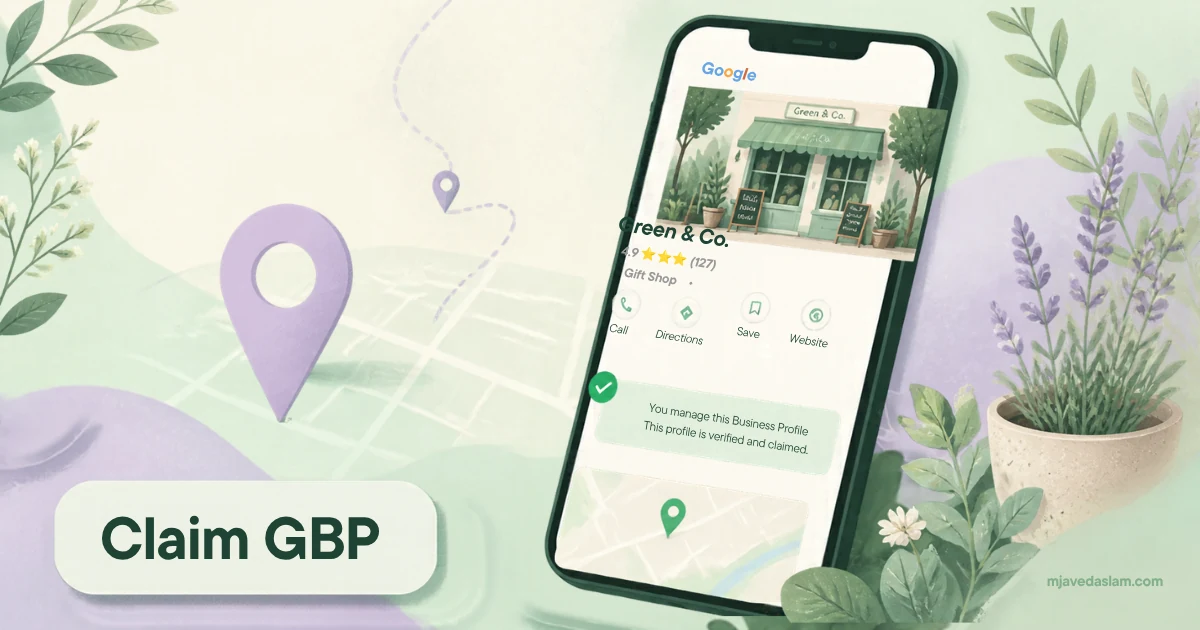
Work through these fields in order. This is the same list I use in my Google Business Profile service, with the locksmith-specific points added.
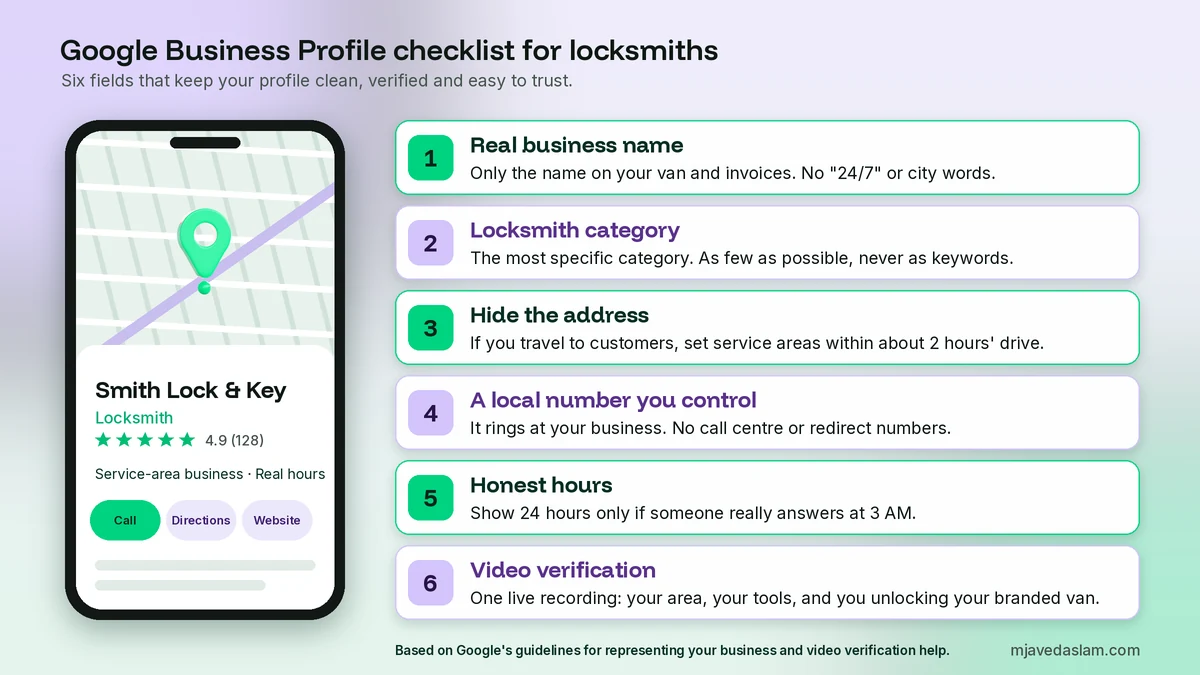
Business name: only the real name
Google’s guidelines for representing your business say your profile name must match the real-world name on your signage, website and stationery. Adding service or location words is not allowed and can lead to suspension. So “Smith Lock and Key” is fine if that is what your van and invoices say. “Smith 24/7 Emergency Locksmith Downtown” is not. Keyword-stuffed names are also among the easiest spam to report. My Business Profile name guidelines post covers the edge cases.
Primary category
Pick the most specific locksmith category Google offers in your country. For most businesses that is simply Locksmith. Google asks you to use as few categories as possible and to choose ones that complete the sentence “this business IS a”. Do not add categories only as keywords. If you also run a real, separate line of work, such as a key duplication shop or a safe dealer, a secondary category can make sense. My guide to the primary category explains how to choose.
Address, service area and the virtual office trap
Most locksmiths travel to the customer. Google calls this a service-area business, and its guidelines say you should hide your address and set a service area instead. Google’s own help pages use locksmiths and plumbers as examples. The overall service area should not extend farther than about two hours of driving from where your business is based. My service-area business guide shows how to set it up.
If you also have a shop where customers walk in, you can be a hybrid business and show the address too. Google says that location must be staffed by your team and able to receive customers during the hours you list.
Google does not allow a profile at a virtual office, a rented mailbox or a co-working desk without signage and staff. One real base means one profile. Fake extra addresses put your real profile at risk.
Phone number and website
Use a local phone number that you control and that rings at your business. Google’s guidelines ask for a local number instead of a central call centre number where possible, and they do not allow numbers or links that redirect people to another business. Hidden call centres are how many fake locksmith listings work, so your own number is part of your proof that you are real.
Hours, services and description
- Hours: set the hours when someone really answers. Only show 24 hours if a person really picks up at 3 AM.
- Services: add each real service as its own line: house lockout, car lockout, lock change, rekeying, car key replacement, safe opening, commercial locks and access control. Only list what you do.
- Description: plain English about what you do, the area you cover, how long you have been in business and how you confirm that a customer has the right to enter a property. The guidelines do not allow links, prices or sale offers there.
Verification: show that you are real
Google may ask you to verify with a video. Its video verification help names a locksmith as an example of a service-area business. The video must be one live, unedited recording of at least 30 seconds. For a service-area business it should show where you operate, your professional tools or equipment, and proof that you manage the business, such as unlocking your branded van. My guide to Business Profile video verification walks through a good recording.
Photos that build trust
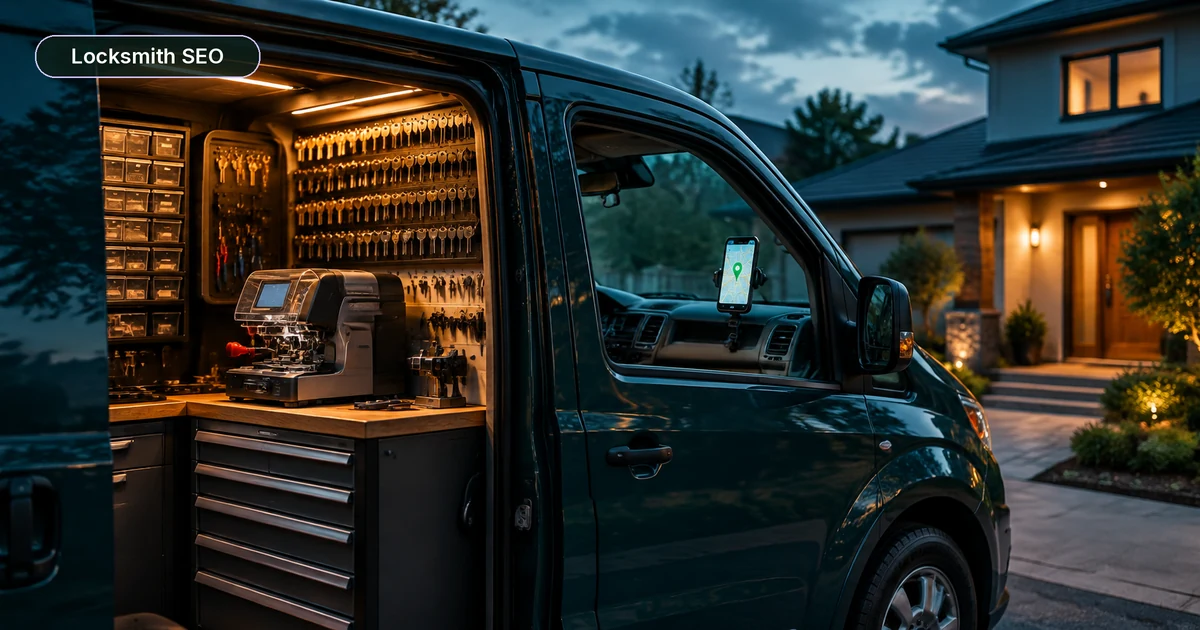
Customers worry about letting a stranger into their home. Real photos help: you and your technicians in uniform, your marked van, your workbench and key cutting machines, and real jobs (without showing the customer’s address or private details). Avoid stock photos. My photo guidelines cover sizes and what Google rejects.
Build website pages for each service and main area
For locksmiths I build three kinds of website page:
- One page per main service. House lockouts, car lockouts and car keys, lock changes and rekeying, commercial locks and access control, safes. Each page explains what happens on the visit, what proof of ownership you ask for, and a typical price range.
- One page per main town or district, only if you have something real to say. Name the areas you cover and real jobs you have done there. A copied page with only the town name swapped rarely ranks.
- A trust page. Your real business name and owner, your licence details if your state or country issues them, how you check ID before opening a door, your insurance, and how pricing works.
Be honest about prices. A low quote on the phone and a much bigger bill at the door is the fastest way to lose trust. Google’s Advanced Verification policy, which applies to locksmiths who advertise in the US and Canada, says prices shown to customers must include all fees, and for services that vary in price you should show a typical range from minimum to maximum. It is a good standard for any locksmith website.
Be careful with arrival time promises too. The same policy does not allow ads or landing pages to claim fast response times that cannot always be guaranteed. “Usually within the hour in the city centre” is better than “15 minutes, guaranteed”. Then add LocalBusiness schema with your real name, phone and service area, and make sure every page has a tap-to-call button that works on a phone.
Get genuine reviews (and never touch a competitor’s)
Reviews feed prominence, and they are how a stranger decides to trust a locksmith. The routine is simple:
- Ask every customer the same way after the job, using a short link or a Google review QR code on the invoice or follow-up text.
- Do not offer discounts, gifts or free services for reviews. Google prohibits reviews in exchange for payment, deals or discounts, and anyone can report a business that does it.
- Reply to every review, good or bad. Keep replies calm, and never share the customer’s address or other private details. My review response templates can help.
One more rule matters a lot in this trade. Google’s Advanced Verification policy says advertisers must not alter, interfere with or tamper with reviews of their own services or their competitors’ services. Posting fake bad reviews on a rival, even a spammy one, can cost you your own verification. Report them instead.
Fight spam listings without breaking the rules
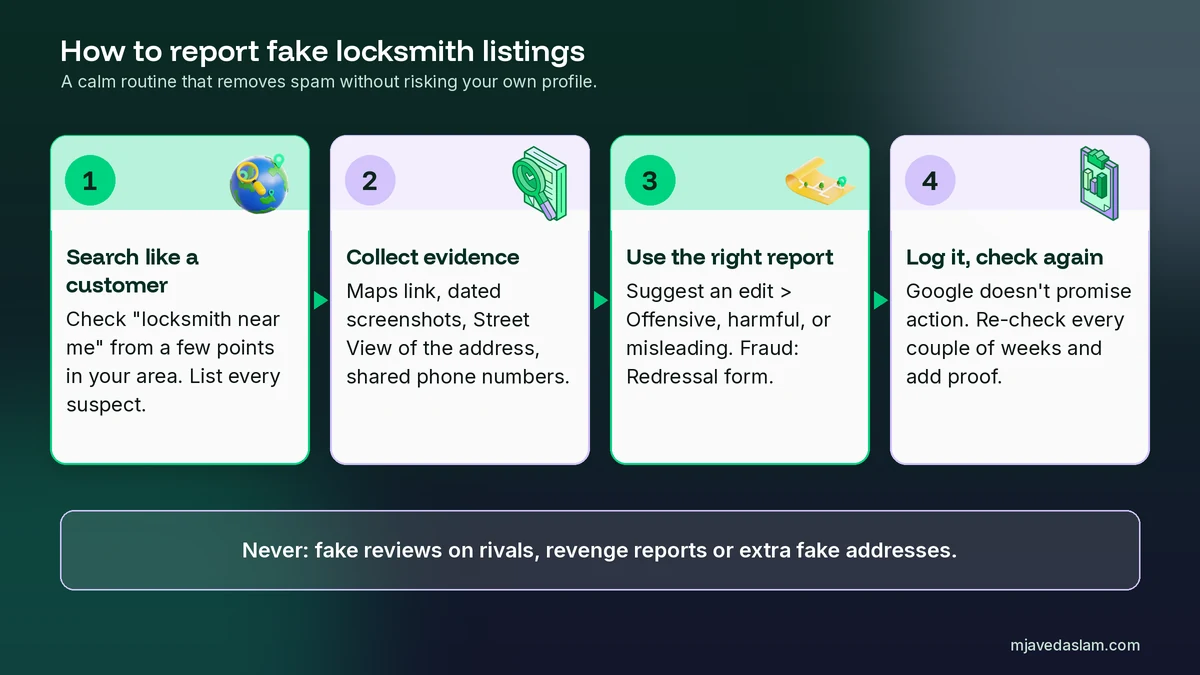
This is the part of local SEO for locksmiths that most guides skip. Removing fake listings can lift every honest locksmith in the area, including you. Here is the routine I use:
- Search like a customer. Check “locksmith” and “locksmith near me” from a few points in your area and note every listing you think is fake.
- Collect evidence. Save the Google Maps link and dated screenshots. Check the address in Street View: is it a house, an empty lot or a mailbox shop with no signage? Note if the name is stuffed with keywords or if several listings share the same phone or website.
- Use the right report. Google’s guide to reporting a business on Maps says to open the listing, select Suggest an edit, then Place is closed or not here, then Offensive, harmful, or misleading. For misleading names, phone numbers or website URLs that look like fraud, use the Business Redressal Complaint form instead. You can report several businesses at once by uploading 10 or more profiles or a spreadsheet of URLs.
- Keep a log and check again. Google does not promise to act on every report. Re-check the listings every couple of weeks and report again with new evidence if they are still there.
Do not report real competitors just because they outrank you. Report rule breaking with evidence, and only that. My full guide on how to report a fake Google Business Profile explains each form field.
Google Ads and Local Services Ads for locksmiths
Local SEO takes time. If you need calls this month, paid ads can fill the gap, but locksmiths face extra checks. Google’s local services ad policy says locksmith ads are restricted in the United States and Canada and need Advanced Verification. In Spain, the Netherlands, Germany, Sweden and Belgium, locksmith ads are not able to run at all. In other countries, local service ads can run without this verification.
According to Google’s Advanced Verification policies, the check combines a review of your Google Ads account, public data such as business registrations and professional licences, and a recorded video interview. Google may ask you to re-verify once every 12 months, or after big changes such as a move or a new website. The policy also bans some common locksmith ad habits: service call fees or minimum “starting from” prices in text ads, discounts or coupons in ads for emergency or repair services, and response time claims you cannot always keep.
If you pass, I compare the options in Local Services Ads vs Google Ads and explain the setup in how to set up Local Services Ads.
A 30-day local SEO plan for a locksmith
- Week 1: verify the profile, fix the name, set the Locksmith category, hide the address if you are a service-area business, and set accurate service areas, phone and hours.
- Week 2: add every real service, write a plain description, upload real photos of you, your van and your tools, and remove anything that breaks the guidelines.
- Week 3: publish or improve your main service pages and the trust page with price ranges and how you check ID. Add LocalBusiness schema and tap-to-call.
- Week 4: start the review routine with every job, reply to existing reviews, and run your first spam check with a written evidence log.
After that, local SEO for locksmiths is mostly routine. Watch calls and direction requests in your profile performance each month, and repeat the spam check every couple of weeks. For the wider strategy, including citations and local links, see my local SEO service.
FAQ: local SEO for locksmiths
What is local SEO for locksmiths?
It is the work that helps a locksmith appear in the Google map pack and local results when people nearby search for help. It covers a verified Google Business Profile that follows Google’s guidelines, service and trust pages on your website, genuine reviews, reporting fake listings and answering calls fast. Google says local results are mainly based on relevance, distance and prominence.
Why are there so many fake locksmith listings on Google Maps?
Locksmith searches are urgent and valuable, so lead-generation networks create listings with made-up names, keyword-stuffed titles and addresses where no locksmith works, then sell the calls on. Google’s guidelines do not allow virtual offices, extra service words in the name or numbers that redirect to another business, so these listings can be reported.
How do I report a fake locksmith listing on Google?
Open the listing in Google Maps, select Suggest an edit, then Place is closed or not here, then Offensive, harmful, or misleading. For misleading names, phone numbers or websites that look like fraud, use Google’s Business Redressal Complaint form, where you can report many listings at once. Add clear evidence such as screenshots and Street View images.
Should a locksmith show an address on Google Business Profile?
Only if customers can visit you there and the location is staffed during your listed hours. If you travel to customers, Google says you are a service-area business, so hide the address and set a service area that is no more than about two hours of driving from your base.
Do locksmiths need Advanced Verification for Google Ads?
In the United States and Canada, yes. Google restricts locksmith ads there and requires Advanced Verification for both Google Ads and Local Services Ads. It includes checks of business registration and licences where applicable and a recorded video interview. In Spain, the Netherlands, Germany, Sweden and Belgium, locksmith ads cannot run.
Can I put 24/7 or emergency in my locksmith business name on Google?
No, unless it is truly part of your real-world business name on your signage, website and paperwork. Google’s guidelines do not allow service, location or hours information in the profile name, and it can lead to suspension. Show your real hours in the hours field and describe emergency services in your services list and website.
Next step
Start with the profile this week: real name, the Locksmith category, a hidden address if you travel to customers, and a phone that you answer. Then run your first spam check and write down what you find. If you want me to review your profile, pages and the fake listings around you, see my Google Business Profile service or my wider local SEO work.