Schema markup for local service pages tells search engines what each page offers, where you serve, and how it connects to your business entity — without stuffing the same LocalBusiness block onto every URL. On WordPress, the safe pattern is one business entity (often from Yoast) plus page-level Service (or offer) markup that matches the visible copy, with honest areaServed and no overlapping graphs from three plugins.
This guide is about service page markup and area overlap. It is not a second LocalBusiness setup tutorial, FAQ schema walkthrough, or breadcrumb schema guide — those stay in their own posts.
Technical SEO help: SEO services.
Schema markup for local service pages — quick answer
- Keep one organization / LocalBusiness entity for the site (usually Yoast Site representation). Do not paste a second full LocalBusiness JSON-LD on every service URL.
- On each service page, mark up a
Service(schema.org) that matches the H1 and visible description: name, description, provider linking to your business, andareaServedfor cities or regions you truly cover. - Use
hasOfferCatalog/ offers only when prices or packages are visible on the page — do not invent numbers in JSON-LD. - Avoid area cannibalization: do not claim identical
areaServed+ identical service name on ten thin city pages that say the same thing. - Validate with Schema Markup Validator and Google’s Rich Results Test. Google documents rich-result LocalBusiness guidance;
Serviceitself is schema.org vocabulary — treat rich results as possible, not promised.
Google’s Search Central LocalBusiness docs cover business entity markup for rich results. Schema.org defines Service, areaServed, makesOffer, and OfferCatalog. Pair them carefully so the page text and the graph agree.
What belongs on the business entity vs the service page
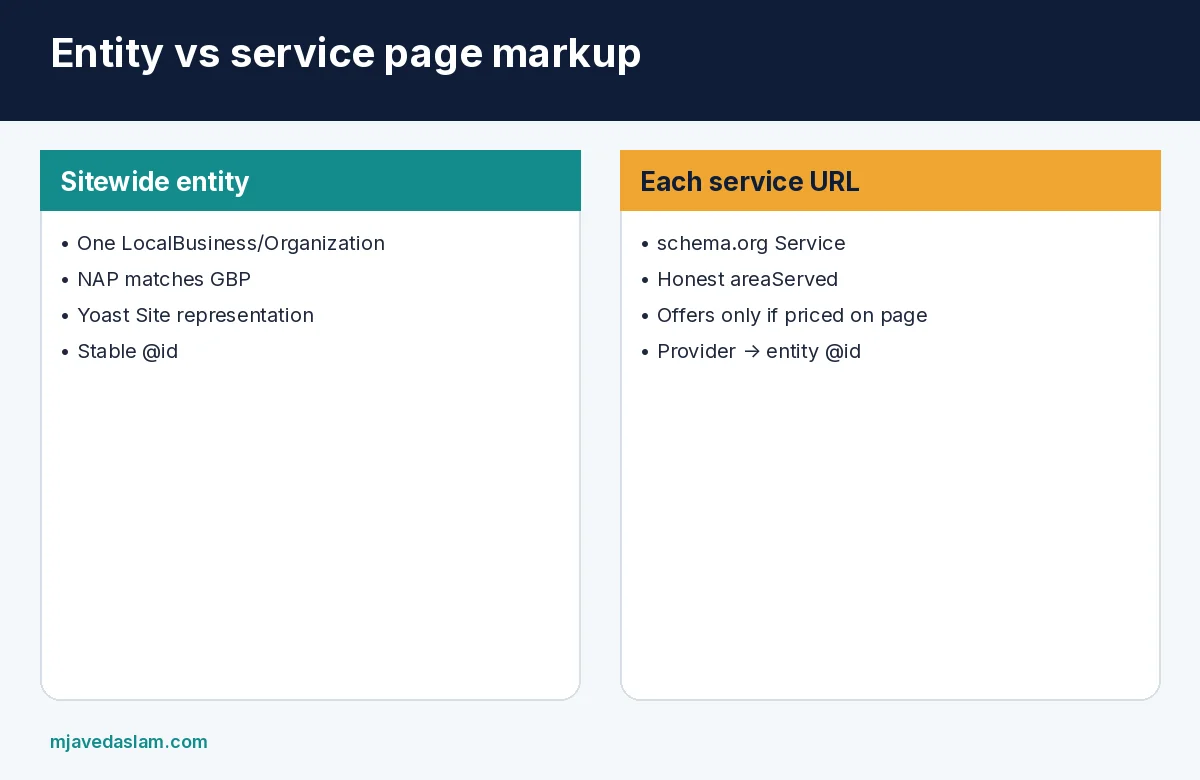
Your homepage / sitewide graph should own the business: legal name, NAP (or service-area reality), phone, URL, sameAs profiles. That is the LocalBusiness / Organization job covered in the LocalBusiness schema WordPress guide.
Each service URL should describe one offering: “Emergency drain clearing,” “Residential HVAC tune-up,” “Dental cleaning.” Page-level Service markup answers: what is offered, who provides it, and where. If every service page also dumps a full second LocalBusiness with conflicting hours or a fake street address, you create the duplicate-graph mess validators flag.
Yoast already emits a schema graph. Prefer extending or aligning with that graph over stacking Rank Math + a random “schema booster” + handwritten JSON-LD all claiming the same @id.
Core Service properties that matter locally
- name / description: Match the visible headline and intro. Do not keyword-stuff schema with phrases absent from the page.
- provider: Point to your organization / LocalBusiness
@idso Google can connect the service to the business entity. - areaServed: Use City, AdministrativeArea, GeoCircle, or Place names you actually serve. For service-area businesses, align with how the profile is set up — see service-area Business Profile.
- serviceType: Optional short label when it clarifies the offering.
- offers / hasOfferCatalog: Only when the page shows real packages or starting prices you will honor.
Schema.org’s areaServed and makesOffer properties are the vocabulary; Google’s structured-data policies still require markup to reflect visible content. Misleading structured data can be ignored or treated as spammy manipulation — stay boring and accurate.
AreaWithoutOverlap tips (stop thin city-page spam)
“Area without overlap” in practice means each service URL should have a clear primary job:
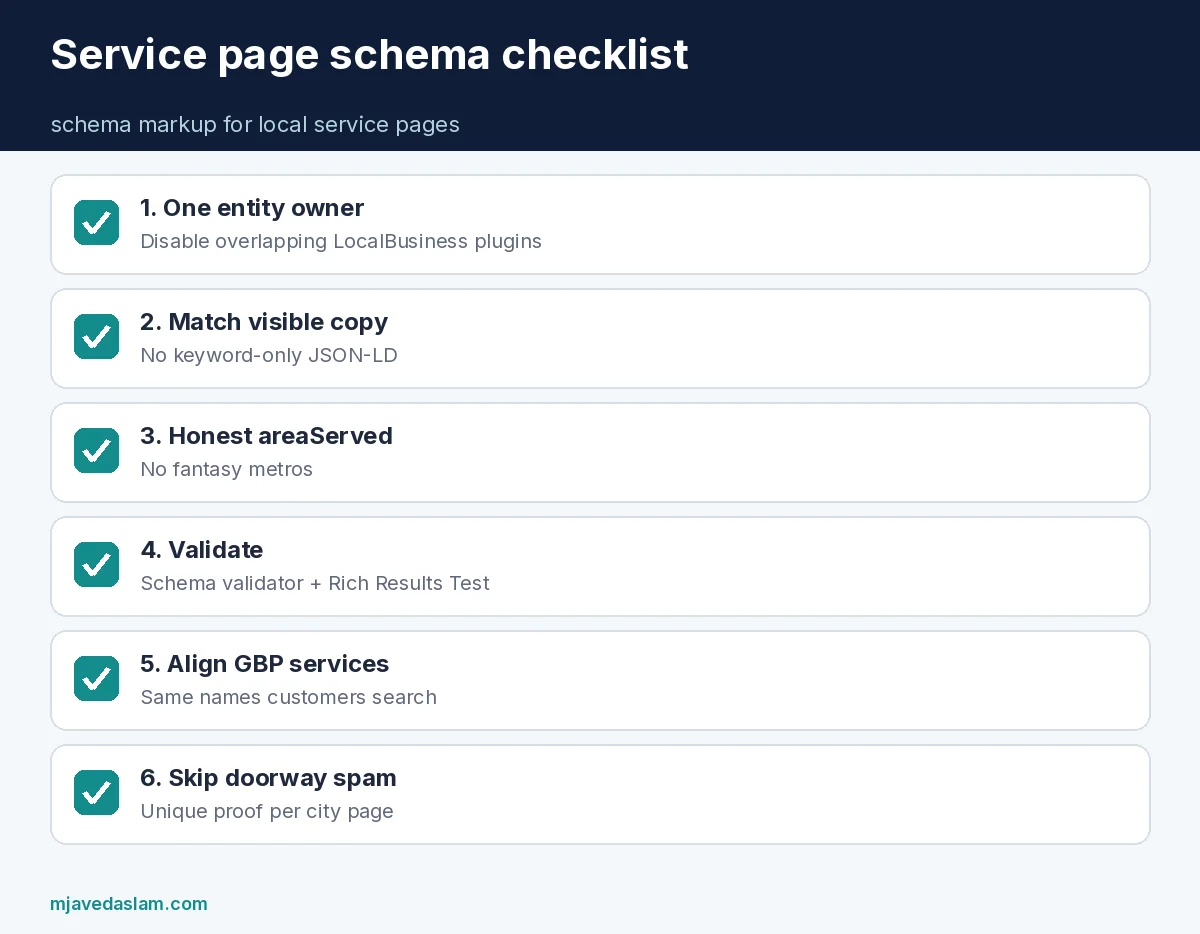
- One canonical service page for “Water heater installation” with a truthful service-area list — not twenty doorway pages that only change the city name in the title.
- If you need city pages, give each unique proof: crew notes, photos from that area, permit quirks, response windows you actually keep. Identical boilerplate with swapped city tokens is a content problem first; schema will not rescue it.
- Do not mark
areaServedfor regions you refuse to drive to. Inflated geo claims help neither customers nor trust. - Keep GBP services language aligned with site service names: GBP products and services.
Map Pack ranking still hinges on relevance, distance, and prominence (Google’s local ranking Help) — structured data is supporting clarity, not a paid rank lever.
WordPress implementation options
- Yoast + careful custom fields / blocks: Keep Site representation for the entity. Add Service JSON-LD only on service templates if your stack supports it without duplicating Organization.
- One dedicated schema plugin: Acceptable if you disable overlapping LocalBusiness output from other tools.
- Theme template JSON-LD: Fine for developers who maintain
@idlinks to the Yoast entity. Bad when every page hard-codes a new phone number.
FAQ blocks on service pages can use FAQ schema when the Q&A is visible — covered separately in FAQ schema for WordPress. BreadcrumbList is separate again: Yoast breadcrumbs.
Validation checklist
- View source: count how many LocalBusiness / Organization nodes appear. Aim for one authoritative entity.
- Run Schema Markup Validator on the service URL.
- Run Rich Results Test — interpret LocalBusiness / other detected types honestly; do not invent a “Service rich result” guarantee Google does not document the same way as LocalBusiness.
- Compare NAP in schema vs footer vs Google Business Profile.
- Re-test after plugin updates — schema graphs break quietly.
Common mistakes
- Pasting the same Service JSON-LD with ten cities onto every URL.
- Marking offers with prices that do not appear on the page.
- Using a residential address in schema when the Business Profile is a pure service-area listing without a public storefront.
- Letting WooCommerce / booking plugins emit conflicting Organization nodes.
- Chasing AI Overview “schema hacks” — Google’s generative AI guidance emphasizes crawlable, unique, people-first content, not secret markup for Overviews.
Pair clean markup with useful pages and local SEO fundamentals: local SEO, Map Pack checklist.
Ops checklist (60 minutes)
- Inventory service URLs and their primary H1s.
- Confirm Yoast Site representation NAP matches GBP.
- Disable duplicate LocalBusiness emitters.
- Add or repair Service markup on the top five money pages only — then expand.
- Write honest areaServed lists; delete fantasy metros.
- Validate two URLs; document the
@idpattern in your runbook.
When you launch a new service line, publish the page, update GBP services, then add schema — in that order. Markup without a real page is empty calories.
Franchise or multi-location sites should give each location its own entity graph and avoid copying one headquarters Service block onto every city microsite without local proof.
If a developer insists on “maximum schema types,” push back. Extra types that do not match visible content create risk, not rankings.
FAQ: schema markup for local service pages
Does Google require Service schema for local SEO?
No. Google documents LocalBusiness structured data for eligible rich results. Service markup is schema.org vocabulary that can clarify offerings; useful pages, GBP, and reviews still matter more than an extra JSON-LD block.
Should every service page include a full LocalBusiness node?
Usually no. Keep one sitewide business entity and reference it as provider from the Service node to avoid duplicate graphs.
Can areaServed replace a Google Business Profile service area?
No. Profile settings and guidelines still govern Maps. Schema should stay consistent with reality, not invent coverage.
Will Service schema get me into AI Overviews?
Google’s AI features documentation stresses crawlability, helpful unique content, and consistency — not a special Overview schema type. Do not buy “AEO schema” packages that promise placement.
How do I stop three plugins from outputting schema?
Pick one owner for Organization/LocalBusiness, disable the others’ overlapping toggles, then validate.
Do I mark up services that are quote-only with no price?
Yes — omit offers or use qualitative descriptions that match the page. Do not fabricate starting prices in JSON-LD.
For schema markup for local service pages across a growing site, prioritize accuracy and a single entity graph. Clean Service nodes on strong pages beat a spaghetti of conflicting types on thin city doorways.
Keep documentation in your ops folder: screenshot the live UI quarterly, store the Help URLs you relied on, and note the date you last verified settings. Interfaces move; your runbook should move with them.
When something conflicts between an old blog post and current Google Help, trust Help — then update your internal SOP the same day so the next teammate does not relearn a sunset feature.