Google Business Profile booking link setup in 2026 means adding a Booking (appointment) action under local business links — either your own scheduler URL or a Reserve with Google–style provider — on a verified profile that is eligible for that link type. Done right, customers finish booking on a dedicated page; done wrong, Google’s link policies remove the button.
This is the booking / appointment link guide. It is not Chat/WhatsApp messaging (#31), not GBP Posts buttons, and not the website field alone — those stay separate so “add booking link” and “enable messaging” do not cannibalize each other.
How to add a booking link to Google Business Profile (quick answer)
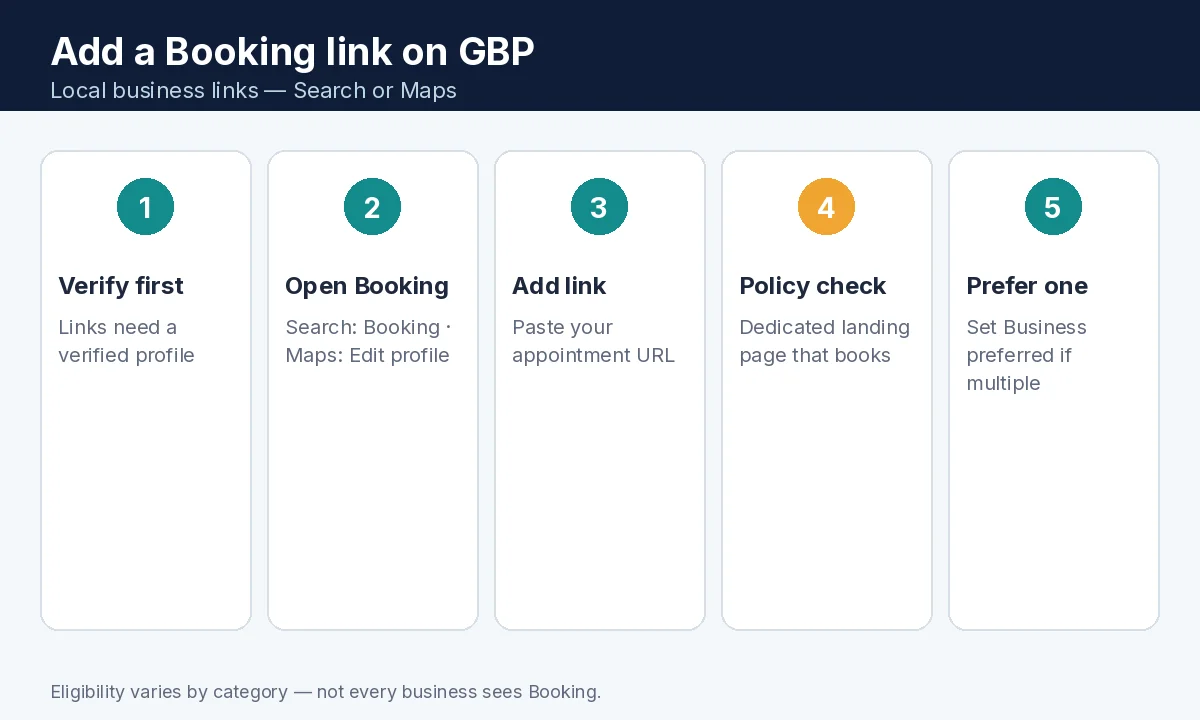
- Confirm the profile is verified and that your category supports Booking / appointment links.
- On Google Search: open the profile → select Booking → Add link (or Add another link).
- On Google Maps: Edit profile → the Booking transaction type → Add link.
- Paste a URL that lands on a dedicated page where customers can complete booking for this location.
- Optional: set a Business preferred link when multiple booking links exist.
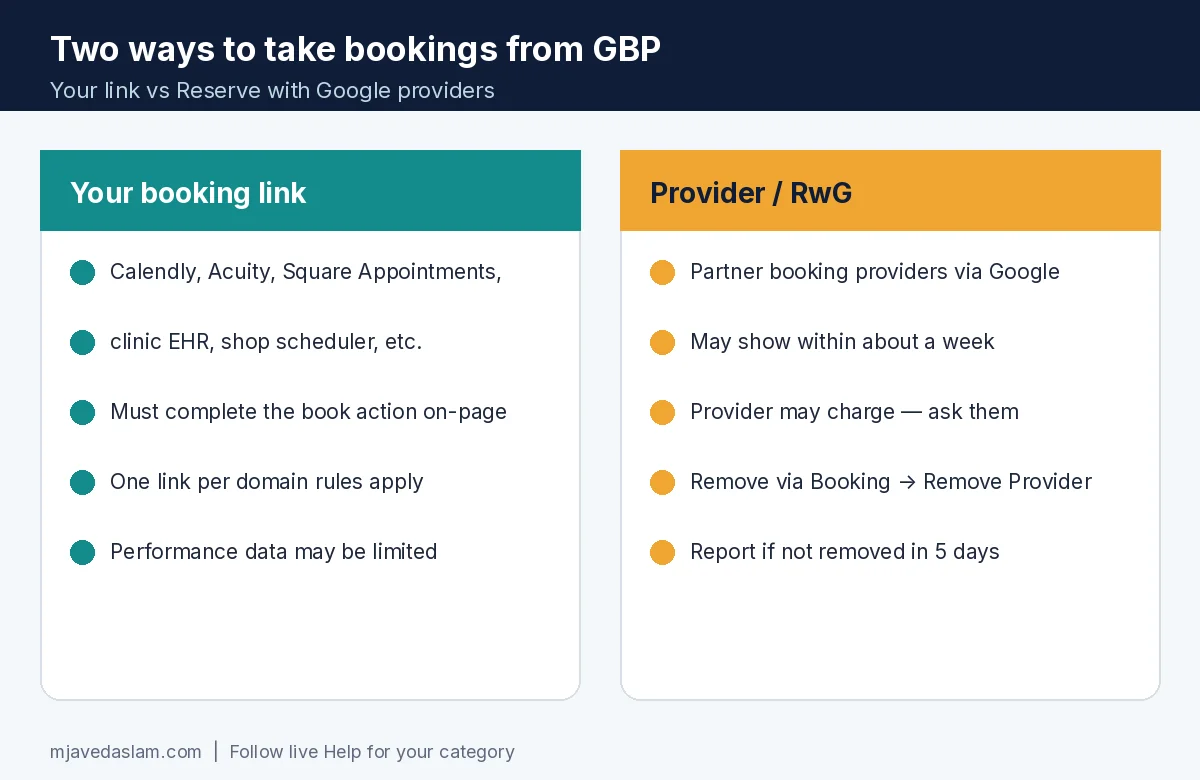
- Or connect a booking provider via Reserve with Google–style signup (providers may charge; ask them).
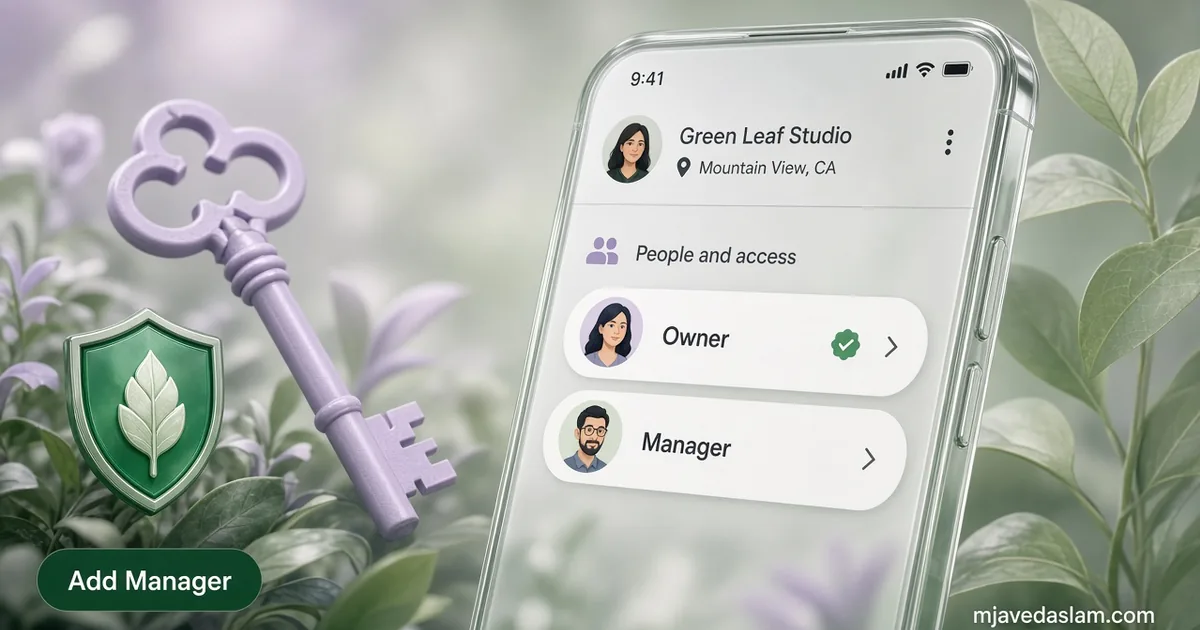
- To remove a third-party booking provider: Booking → Remove Provider; providers should clear links within 5 days or you can report a violation.
Booking link vs website vs Chat — don’t mix the jobs
- Website field: general site homepage or main URL.
- Booking / appointment link: action link that must let someone complete a booking.
- Chat (WhatsApp / text): messaging — enable messaging.
- Post buttons: temporary CTAs on Updates/Offers/Events — posts best practices.
Google’s Edit profile Help notes some categories can add extra links such as online orders, reservations, or appointments. If you do not see Booking controls, your category or region may not be eligible — that is expected, not a hidden setting you failed.
Add your own booking / appointment URL
- Sign in with the Google Account that manages the profile.
- Open the Business Profile on Search or Maps.
- Select the Booking transaction (Search) or Edit profile → Booking (Maps).
- Choose Add link / Add another link.
- Enter the full HTTPS URL to your scheduler (Calendly, Acuity, Square Appointments, clinic system, custom /book page, etc.).
- Save and wait for approval/publish after verification checks.
- If you have several links, mark one as Business preferred.
Test the customer path on a phone: Maps → Book → lands on the bookable page for this location — not a corporate homepage and not a “contact us” form that never schedules.
Reserve with Google / provider bookings
Google’s Help on setting up bookings through a provider explains that partner providers can power web/app booking experiences that work with customers’ Google accounts and reminders. If you do not already use a provider, you can find options available in your country through Reserve with Google — or simply add your own link.
- Provider listings can appear on the profile within about a week after signup.
- Providers may charge — confirm pricing with them before you connect.
- Custom links may not have the same performance reporting as Reserve with Google booking metrics.
- Restaurant waitlist features called out in Help are restaurant-specific and require an eligible third-party provider — most service businesses should ignore waitlist unless they are food-and-drink eligible.
Policies that get booking links removed
Follow Business links policies & guidelines (Help):
- Links must lead to a dedicated landing page for the business; multi-location brands need location-specific pages.
- The page must let customers complete the designated action (book means book — not a brochure).
- Fix malformed URLs (spaces, backslashes, duplicate
http://). - Profile must be verified before links publish.
- Limits: Help documents a maximum of 20 links per transaction type; also practical “one link per domain” / duplicate-domain rules — choose different domains when required.
- Crawlability: Google’s business-link verification crawlers (including User Agent
Google-BusinessLinkVerification) must reach a working HTTP 200-class page without bot blocks, soft blocks, or geoblocking. Help notes these verification crawlers do not follow robots.txt. - Google may remove non-compliant links after automated/manual checks.
If a WAF or “bot protection” wall blocks Google’s verifier, whitelist that crawler or the Book button may vanish even though humans can open the page — fix broken links habits help keep the destination healthy.
How to remove a booking link or provider
- Your own link: open Booking (or the transaction type) → manage/remove the specific URL you added.
- Third-party booking provider: Search → Booking → Remove Provider; or Maps → Edit profile → Booking → Remove Provider.
- Providers should remove third-party links within 5 days of the request; if they do not, use Google’s report-a-violation path referenced in Help.
- For waitlist buttons (restaurants), Help says you must unregister directly with the third-party provider to clear “Join waitlist.”
After removals, spot-check Search and Maps on mobile — caches and surfaces can lag briefly.
Scheduler tips that convert (SMB practical)
- Landing page shows real availability, duration, and location name matching the GBP.
- Collect only the fields you need; mobile-first forms.
- Send confirmation SMS/email from the scheduler so no-shows drop.
- Align bookable hours with GBP hours — holiday hours.
- Staff the calendar; an empty Book button is as bad as unread Chat.
- Keep categories accurate so the right customers book — primary category.
Hub pages: Google Business Profile, local SEO, claim/verify.
Example for a dental clinic: Book → https://clinic.example/book/downtown (location-specific) with hygiene vs exam visit types. Example for a salon: provider integration if you already pay for a RwG partner; otherwise your own booking domain. Example for a roofer: often skip Booking if you only quote on-site — use Call + form instead of a fake “instant book” that cannot schedule inspections honestly.
When both a provider link and your first-party link exist, set Business preferred to the calendar your front desk actually watches. Duplicate domains get rejected under policy — don’t paste five paths from the same domain expecting five buttons.
Re-audit quarterly: click Book as a customer, complete a test appointment, cancel it, and confirm the confirmation email names the correct location. After website migrations, update the GBP booking URL the same day you 301 the old scheduler — stale Book buttons are a silent lead leak.
If you reinvent your booking stack mid-year, treat the GBP link like a production dependency: update the URL, re-test crawlability, and remove the abandoned provider so customers never land on a dead tenant subdomain. Pair the Book button with accurate services and hours so the appointment type they pick matches what your team delivers — description, services list, and photos that set expectations before the calendar loads.
FAQ: Google Business Profile booking link
How do I add a booking link to Google Business Profile?
On a verified, eligible profile, open Booking (Search) or Edit profile → Booking (Maps), select Add link, and paste a URL where customers can complete an appointment for that location.
Why don’t I see a Booking option on my profile?
Not all businesses are eligible for business links. Category and product availability vary — if Booking isn’t offered, use Website, Call, or Chat instead.
Can I use Calendly or Acuity as my GBP booking link?
Yes if the URL is a dedicated, crawlable landing page that completes booking for that business/location and follows Google’s business links policies (including domain rules).
How do I remove a Reserve with Google / provider booking link?
Use Booking → Remove Provider on Search or Maps. Providers should remove links within 5 days; report a violation if they don’t.
Is a booking link the same as Google Business Profile messaging?
No. Booking is an appointment action link. Messaging/Chat opens WhatsApp or text. Use each for its job.
Why was my booking link removed?
Common causes: non-bookable landing page, multi-location homepage, malformed URL, verification/crawl failures, bot blocking, or policy limits on duplicates/domains. Fix the destination and resubmit a compliant link.