Learning how to add attributes to Google Business Profile means editing the Yes/No (and related) facts under Edit profile → More — amenities, payments, accessibility, recycling, and other category-specific details — so customers see accurate filters on Search and Maps. Google’s attributes Help notes that some attributes are owner-editable while others come from customer inputs, that availability depends on category and location, and that review of edits often takes about 10 minutes but can take up to 30 days.
This guide is only about attributes. It is not the description rewrite, primary category picker, photos policy, holiday hours, messaging, booking links, or products/services lists — those are separate articles so “add attributes” stays findable on its own.
Profile help when you want it done with you: Google Business Profile.
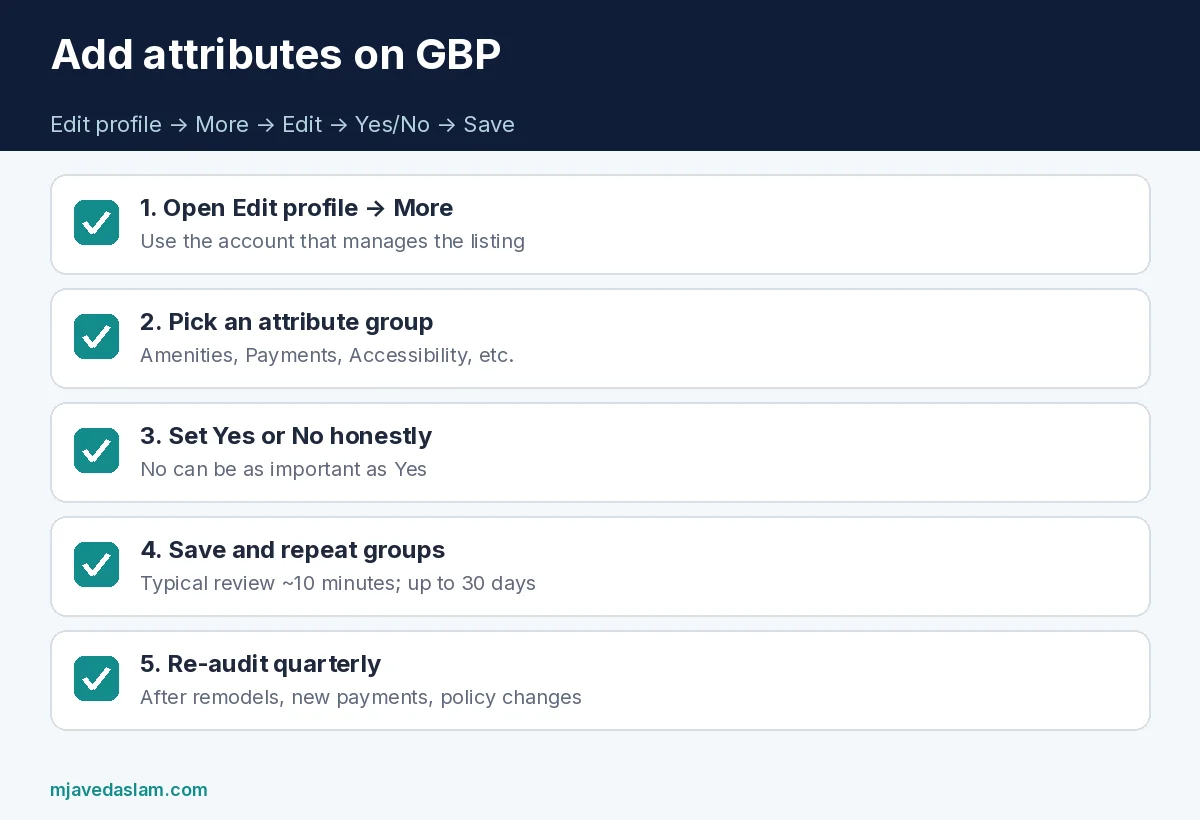
How to add attributes to Google Business Profile (quick steps)
- Sign in with the Google Account that manages the profile.
- Open your Business Profile on Search or Maps.
- Select Edit profile, then More (wording can vary slightly by device).
- Next to an attribute category (examples Google cites: Amenities or Payments), select Edit.
- Next to each attribute (examples: Wi-Fi, Cash-only), choose Yes or No.
- Select Save.
- Repeat for every category shown for your business — skip anything you cannot honestly answer.
Keep a simple ops note: “Attributes last audited: [date].” That habit matters more than memorizing every Google UI rename.
Tips from Google’s Help: attribute names can change over time to match how people search; some attributes only appear in certain countries or categories; customer-sourced attributes may appear that you do not directly toggle the same way.
Why attributes matter for discovery (without overclaiming)
Google states that attributes help your business stand out and that adding certain attributes may help you show up in searches for places with those attributes. Think wheelchair-accessible entrance, women-owned, outdoor seating, identifies as Black-owned, or accepts credit cards — when those filters exist for your category, a blank attribute is a missed match, and a false Yes is a trust problem when the customer arrives.
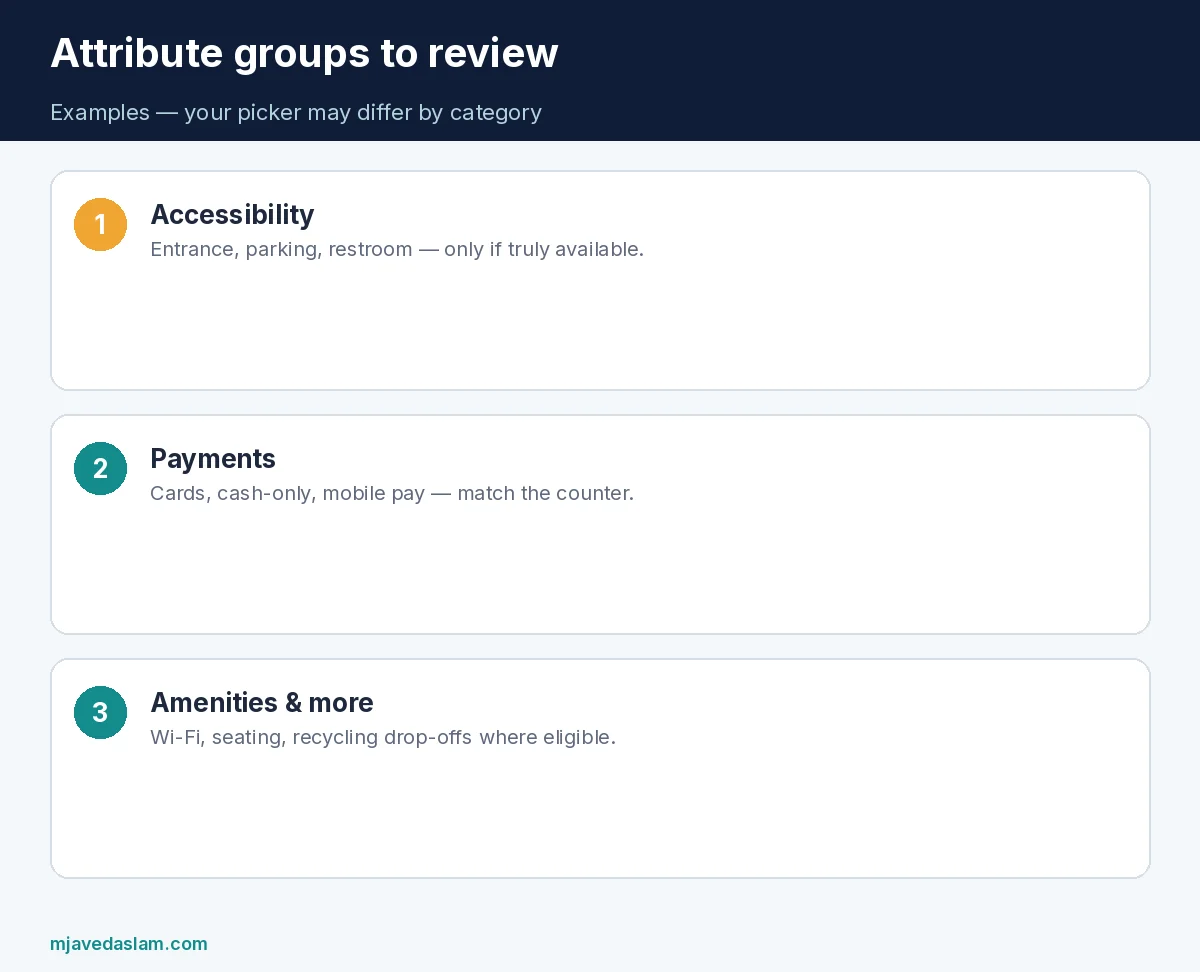
- Accessibility: entrance, restroom, seating, parking — only mark what is truly available.
- Payments: cards, cash-only, mobile payments — match the counter reality.
- Amenities: Wi-Fi, restrooms, Wi-Fi details, family-friendly flags where offered.
- Crowd / from-customers: some “popular for…” style attributes are opinion-like and may be driven by user inputs — you may have less direct control.
- Recycling / sustainability drop-offs: Google documents recycling attributes (batteries, electronics, plastic bottles, etc.) for eligible categories; adding them can show a recycling icon in results when applicable.
Attribute audit checklist (30 minutes)
- Print or screenshot every attribute group visible on your profile today.
- Walk the physical location (or ask a manager) and mark Yes/No against reality — not marketing wish lists.
- Update payments first if you recently added tap-to-pay or stopped taking checks.
- Update accessibility after any remodel (ramp, restroom, parking).
- Set recycling attributes only if you actually accept those drop-offs.
- Revisit quarterly and after major operational changes.
- For 10+ locations, use Business Profile Manager bulk upload / attributes reference spreadsheet per Google’s bulk-upload Help — hotel attributes have special API/dashboard notes.
Attributes vs categories vs services vs description
| Field | Job |
|---|---|
| Primary / secondary categories | What kind of business you are — primary category |
| Services / products | What you sell or perform |
| Attributes | How you operate / what facilities & policies you have |
| Description | Short narrative — description guide |
| Photos | Visual proof — photos guidelines |
Do not try to cram attribute facts only into the description while leaving Amenity toggles blank. Filters and icons often read the structured attributes.
Common mistakes
- Marking wheelchair-accessible when there is a step and no ramp.
- Leaving Cash-only = Yes after you installed card terminals.
- Ignoring “No” answers — Google notes that entering No for certain attributes helps show accurate info.
- Assuming every competitor’s attribute list is available to you — category and country limit the picker.
- Editing attributes on the wrong duplicate profile — fix duplicates first.
- Expecting instant reflection every time — Help cites ~10 minutes typical, up to 30 days.
Pair attributes with honest hours — holiday hours — and Map Pack fundamentals — Map Pack checklist. Local SEO cluster: local SEO.
When staff change policies (new “kids eat free,” new “appointment only,” new “pets allowed”), treat attributes like a checklist item in the same ops meeting where you update the website footer and the phone script. Inconsistent signals across GBP, site, and the front desk create one-star reviews that no attribute icon can fix.
If an attribute you need never appears, it is usually category/region eligibility — not a hidden Pro toggle. Switch to an inaccurate primary category just to unlock vanity attributes is a bad trade; categories drive relevance harder than a single amenity flag — keep the primary honest.
Align attributes with the website and the front desk
When you finish how to add attributes to Google Business Profile, mirror the same facts on the contact or “visit us” page: payment methods, accessibility notes, Wi-Fi for customers, recycling drop-off rules. If the site says “all major cards” and GBP still says cash-only, you trained Google and the customer on different stories.
Train new hires on the public attribute list during onboarding. A host who seats a guest with a stroller after you marked “no high chairs” (or the reverse) creates avoidable one-star reviews. For multi-location brands, keep a shared spreadsheet of required attributes by concept (cafe vs warehouse vs clinic) and let each manager confirm physical truth before headquarters uploads Yes values.
After a remodel — new ramp, new restroom, new patio — schedule an attributes pass the same week you upload new photos. Photos without matching accessibility or outdoor-seating flags leave filter-driven searchers confused when the panel looks incomplete.
Do not treat attributes as a ranking hack. They support relevance and customer expectations; fake Yes answers create complaints, refunds, and guideline risk. If you are unsure whether a recycling stream is truly accepted every day, leave it unset or No until operations confirms.
Finally, screenshot your attribute groups after each quarterly audit and store them with the GBP login runbook. When Google renames an attribute or the UI moves More into another menu, your screenshots show what you intended — useful for agencies and successors.
Service-area businesses still benefit from accurate payment and accessibility attributes when customers meet technicians at home — for example clarifying that invoices can be paid by card on-site. Just remember attribute pickers remain category-dependent; how to add attributes to Google Business Profile never unlocks every amenity for every trade.
FAQ: how to add attributes to Google Business Profile
Where do I find attributes in Google Business Profile?
Edit profile → More, then Edit beside categories such as Amenities or Payments. UI labels can differ slightly between Search and Maps.
Why don’t I see wheelchair or Wi-Fi attributes?
Attributes depend on business category and location. If they are missing, your category may not support them.
Can customers change my attributes?
Some attributes may be populated from customer inputs. Owner-editable factual attributes are the ones you toggle Yes/No in Edit profile.
How long until attribute edits show?
Google says review usually takes about 10 minutes but can take up to 30 days.
Can I bulk-edit attributes for many locations?
Yes via Business Profile Manager spreadsheet import; download the attributes reference spreadsheet. Hotel attributes have separate update paths per Help.
Do attributes replace categories?
No. Categories define the business type; attributes describe facilities, payments, and similar details.
For how to add attributes to Google Business Profile across a franchise, assign one owner per location to verify physical facts before headquarters pushes a bulk Yes — a corporate “all locations have Wi-Fi” claim fails in the one store that never installed it.