Google Business Profile suspended how to fix it starts with Google’s own path: profiles that break the guidelines can be suspended or disabled, and reinstatement runs through the official Google Business Profile appeals tool — not through creating a second listing. Google’s Help on fixing suspended or disabled profiles and on appealing restrictions is the policy source for this guide. No gray-hat “reinstate in 24 hours” tricks.
This article covers suspension and appeals only. It is not how to claim a new profile, and it is not the duplicate-merge walkthrough (though duplicates often contribute to problems) — those stay separate so suspension queries get a clean answer.
Profile recovery help: Google Business Profile services.
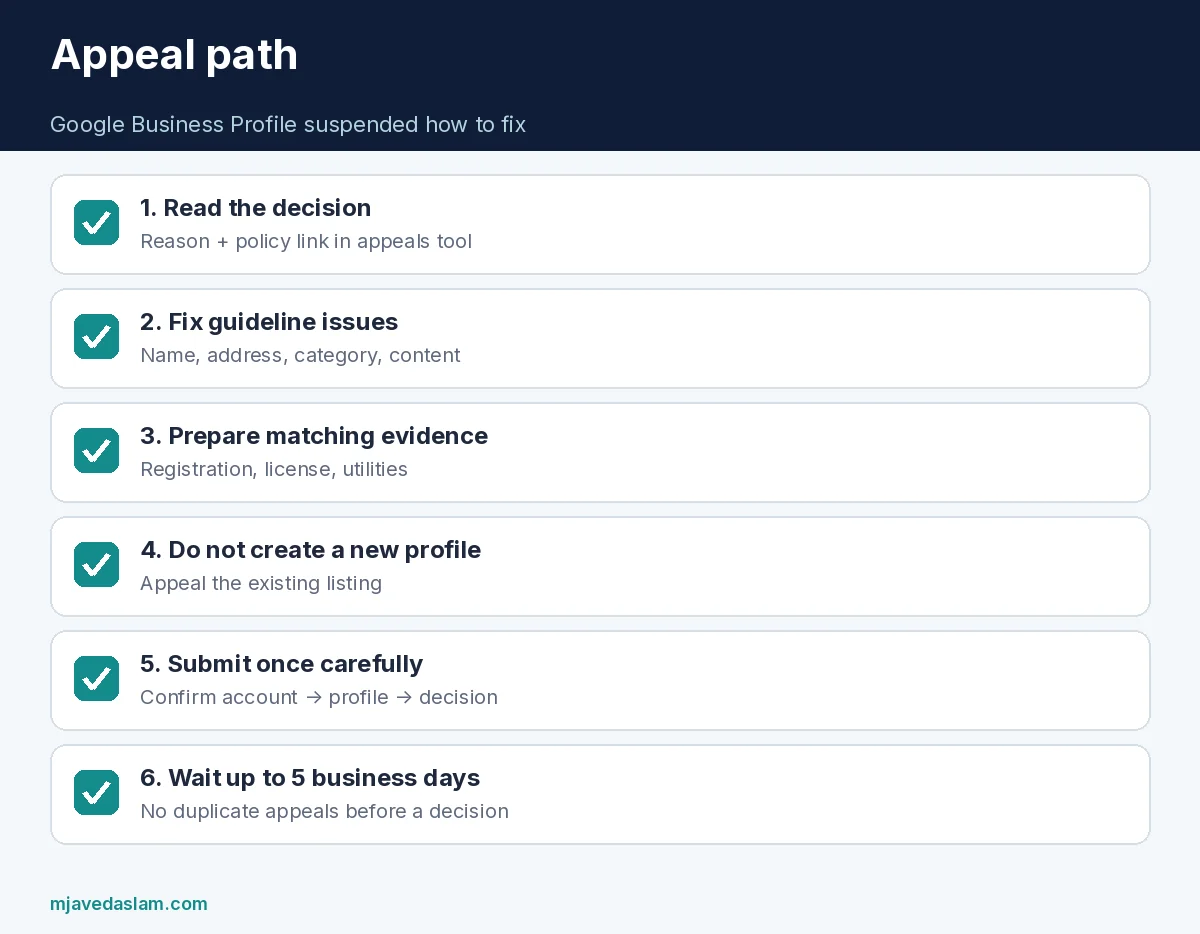
Google Business Profile suspended how to fix — quick path
- Read the decision details in the appeals tool (date, reason, policy link, whether it can be appealed, status).
- Fix whatever actually violated the guidelines for representing your business on Google — name stuffing, fake addresses, misleading categories, prohibited content, etc.
- Prepare evidence that matches the profile’s name and address: business registration, license, tax certificates, utility bills (electricity, phone, water/cable/internet as Help lists).
- Do not create a new Business Profile for the same business — Google states this explicitly in suspension/appeal Help.
- Open the Google Business Profile appeals tool, confirm the right Google Account, select the profile and decision, upload evidence, explain reinstatement in the text box, confirm you are ready to submit, then submit.
- Wait for email with the decision. Google’s appeal Help states appeal reviews and decisions can take up to 5 business days. Do not submit multiple appeals for the same issue before you receive a decision. Suspension Help also notes appeals can only be submitted once for that flow — treat the submission as your one careful shot.
If the account itself is restricted, Help explains that profiles you manage can be suspended as a result — follow the restricted-account guidance in the same Help family rather than opening random new accounts.
Before you appeal: fix the real problem
Appealing while the listing still shows a keyword-stuffed name, a virtual mailbox you do not serve from, or a category that misrepresents the business wastes your one strong appeal. Common guideline themes (always verify against current Help 3038177):
- Business name that does not match the real-world name customers see on-site.
- Address/pin issues for storefront vs service-area rules.
- Misleading categories or descriptions.
- Prohibited or deceptive content.
- Ownership / representation problems (managing a business you are not authorized to represent).
If duplicates exist, clean that mess with the duplicate process — fix duplicate GBP — rather than spawning yet another listing. Claiming basics for legitimately new businesses: claim Google Business Profile.
Evidence that strengthens an appeal
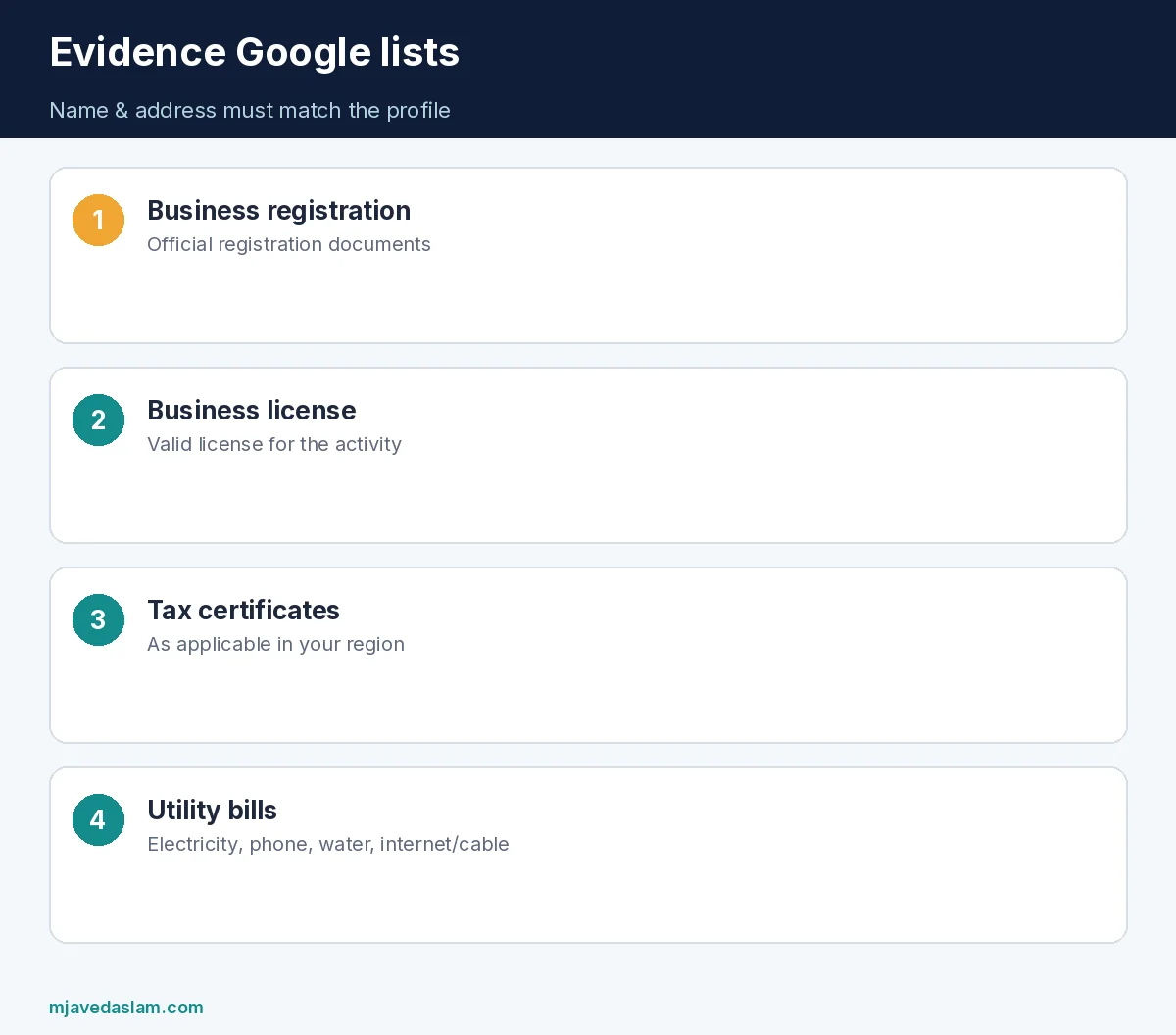
Google lists examples that can help:
- Official business registration
- Business license
- Tax certificates
- Utility bills for the business (electricity, phone, water, internet/cable as listed)
Tip from Help: names and addresses on documents should match the profile you are appealing. Blurry scans of unrelated personal mail do not help. Redact account numbers if needed, but leave identity and address lines readable.
Using the appeals tool (policy-only)
From Google’s fix-suspended Help:
- Open the official appeals tool (linked from Google Business Profile Help).
- Confirm or switch to the Google Account that manages the profile.
- Select the Business Profile → Continue.
- Select the decision to appeal → Continue.
- Review decision details (date, reason, policy link, appeal eligibility, status).
- Optional: Choose file to upload supporting evidence (multiple files allowed) and write why the profile should be reinstated.
- Check the confirmation box that you are ready to submit and that evidence is attached → Submit appeal.
Google says they will review and email the appeal decision. UK/EEA businesses have additional notes in the broader appeals Help (13597551) for certain restriction types — read the chart in that article if your business operates there.
What not to do
- Do not create a duplicate “temporary” profile to keep ranking while you appeal.
- Do not buy “GBP reinstatement” gigs that ask for your Google password.
- Do not spam multiple appeals before a decision — Help says not to.
- Do not invent fake utility bills.
- Do not change the business into a different fake entity just to clear a queue.
Policy-compliant local SEO still matters after reinstatement — local SEO, Map Pack checklist. Keep categories and names honest: primary category, description.
After reinstatement
- Screenshot the reinstated profile and store it with your ops docs.
- Audit name, address, hours, categories, attributes, services, and photos for guideline compliance.
- Limit owner accounts; remove ex-employees.
- Enable 2-step verification on the managing Google Account.
- Avoid aggressive edits that re-trigger review for unrelated fields in the same hour unless necessary.
If the appeal is denied, read the email carefully. Fix remaining issues before any further options Google offers for your region. Do not treat denial as a cue to open five new profiles — that deepens enforcement risk.
Agencies: get written authorization before appealing on a client’s behalf, use the client’s verified owner account when required, and keep evidence packages in a secure folder labeled with the exact GBP name and address string.
Suspended profiles hurt ads and organic alike because Maps and Search stop showing a trusted panel. Getting Google Business Profile suspended how to fix right is slower than a shady freelancer’s promise — and far safer for the brand.
Document every submission timestamp (Asia/Karachi or your local zone) and the Google Account email used. When staff change, that log prevents “we already appealed” confusion.
Timeline expectations (no invented guarantees)
Stick to what Google publishes: up to 5 business days for appeal reviews/decisions, and a single careful submission rather than a flurry of retries. Anyone promising same-day reinstatement for a fee is selling certainty Google does not document. Your job is accurate evidence, guideline repairs, and using the official tool.
While you wait, pause ads that point to “get directions” CTAs for a suspended panel if those ads waste spend, and update the website contact page so customers can still call or book. Suspension is a Maps/Search panel problem — your phone and site can still convert.
When Google Business Profile suspended how to fix work succeeds, schedule a 30-day compliance review so the same violation does not recur. Name stuffing that caused the first suspension will cause the next one if marketing insists on packing cities into the title.
Share the appeals email decision with ownership — not only marketing — so legal and ops understand which guideline failed. Repeat offenses after reinstatement are harder to explain in a future packet.
FAQ: Google Business Profile suspended how to fix
Why was my Google Business Profile suspended?
Google may suspend or disable profiles that do not follow the guidelines. The appeals tool shows the reason and policy link for the decision.
How long does an appeal take?
Google’s appeal Help states reviews and decisions can take up to 5 business days. Wait for the email decision rather than resubmitting early.
Can I create a new profile while suspended?
No — Google’s Help says do not create a new Business Profile for the same business. Appeal the existing profile instead.
What evidence should I upload?
Registration, license, tax certificates, and utility bills that match the business name and address on the profile are examples Google lists.
Can I appeal more than once?
Suspension Help notes appeals can only be submitted once in that tool flow; the broader appeals article says not to submit multiple appeals for the same issue before a decision. Prepare carefully before you submit.
Is this the same as fixing duplicates?
No. Duplicates are a separate cleanup. Suspension is an enforcement state that needs the appeals tool and guideline compliance.
For Google Business Profile suspended how to fix situations, patience plus honest documentation beats any unofficial “guaranteed reinstatement” pitch.