Google Ads ad extensions for local business are now called assets in Google Ads Help. Assets add phone numbers, locations, sitelinks, callouts, structured snippets, and more to your Search ads so people can call, get directions, or jump to a useful page without hunting. There is no fee to add assets; you are charged for clicks and certain interactions (calls, directions) as usual — seller-rating clicks are an exception Google does not charge for.
This article is only about which assets local shops should enable first. It is not Search vs Display network choice, negative keywords, Quality Score theory, match types, or budget sizing — those live elsewhere so this keyphrase stays distinct.
Campaign help: Google Ads services.
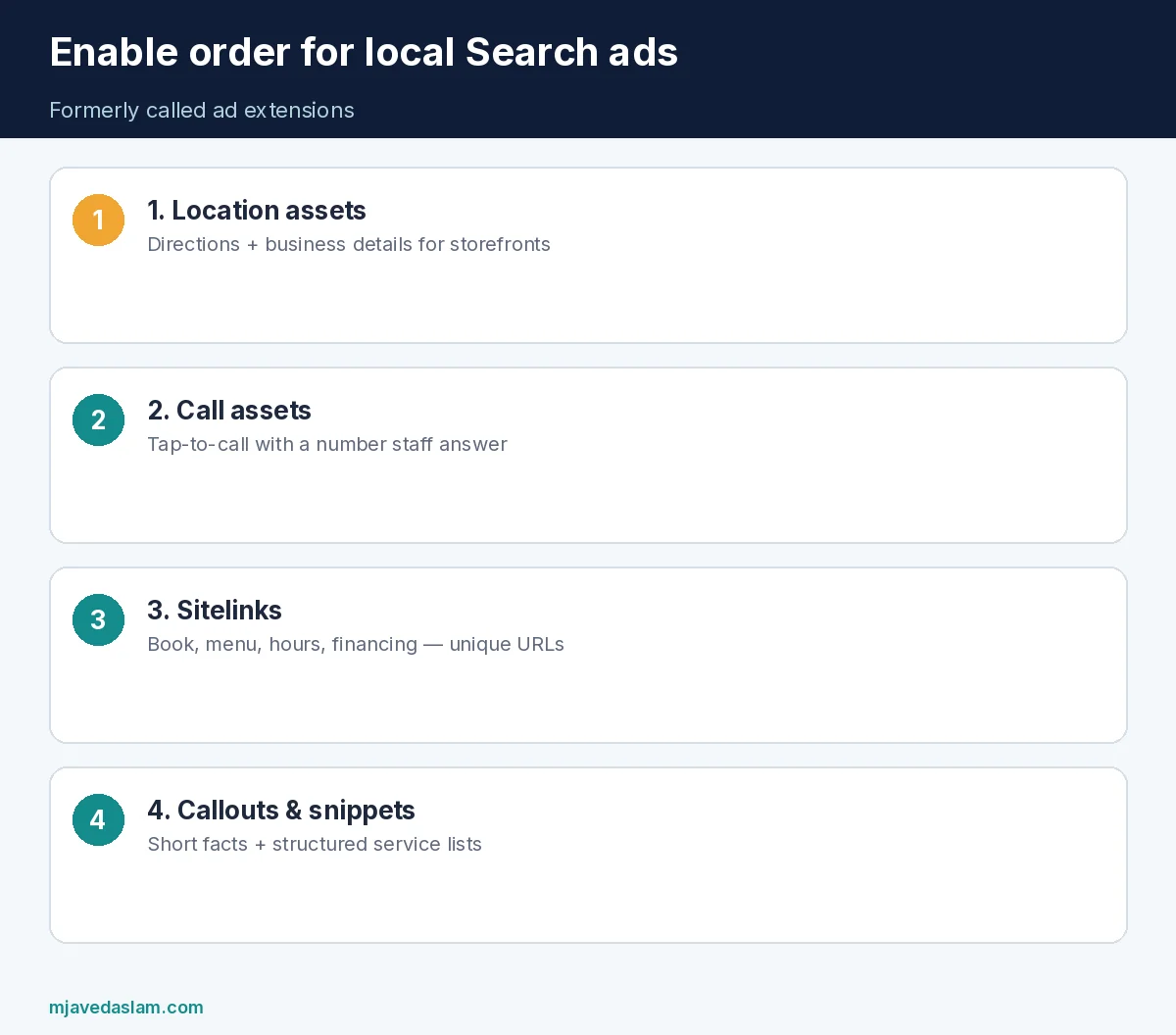
Google Ads ad extensions for local business — enable these first
- Location assets — show address, map/directions path, and business details tied to your locations (often via Business Profile linkage). Priority #1 for storefronts.
- Call assets — show a tap-to-call phone number so mobile searchers can ring the desk. Pair with call reporting/conversions when you care about phone leads.
- Sitelink assets — extra links (Hours, Menu, Book, Directions page, Financing). Use real landing pages, not homepage repeats.
- Callout assets — short non-clickable phrases (“Same-day service,” “Licensed & insured,” “Free estimates”).
- Structured snippet assets — header + list (e.g., Services: Oil change, Brakes, Tires).
- Then consider image, price, or promotion assets if they match offers you can honor.
Google’s About assets Help notes that Google selects which additional assets to show per query, so add every asset that truly fits — unused relevance is wasted. Some assets can also be added automatically when Google predicts they help; you can still create manual ones that match your brand voice.
Why “extensions” became “assets”
Older tutorials still say “ad extensions.” In current Google Ads Help the umbrella term is assets (sitelink assets, call assets, location assets, and so on). If you are auditing an account in 2026, look under Assets in the Campaigns menu — not an Extensions label from a 2019 screenshot.
Cost facts from Google Help worth remembering:
- No charge merely to add assets.
- Clicks on headlines, sitelinks, images, call buttons, directions icons, and similar interactions are billed like normal clicks (with stated exceptions such as seller ratings).
- Google Ads charges no more than two clicks per impression on each ad and its assets.
Do not invent CTR lift percentages. Your lift depends on auction, creative, and vertical.
Location assets (storefront priority)
Location assets encourage visits by showing location info and paths into business details (hours, photos, directions). Google’s location-assets Help is the source of truth for setup and requirements. For multi-location brands, keep Business Profile data clean first — wrong hours on GBP become wrong expectations from the ad.
If you want people to visit the store but call a central number, Google’s About assets guidance notes combining call assets with location assets. Local SEO still matters for organic Maps: local SEO, Google Business Profile.
Call assets (phone-lead priority)
Call assets put a phone number on the ad so people can tap to call or still reach the site. Google’s call-assets Help states they can increase engagement and that numbers may be toll-free, standard, mobile, shared-cost, or non-standard cost (with disclaimer behavior for some number types). Verify numbers; dynamic number insertion on the site can complicate verification — follow Help troubleshooting rather than guessing.
Track calls as conversions when phone bookings matter. Without conversion tracking, you are optimizing for clicks that may not be calls: conversion tracking on WordPress.
Sitelinks, callouts, and snippets for local intent
- Sitelinks: Book online, Service areas, Coupons, About/team, Reviews page — each with a unique URL and clear description lines when available.
- Callouts: Open weekends, Family owned, Parts in stock — factual, not keyword stuffing.
- Structured snippets: Use a predefined header (Services, Brands, Amenities) and list items customers compare.
Promotion and price assets help when you have real limited-time offers or publishable price categories — never invent discount claims for the ad that the front desk will not honor.
Account vs campaign vs ad group
Google’s assets guidance recommends creating assets at higher levels when they apply everywhere (account or campaign), then overriding only where a location or offer differs. A single “Open 24 hours” callout at account level will embarrass the branch that closes at 6. Prefer campaign-level assets per city or brand when hours and offers diverge.
Automated account-level assets may appear when Google predicts benefit. Review them periodically so automated sitelinks do not point at thin or outdated pages.
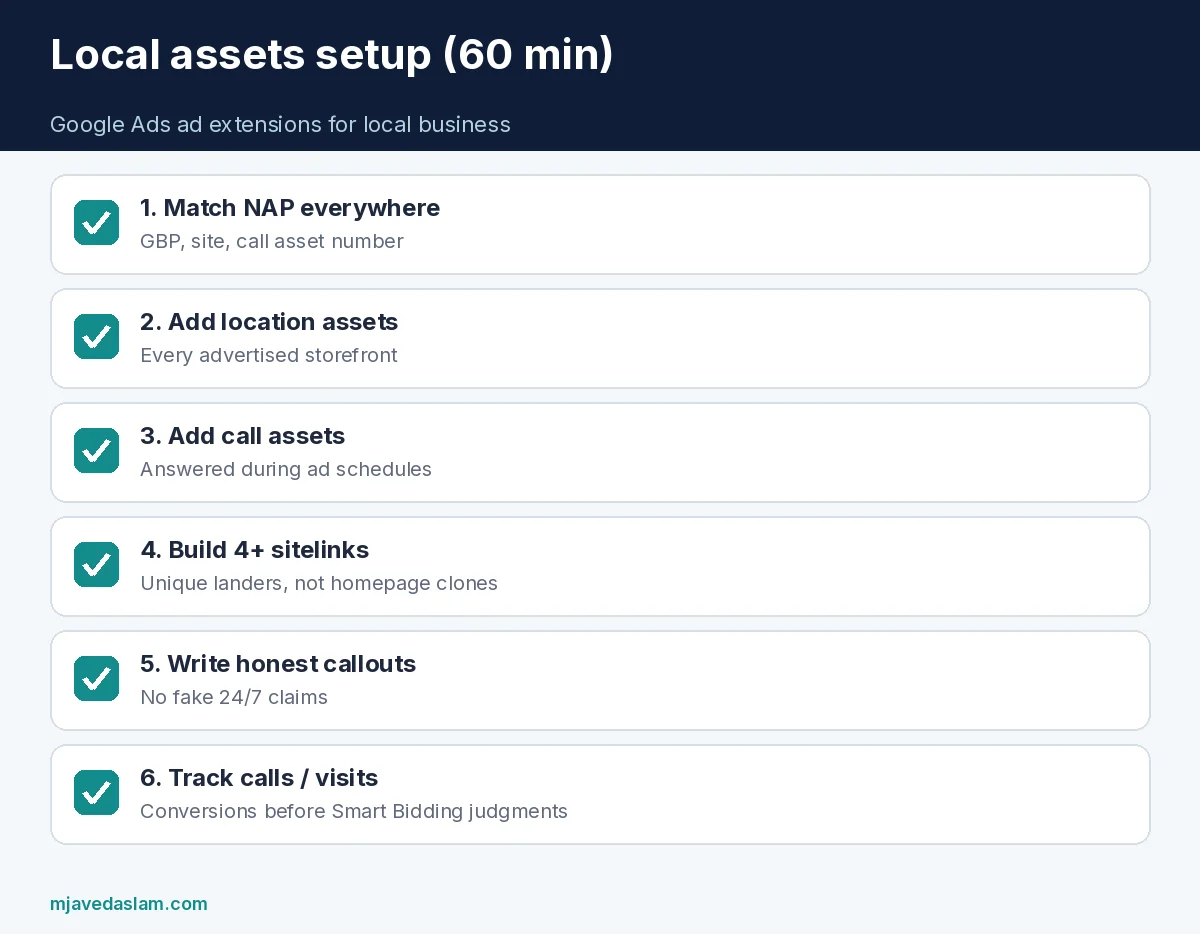
Local setup checklist (60 minutes)
- Confirm Business Profile NAP matches the website and call asset number.
- Add location assets for every storefront you advertise.
- Add call assets with the number staff actually answer during ad hours.
- Create 4+ sitelinks with unique landers.
- Add 6+ callouts that are true every day you bid.
- Add one structured snippet for core services.
- Enable call/direction conversion actions you will actually use in bidding.
- Exclude irrelevant queries with negatives — negative keywords guide.
Network choice still comes first for small budgets — Search vs Display: Search vs Display. Match types and Quality Score affect which auctions you enter, but assets decide how useful the ad looks once you are there: match types, Quality Score.
Common mistakes
- Leaving location and call assets empty while writing longer headlines.
- Sitelinks that all dump onto the homepage.
- Callouts that promise “24/7” when the shop is not.
- Using a personal mobile number that goes to voicemail after 5 p.m. while ads still run.
- Assuming assets are free traffic — interactions still cost.
- Ignoring asset reports — Google documents measuring ad asset performance; pause weak sitelinks.
When you refresh offers, update promotion assets and sitelinks the same day you change the landing page. Stale “20% off brake pads” assets create chargebacks and bad reviews faster than they create ROAS.
For service-area businesses without a storefront customers can visit, lean on call, sitelink, callout, and snippet assets; location assets that imply a public retail counter can confuse people if Google’s location rules for your setup show an address you do not serve from publicly — follow Business Profile and location-asset eligibility rather than forcing a pin.
How assets interact with bidding and schedules
Assets do not replace a sane bid strategy. If you only run ads during hours someone answers the phone, align ad schedules with call assets — overnight call clicks to a closed desk waste budget. Location assets that drive “directions” clicks after closing time can still help planners for tomorrow’s visit, but call assets overnight often do not.
When you use Smart Bidding toward calls or store visits, give the account clean conversion data for two weeks before judging asset lift. Changing five sitelinks and the bid strategy on the same day makes learning noisy. Change assets in batches, annotate the change date, and compare asset reports rather than overall CTR alone.
Franchise advertisers should maintain a shared sitelink template (Book, Menu, Careers, Coupons) and a location-specific override list (local landing pages, local phone numbers). That keeps Google Ads ad extensions for local business consistent without forcing every city onto one national URL that ignores inventory and hours.
FAQ: Google Ads ad extensions for local business
Are ad extensions the same as assets?
Yes in practice — Google Ads Help now uses “assets” for what many older guides called extensions (call, location, sitelink, and others).
Which assets should a local business enable first?
Location and call assets first for storefronts that want visits and phone leads, then sitelinks, callouts, and structured snippets.
Do assets cost extra?
There is no fee to add them. Clicks and many asset interactions are charged as usual; Google notes seller-rating clicks as an exception.
Can Google add assets automatically?
Yes. Account-level automated assets and text customization can add content when Google predicts improvement. Review them so they stay accurate.
Do assets guarantee a higher Ad Rank?
Google explains that assets can increase prominence and engagement; they do not publish a universal ranking guarantee. Ad Rank still depends on auction dynamics.
Where do I manage assets in Google Ads?
Under Campaigns → Assets (labels can vary slightly). Association views let you remove assets from campaigns when needed.
Mastering Google Ads ad extensions for local business is mostly operational honesty: correct numbers, real hours, landers that match the sitelink promise, and conversion tracking on the calls you care about.