How to use X analytics for a small business is less about downloading every chart and more about answering three questions each month: Did anyone click through? Did anyone talk back? Which two posts deserve a remake? X (Twitter) analytics tools and the native post-level views give you the numbers — your job is picking metrics that map to inquiries, not vanity. This guide covers how to use X analytics for small business without chasing vanity metrics.
This guide is the SMB KPI playbook. It is not the native scheduling how-to and not the free scheduling-tools comparison — those stay in their own posts: how to schedule tweets on X, best free X scheduling tools.
How to use X analytics for small business (quick answer)
- Open post-level analytics on the posts you published (mobile app analytics icon under a post is the usual free path).
- If your account has access, review the broader dashboard at analytics.x.com (access rules have shifted toward Premium on desktop — confirm what your login shows today; official Help pages often block automated checks).
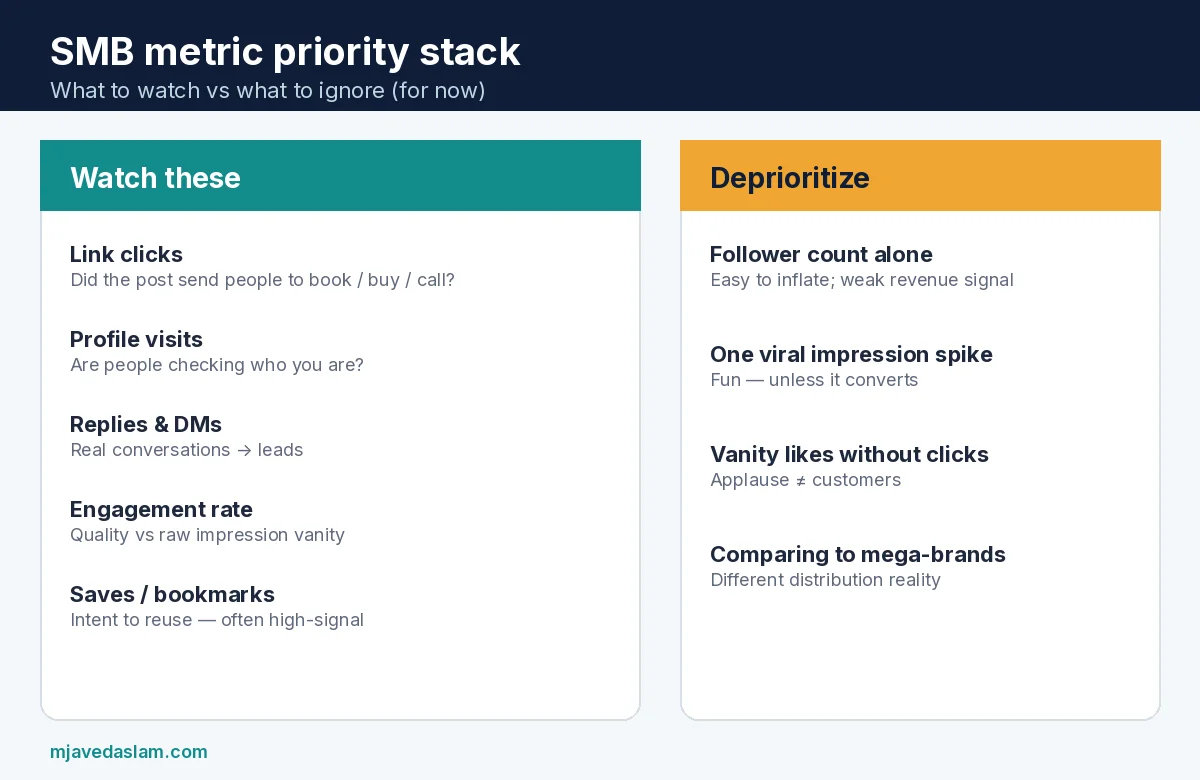
- Prioritize link clicks, profile visits, replies, and engagement rate over raw follower count.
- Treat impressions as distribution context (how often the post was shown), not unique customers.
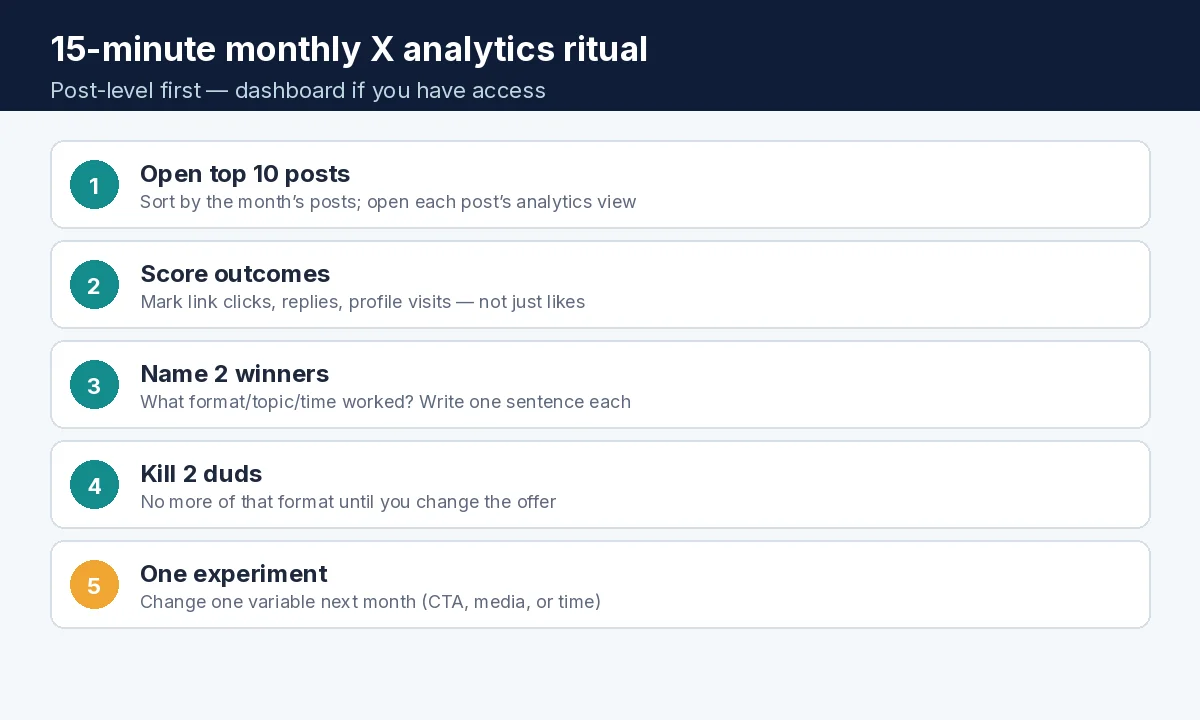
- Run a 15-minute monthly ritual: score top posts, keep two winners, kill two duds, plan one experiment.
- Connect wins to business outcomes (calls, form fills, booked jobs) — analytics alone do not pay invoices.
Where to find X analytics in 2026
- Post-level (most SMBs start here): On the X mobile app, open one of your posts and tap the analytics / bar-chart control to see views/impressions-style counts, likes, replies, reposts, bookmarks, and often link or profile activity for that post. Enough to judge content quality without a spreadsheet.
- Account dashboard: Sign in at analytics.x.com. Third-party explainers in 2026 report that the fuller desktop dashboard is commonly gated behind X Premium, while post-level mobile stats remain available without it. X’s own Help URLs frequently return bot challenges (HTTP 403) to automated clients — verify the paywall and labels inside your logged-in account before you budget for Premium solely for analytics.
- Ads analytics: Separate from organic post analytics. If you run X Ads, use Ads reporting for paid impressions/engagements — do not mix paid and organic when you judge organic content quality.
- Third-party schedulers: Some free/paid tools surface post metrics beside the calendar — useful, but still validate against native numbers when a decision is expensive. See the scheduling-tools article for free-tier reality checks.
UI labels rotate (Tweet → Post, Views vs Impressions). Screenshot your own dashboard the day you read this so your team shares one vocabulary.
Metric dictionary (plain English)
- Impressions / views: How many times the post was displayed. One person can generate multiple impressions. Good for “did the algorithm show this?” — weak as a revenue headline by itself.
- Engagements: Interactions (likes, replies, reposts/quotes, and related taps depending on the UI).
- Engagement rate: Engagements relative to impressions. Helps compare a 2,000-impression post to a 50,000-impression post fairly.
- Link clicks: Clicks on URLs in the post — closest organic proxy to “someone headed toward the offer.”
- Profile visits / profile clicks: People inspecting who you are — early trust step before a follow or DM.
- Replies & quote posts: Conversation. For local businesses, a serious reply often beats fifty silent likes.
- Bookmarks / saves: High-intent “I might need this later” behavior.
- Followers: Audience size now. Track direction monthly; do not obsess daily.
- Video views / completion (when shown): Useful if video is a core format — pair with clicks, not vanity watch counts alone.
Which metrics actually matter for SMBs
Match metrics to the job of the account:
- Lead gen / bookings: Link clicks → landing-page conversions (use UTM tags). Profile visits and DMs as secondary.
- Local reputation: Replies you answer well, quote-posts from customers, bookmarkable tips.
- Thought leadership / hiring: Profile visits, follows from the right people, meaningful replies — not random viral dunks.
- Content testing: Engagement rate + saves while you learn what formats your niche likes.
Deprioritize: chasing a million impressions with zero site visits; buying fake followers; copying creator-economy “RPM” math when you are a plumber or clinic.
The 15-minute monthly ritual
- List last month’s posts (native calendar, scheduler, or profile).
- Open analytics for the ten you cared about most.
- Tag each: Driver (clicks/conversations), Meh, or Dud.
- Write two sentences: “Winners used ___. Losers failed because ___.”
- Schedule next month’s batch with one controlled experiment (new CTA, different media, or a pin change) — how to pin a post on X.
- If you pay for Premium mainly for charts, confirm the dashboard still earns its fee versus a simple post-level + spreadsheet habit.
Export or screenshot winners into your content swipe file. Tie any “best post” claim to a business event when you can (promo week, storm season, product launch).
Common traps
- Reading ads metrics as organic proof.
- Changing five variables at once, then guessing what worked.
- Ignoring replies while celebrating likes.
- Posting more of a viral dud topic that attracted the wrong audience.
- Letting a scheduler’s vanity “best time” override your own click data.
For broader digital strategy help: services. X is one channel — pair it with searchable proof on your site and Google Business Profile when customers check you after a post.
Example for a local clinic: a post with 800 impressions, 40 link clicks to /book, and 6 appointment starts beats a dunk with 40,000 impressions and zero site visits. Example for a B2B consultant: a thread with 25 profile visits from target titles and 3 discovery calls beats a meme that only entertains peers.
If you use a VA, give them a scorecard: link clicks, replies needing owner response, and “do not buy followers.” Review their monthly note in fifteen minutes — same ritual, delegated collection.
When X changes labels again (it will), re-map your scorecard instead of rewriting strategy. The business questions stay stable even when the product chrome does not. Keep official Help and analytics.x.com as the source of truth for what your account can see on the day you log in.
Developer/API metrics exist for builders (public engagement fields on posts via the X API), but most small businesses never need an API key — start with the native post view and a notebook. If you later automate reporting, treat API metric names as engineering detail, not a substitute for the monthly judgment call.
Keep a running note of posts that produced a real lead — even one. Over a quarter, that list teaches more than any generic “best time to post” chart. Analytics is a flashlight; your CRM or call log is still the scoreboard.
FAQ: X analytics for small business
How do I open X analytics without Premium?
Use post-level analytics in the X mobile app on your own posts. Full desktop account dashboards are widely reported as Premium-gated in 2026 — confirm on your login at analytics.x.com.
What is a good engagement rate on X?
It varies by niche and audience size. Compare your posts to your own median rather than a global “good” number from a roundup. Rising rate with steady clicks is the healthier signal.
Which X metric matters most for leads?
Link clicks into a tracked landing page, then actual form fills/calls. Profile visits and quality replies are supporting evidence.
Are impressions the same as reach?
No. Impressions count displays (including repeats). Reach-style unique-people metrics are not always shown the same way — don’t present impressions as unique customers.
Should I pay for X Premium just for analytics?
Only if you will use account-level trends weekly and the rest of Premium’s benefits. Many SMBs do fine with post-level checks plus a simple monthly ritual.
Do scheduling tools replace X analytics?
They can summarize metrics beside a calendar, but validate important decisions against native post analytics. Tool free tiers change — re-check before you rely on them.