

Your X profile is a landing page whether you treat it that way or not. Learning how to pin a tweet on X (now usually labeled a “post”) puts one message at the top of your profile so new visitors see the offer, proof, or booking link you choose — not whatever you posted at 11 p.m. last night.
Pinning takes under a minute on the web app or mobile apps. You can pin only your own posts, one at a time; pinning a new post replaces the previous pin. Below are the steps, how to unpin, what small businesses should pin, and fixes when the menu option won’t appear.
How to pin a tweet on X (web, iPhone, Android)
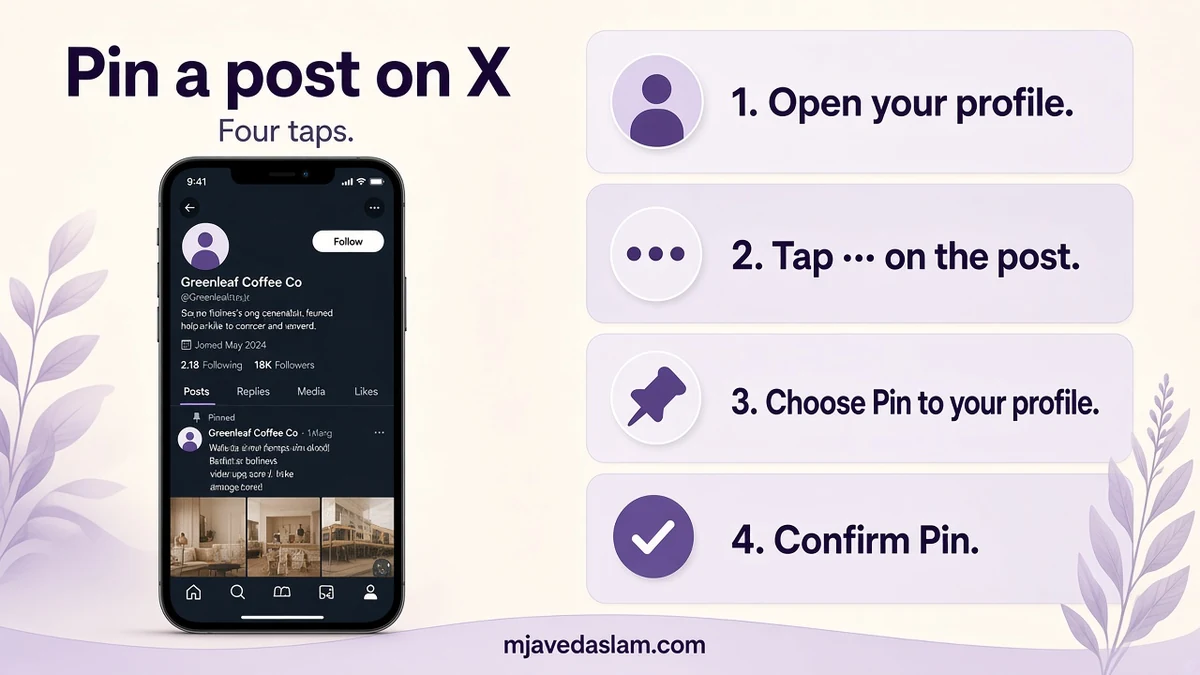
The flow is the same idea everywhere: open your profile → open the ··· menu on your post → Pin to your profile → confirm Pin.
On x.com (desktop or mobile browser)
- Sign in and open Profile from the left navigation.
- Scroll to the post you want visitors to see first.
- Click the more options icon (three dots) at the top of that post.
- Choose Pin to your profile.
- Confirm with Pin.
On the X app (iPhone or Android)
- Open the X app and go to your profile.
- Find the post to feature.
- Tap the three-dot menu on that post.
- Tap Pin to your profile, then Pin.
After you confirm, the post sits at the top of your profile with a pinned indicator. Pinning another post replaces the old one — there isn’t a multi-pin carousel for standard profiles.
How to unpin a post on X
- Open your profile.
- Open the three-dot menu on the pinned post.
- Choose Unpin from profile.
- Confirm Unpin.
Unpinning does not delete the post; it only removes the pinned placement. Delete is a separate action and removes the post from your profile, followers’ timelines, and X search (quote posts other people made can remain — follow current X delete Help when you need the exact effects).
What small businesses should pin (and rotate)
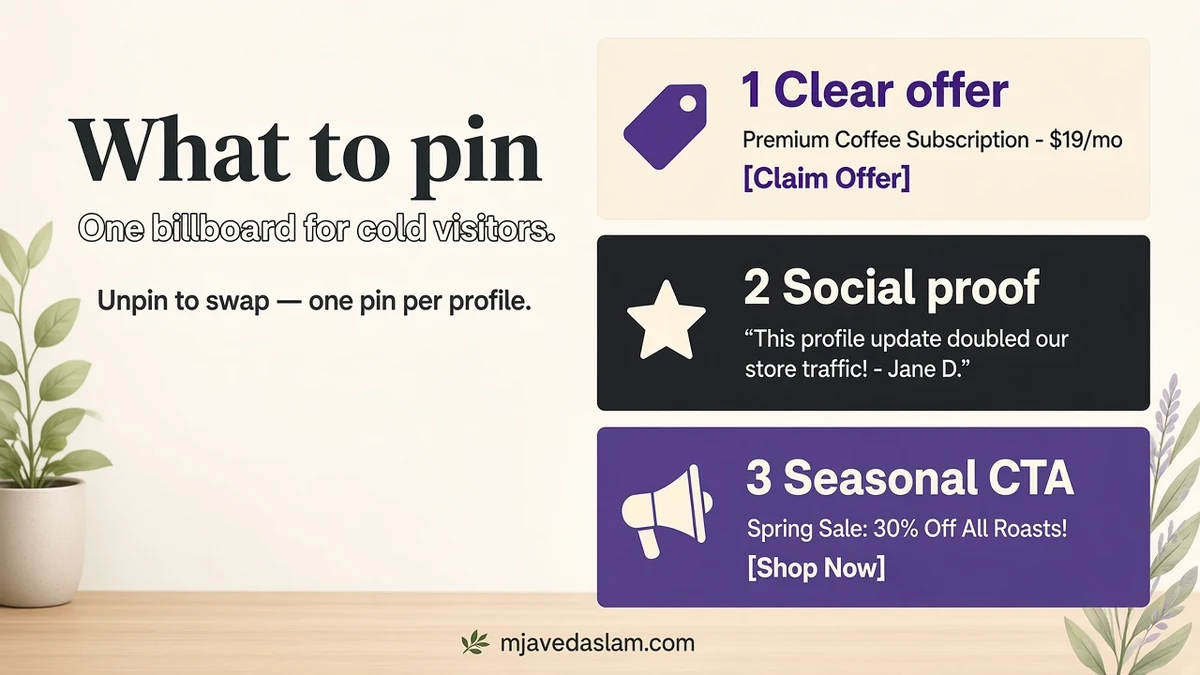
Think of the pin as a billboard for cold visitors from Google, email, or a LinkedIn bio link. Strong pins usually do one job:
- Offer + next step: clear service, city/area if relevant, and a link or “DM BOOK” style CTA you actually monitor.
- Social proof: a short win (“Booked solid Saturdays — next openings Tuesday”) with a photo of real work — not fake stock.
- Lead magnet: checklist, price guide, or booking calendar — one link, one ask.
- Hiring or seasonal push: “AC tune-ups before June heat” or “Now booking Ramadan catering” when timing matters.
- Trust: license, insurance, years open, or a short video walkthrough of the shop.
Weak pins: vague slogans, unfinished threads, quote-tweet arguments, or a meme that aged poorly. If your best post is someone else’s viral take, quote it with your value-add and pin your quote — you can’t pin another account’s original post to your profile.
Rotate monthly or when the campaign ends. A pinned “Black Friday” post in March trains visitors to ignore you. For scheduling the posts you’ll later pin, see how to schedule tweets on X and the broader Twitter / X marketing tools roundup.
Pin vs highlight vs bio — don’t confuse the slots
- Pinned post: one post stuck to the top of your Posts tab.
- Bio / website field: always-visible text and one primary link (use a simple landing page when you need more than one CTA).
- Header + avatar: brand recognition; keep them readable at small sizes.
- Highlights (when available on your account): a curated tab — complementary to a pin, not a replacement for a single clear CTA.
Labels and Premium features change. If your app shows different wording, follow the on-screen Pin / Unpin controls on your own post.
Examples of strong pinned posts (templates)
Steal the structure, not the fake stats. Fill in real details only:
- Service business: “Same-week [service] appointments in [area]. Licensed · insured · photo updates after every visit. Reply READY or book via the link in bio.”
- Clinic / professional: “New patient openings this month for [specialty]. Evening slots on Tue/Thu. Message this account with your preferred day — we’ll send next steps.”
- Retail / café: “Weekend hours + what’s on the counter. Tap the link for today’s menu; mention this post in-store for a friendly hello from the team.”
- B2B consultant: “I help [ICP] fix [pain] in 30 days. Pin = free 1-page checklist. Comment CHECKLIST and I’ll DM the PDF.”
Attach one sharp image or short video. Walls of hashtags under a pin look desperate; two or three relevant tags are plenty. If you use a link shortener, keep UTM parameters consistent with the rest of your marketing so you can attribute profile traffic in Analytics.
Avoid pinning unfinished threads. If the value is in a thread, write a standalone summary post that links or points to the thread, then pin the summary so skimmers get the point in one card.
Troubleshooting: “Pin to your profile” missing
- Not your post: open the post from your profile, or quote it and pin the quote.
- Wrong account: switch to the account that owns the post (common with agency logins).
- Looking under the post: the control is in the top ··· menu, not the reply/repost row.
- Deleted or protected oddities: refresh; confirm the post still exists on your profile.
- Stale app: update the X app or retry on x.com.
Also remember: some post types have edit limits. Third-party summaries of X Help note pinned posts among types that can’t currently be edited — write carefully before you pin, or unpin, delete, and post a corrected version if you must change the copy.
A 10-minute pin workflow for local businesses
- Draft one post with offer, area, and CTA; add a clear photo of your work or storefront.
- Publish (or schedule, then publish) from the business account.
- Pin it immediately so the profile never shows an empty or random top post.
- Add the same CTA language to your website contact page for consistency.
- Reply to early comments so the pin looks alive when prospects scroll.
- Set a calendar reminder to swap the pin when the offer expires.
If X is only one channel in a local acquisition mix, pair the pin with a solid Maps presence — start from Google Business Profile help and local SEO. For hands-on setup across channels, see services.
Keep a short swipe file of past pins that drove DMs or link clicks. When you reinvent the wheel every month, you lose the wording that already worked. Screenshot metrics from the pinned period (profile visits, link clicks if you use a tracked URL) so the next pin is a decision, not a guess.
FAQ: pinning posts on X
How do I pin a tweet on X?
Open your profile, open the three-dot menu on your post, choose Pin to your profile, and confirm Pin. Works on x.com and the iPhone/Android apps.
Can I pin more than one tweet?
Standard profiles feature one pinned post at a time. Pinning a new post replaces the previous pin.
How do I unpin a tweet on X?
Open the three-dot menu on the pinned post → Unpin from profile → confirm Unpin.
Can I pin someone else’s tweet to my profile?
No. Pin your own posts. To feature someone else’s idea, quote it with your commentary and pin your quote post.
Will pinning boost the post in the For You feed?
Pinning controls profile placement. It is not the same as paid promotion or a guarantee of algorithmic distribution in home timelines.
What should a small business pin?
A clear offer with a next step — booking, DM keyword, or lead magnet — plus proof. Rotate when the campaign ends.
Want the pin to match a fuller content system? Use free X scheduling tools when native scheduling isn’t enough, and keep the profile CTA aligned with your site.