A database reactivation campaign is a short, planned set of messages sent to people already in your records, such as old enquiries, past customers and quotes that went quiet, to restart a conversation and turn some of them into booked work. It costs very little because you already paid to get these contacts. For many service businesses, it’s the fastest way to fill the calendar without spending another dollar on ads.
This guide walks through the full process: building one clean list, checking consent, splitting contacts into segments, writing messages that get replies, handling those replies fast, and measuring results. Examples are illustrative, not from real clients.
Why reactivation works
Most service businesses have hundreds or thousands of contacts who once showed interest and then went silent. They didn’t necessarily say no. Life got busy, the timing was wrong, the quote arrived when they were comparing options, or nobody followed up after the second call.
Those people already know your name. Some of them still need the service. Others needed it last year and will need it again: an annual HVAC tune-up, a gutter clean, a tax return, a deep clean before the holidays. A reactivation campaign simply reminds them you’re there and makes it easy to say yes.
It also costs far less than new leads. You’re not paying for clicks. You’re paying for a few hours of setup and the cost of texts and emails.
Step 1: Build one clean list
Contacts are usually scattered: an old CRM, a booking system, an email inbox, a spreadsheet the previous office manager kept, your phone’s contacts. Pull them into one place.
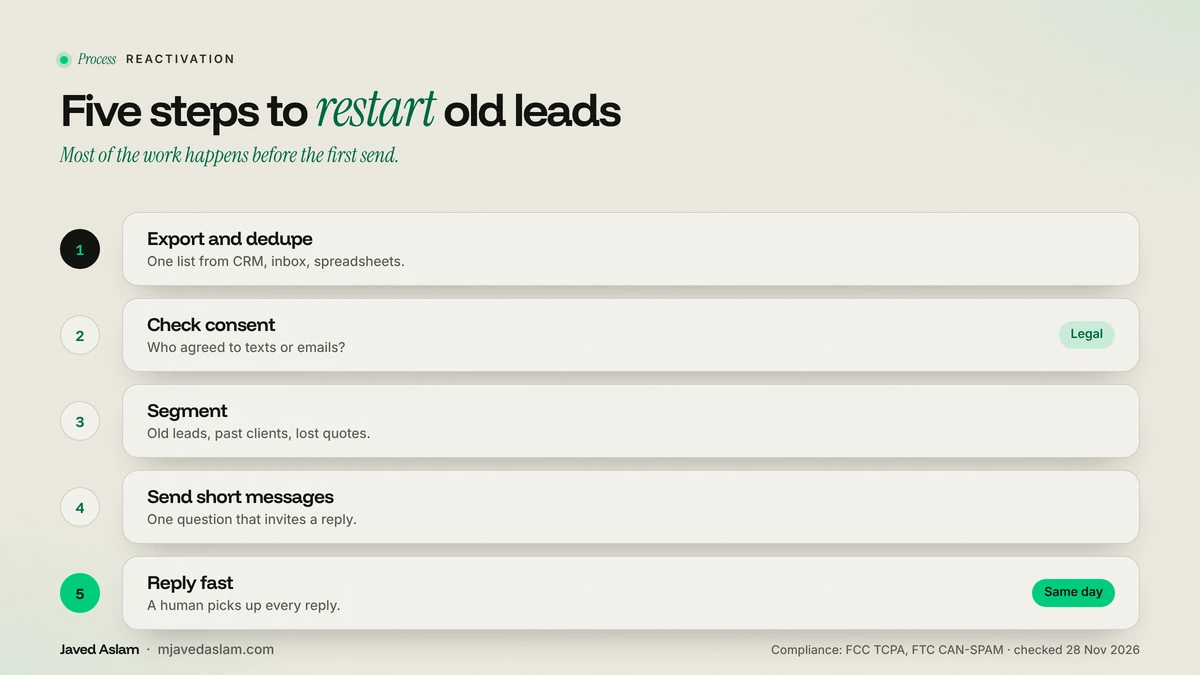
- Export everything into a spreadsheet: name, phone, email, date of last contact, what they enquired about or bought, and any opt-out notes.
- Remove duplicates. Match on phone and email. Duplicates lead to people getting the same message twice, which looks careless.
- Remove anyone who opted out, asked not to be contacted, or complained. Keep a suppression list so they never get added back.
- Fix formatting. Phone numbers in one format, names capitalised properly, obvious junk entries deleted.
- Add a “last activity” date if you can. It helps you segment and personalise.
If you use a CRM such as GoHighLevel, import the cleaned list with tags that show its origin, for example “import-2024-spreadsheet”. My guide to GoHighLevel custom fields shows how to store details like “last service date” so workflows can use them.
Step 2: Check consent before you send anything
This step protects you. Text messages and marketing calls in the US are covered by the Telephone Consumer Protection Act (TCPA), and marketing emails by the CAN-SPAM Act. Several states have their own, stricter rules.
In plain terms:
- Marketing texts generally need prior express written consent. If someone gave you their number for a quote but never agreed to marketing texts, don’t text them a promotion.
- Emails can usually be sent to past customers and enquiries, but must include your business address and a working unsubscribe link, and must honour opt-outs.
- Quiet hours: telemarketing rules restrict calls before 8 AM and after 9 PM in the recipient’s time zone. Use the same window for texts, and some states are stricter.
- Opt-out: every text should make it easy to stop, for example “Reply STOP to opt out”, and stops must be honoured immediately.
Your texting provider also needs your number registered for A2P 10DLC before sending business texts at volume. My guide to A2P 10DLC covers the process. The FCC and FTC both publish guidance for businesses. This isn’t legal advice, so check with a lawyer if you’re unsure about your list.
If you’re not sure whether a contact consented to texts, put them in the email group. It’s slower but safe.
Step 3: Segment the list
Different contacts need different messages. A homeowner who asked for a quote two years ago is in a different place from a customer who used you every spring until last year.
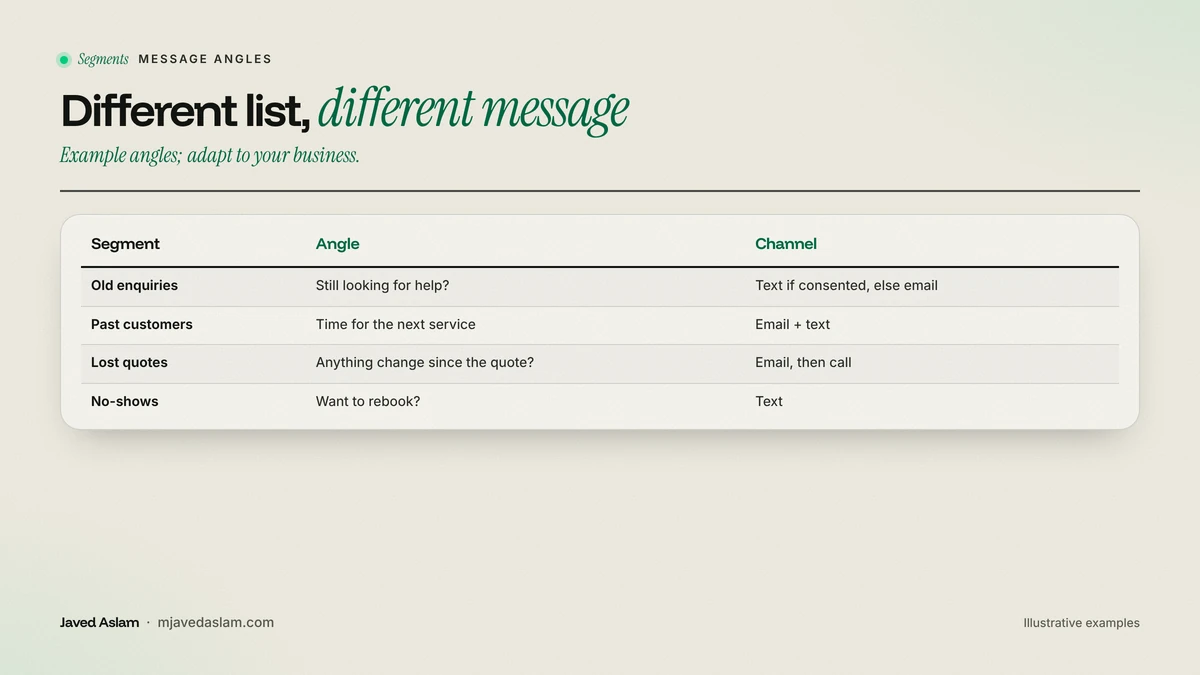
Common segments for a service business:
| Segment | Who | Typical angle |
|---|---|---|
| — | — | — |
| Old enquiries | Asked about a service, never booked | Still looking for help? |
| Lost quotes | Received a quote, didn’t accept | Anything changed since the quote? |
| Past customers | Used you once or more, not recently | Time for the next service? |
| Lapsed regulars | Booked regularly, then stopped | We’d love to have you back |
| No-shows and cancellations | Booked, didn’t show or cancelled | Want to find a better time? |
Keep segments small enough that messages feel relevant, but don’t create twenty. Three to five is plenty for a first campaign.
Step 4: Write messages that start conversations
The best reactivation messages are short, personal and ask one easy question. They read like a person checking in, not a promotion.
Message principles
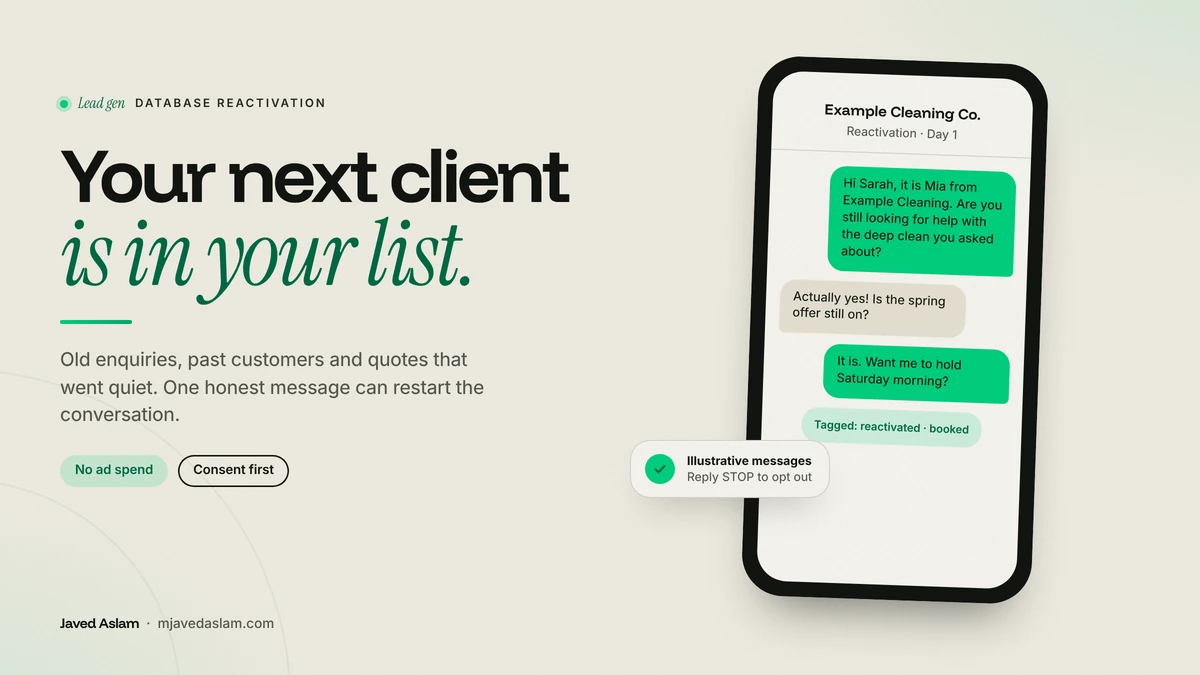
- Use their first name and your name. “Hi Sarah, it’s Mia from Example Cleaning.”
- Reference what they asked about if you know it: “the deep clean you asked about”.
- Ask a yes-or-no question. “Are you still looking for help with that?” Replies are easy, and a reply opens the conversation.
- Don’t lead with a discount. Offers can help, but a message that starts with “20% OFF!” feels like spam. Add an offer in a follow-up if needed.
- Keep texts under 160 characters where possible, so they arrive as a single message.
Example texts (illustrative)
- Old enquiry: “Hi Sarah, it’s Mia from Example Cleaning. Are you still looking for help with the deep clean you asked about?”
- Past customer: “Hi Tom, it’s Dave from Example HVAC. It’s been about a year since your AC tune-up. Want me to send some times for this spring?”
- Lost quote: “Hi Priya, Sam here from Example Roofing. Just checking in on the roof quote from last year. Is that project still on your list?”
Add opt-out language to the first text you send each contact, and include it in later texts where your provider or local rules require.
Example email (illustrative)
Subject: Still planning that kitchen remodel?
“Hi Jen, it’s Alex from Example Remodeling. Last spring you asked us about a kitchen remodel and we sent over a quote. I wanted to check whether the project is still on your list. If it is, I can update the quote with current pricing and our availability for the summer. Just reply to this email and I’ll take care of it.”
Step 5: Plan the follow-up
One message gets some replies. A short sequence gets more. A typical reactivation sequence:
- Day 1: the first message (text if consented, otherwise email).
- Day 3: a gentle follow-up to non-responders: “Just bumping this in case it got buried.”
- Day 7: a useful reason to act, such as seasonal availability or a limited offer.
- Day 14: a final note: “I’ll stop checking in, but if you ever need us, just reply.”
Stop the sequence for anyone who replies, books or opts out. In GoHighLevel and most CRMs, you can set a workflow to end when a contact replies. My guide to GoHighLevel automation shows how to build these stop conditions.
Step 6: Reply fast to every response
This is where campaigns succeed or fail. A reactivation campaign can generate a wave of replies in the first few hours. If they sit for a day, most of the warmth is gone.
- Send in batches, for example 100 contacts at a time, so your team can keep up.
- Assign one person to the conversations inbox during the campaign.
- Prepare replies for common answers: “Yes, still interested”, “Not now”, “We used someone else”, “How much is it now?”
- Book on the spot. Send a booking link or offer two specific times.
My piece on speed to lead explains why replying in minutes matters, and the same applies to reactivated leads.
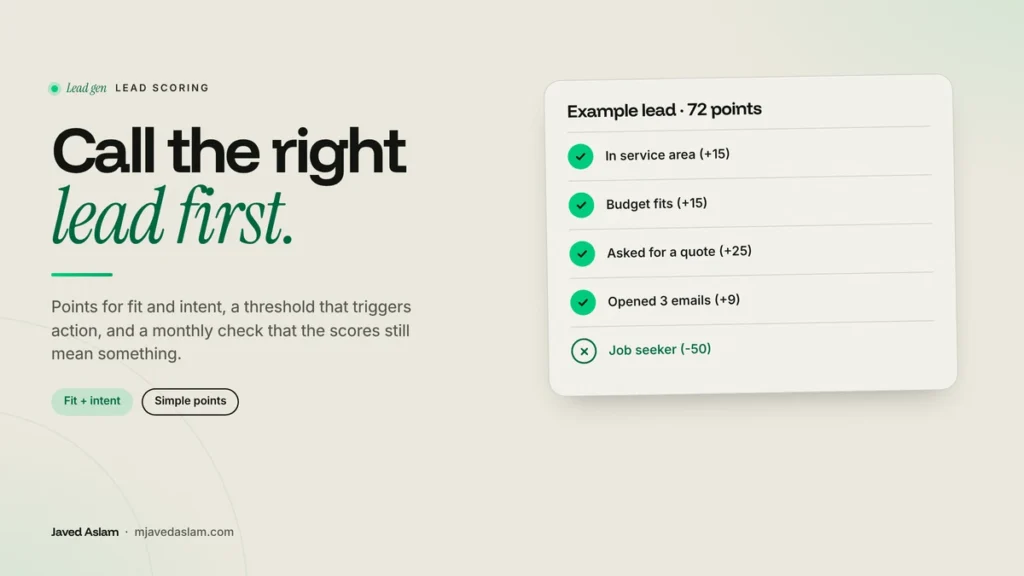
Should you use AI for reactivation?
Many agencies now sell “AI database reactivation”, where an AI texting agent sends the messages and handles the first replies. It can work for high volumes, but it needs care. The AI should only text contacts with proper consent, identify itself honestly, hand over to a human for bookings and pricing, and never invent offers. For most small businesses, a well-written sequence and a fast human reply works just as well and keeps the tone personal.
How to measure the campaign
Track a few simple numbers:
- Messages delivered (texts and emails that reached someone).
- Reply rate: replies divided by delivered.
- Booked jobs or appointments from the campaign.
- Revenue from those jobs, if you can attach it.
- Opt-outs, to make sure your list and messages aren’t annoying people.
Compare revenue with the cost of texts, emails and staff time. Most businesses find reactivation is one of their cheapest sources of work. Run it every few months, and add past customers to an ongoing “next service” reminder so you need fewer one-off campaigns over time.
Reactivation for different businesses
- Home services: seasonal services (AC in spring, heating in autumn, gutters in autumn), repairs that were quoted but not booked.
- Health and wellness: patients overdue for check-ups, with healthcare privacy rules in mind. My guide to GoHighLevel for dentists covers recall and reactivation for practices.
- Professional services: past clients ahead of tax season, contract renewals, annual reviews.
- Agencies: past clients who paused, and proposals that went quiet.
Common mistakes
- Texting without consent. It risks fines and complaints. When in doubt, email.
- Blasting the whole list at once, then being unable to answer the replies.
- Messages that sound automated. Write the way you’d text a customer yourself.
- No stop condition, so people who already replied keep getting follow-ups.
- Forgetting to update the CRM. Tag replies, bookings and opt-outs so the next campaign is cleaner.
Frequently asked questions
01What is a database reactivation campaign?
It’s a short series of texts, emails or calls sent to existing contacts, such as old leads and past customers, to restart conversations and win back business.
02Is it legal to text old leads?
Only if they gave the kind of consent US law requires for marketing texts, usually prior express written consent. If you’re not sure, email them instead and check with a lawyer.
03How many messages should a reactivation campaign include?
Three or four over two weeks is typical: an opening question, a gentle follow-up, a reason to act and a final note. Stop as soon as someone replies or opts out.
04What reply rate should I expect?
It varies widely with list age, consent, segment and message quality, so there’s no reliable benchmark. Track your own numbers and compare campaigns over time.
05Should I offer a discount?
Not in the first message. Start with a friendly question. An offer can work in a later follow-up for people who haven’t replied.
06Can GoHighLevel run reactivation campaigns?
Yes. You can import and tag contacts, build a workflow with texts and emails, stop it when someone replies, and handle conversations in one inbox.
Want a reactivation campaign set up?
I build reactivation campaigns and follow-up systems in GoHighLevel for US service businesses, with consent and opt-outs handled properly. See my GoHighLevel services or email me.

✳Written by
Javed Aslam
Digital marketer, copywriter and SEO specialist. I help small businesses get found, read and chosen. More about me.